Vertiv™ NetSure™ Control Unit (NCU) User Manual
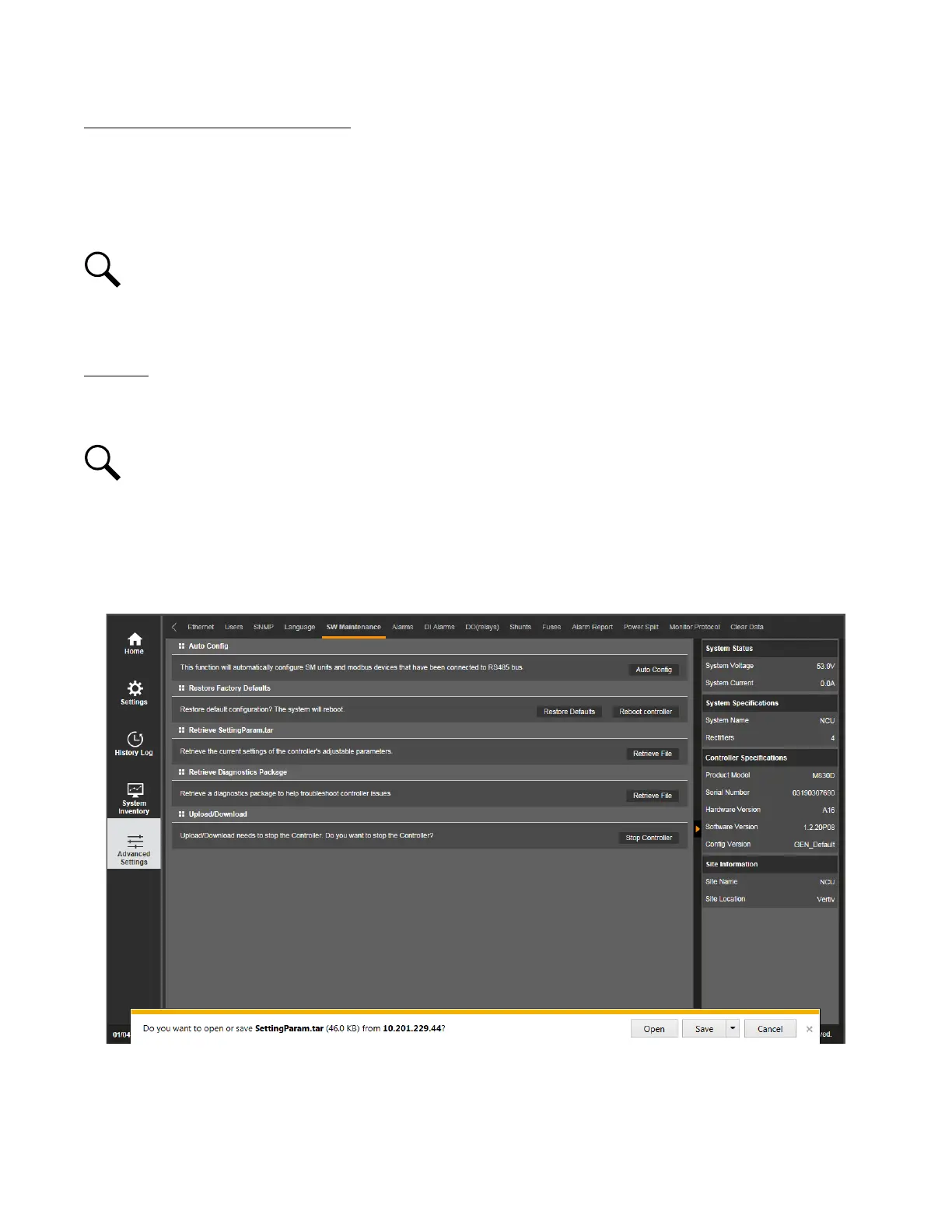
Retrieve "SettingParam.tar" File Procedure
See also “Backing Up the NCU Configuration” on page 48.
A file named “SettingParam.tar” is automatically created/appended by the controller whenever a User (or the factory at the time of
shipment) makes changes to the NCU via the local display or Web Interface. This file can be saved to your computer so you can
restore any custom settings you may have made.
NOTE!
It is strongly recommended that you save a copy of the “SettingParam.tar” file whenever you customize any
parameter settings. Then, if you ever replace the controller or perform a "Restore Defaults" procedure, you can restore your
customized settings by downloading the previously saved “SettingParam.tar” file back into the controller.
Prior to changing settings, ensure the current "SettingParam.tar" files are backed up. After making changes, create new backup files.
Procedure
1. Click on the “Retrieve File” button to save the file named "SettingParam.tar" to your computer. Select where you want the file
to be copied to on your computer.
NOTE!
Ensure Internet Explorer security settings are set to enable a file to be copied to your computer.
To aid in file management, you may change the name of the “SettingParam.tar” file to differentiate it from other "SettingParam.tar"
files saved. The new name can use alpha and numeric characters preceding the original “SettingParam.tar” name (the end of the
new file name must always be “SettingParam.tar”; for example, an acceptable filename would be “seville4SettingParam.tar”).
Figure 5.64 Retrieve "SettingParam.tar" File



 To Next Page