Chapter 11 Smart Access Anywhere
Connection information and settings
130 User Manual 79000000203 Rev. 005
Modifying connection settings
To modify the settings for connection to internet:
1 Press Session menu key on left of the screen .
2 Disconnect from application pressing
3 On the session screen (see Figure 67 on page 129), press button
.
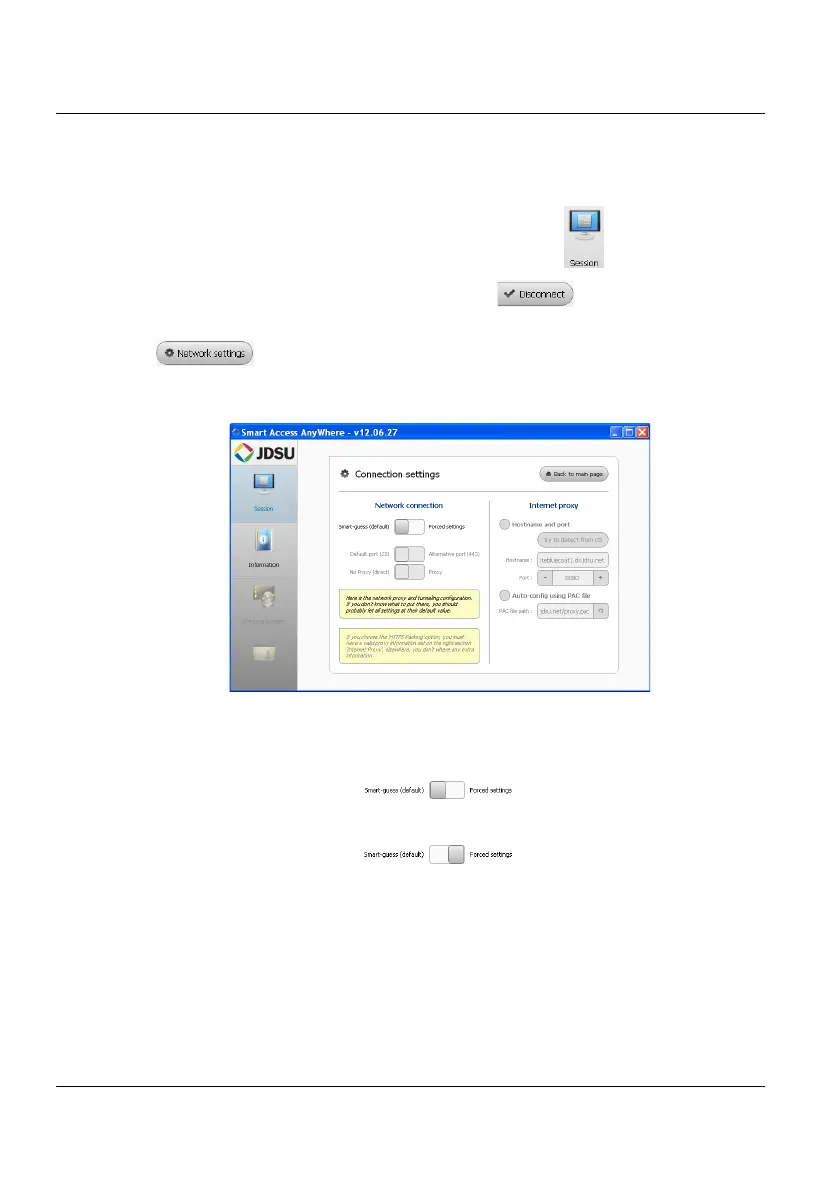
The following screen displays:
By default, the connection is defined to Smart-guess (default).
4 To modify the current parameters, select Forced settings.
The parameters for Port configurations turn automatically active.
5 Modify, if necessary, the port used: Default port (22) is selected by
default
6 Select Alternative port (443) if necessary
7 If the parameter Alternative port (443) is selected, you can defined if
the proxy is used or not in the following parameter.
Figure 68 Connection settings











 To Next Page