Chapter 13 Bluetooth option
Setting up a Bluetooth connection
144 User Manual 79000000203 Rev. 005
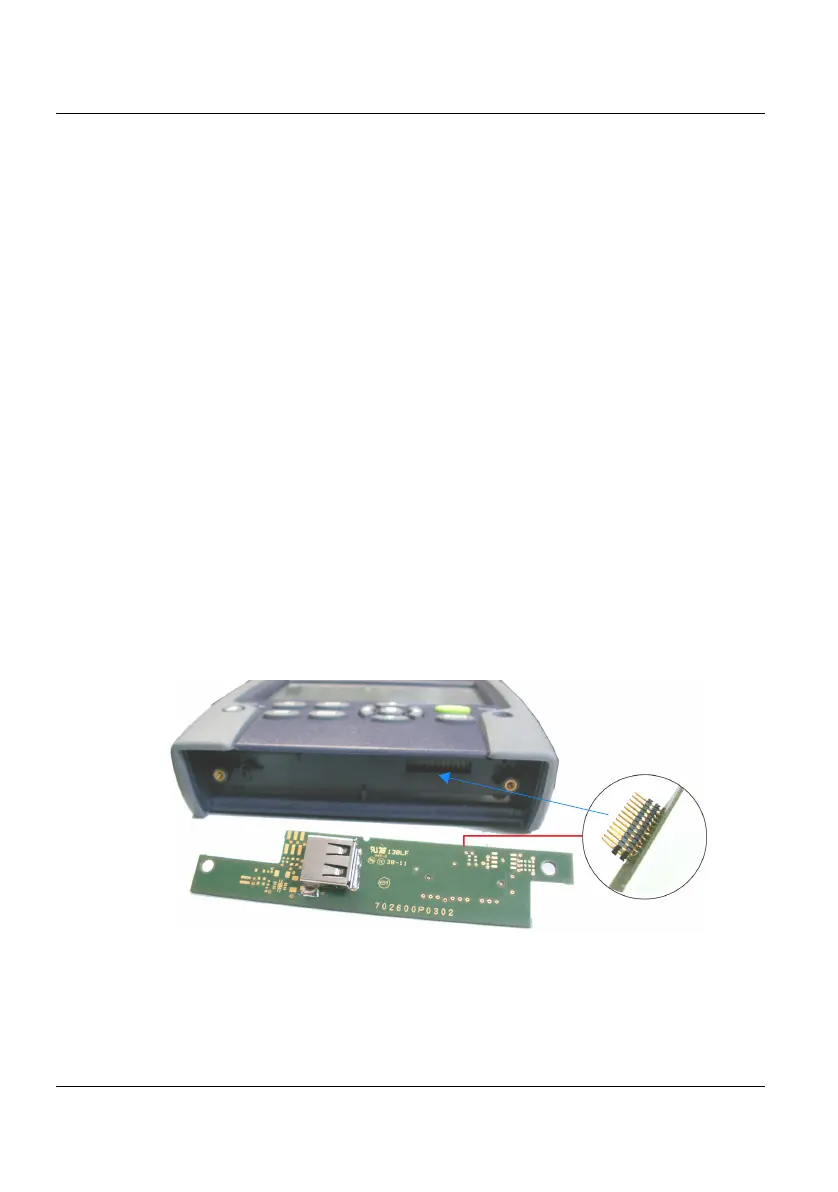
Setting up a Bluetooth connection
Installing the Bluetooth option onto the 2000
Platform
The Bluetooth option is delivered on a USB dongle to be connected to the
board which will be inserted into the 2000 Platform.
To install the Bluetooth option onto the Platform:
1 Switch off the 2000 Platform and, if necessary, unplug it from mains.
2 Remove the cover on the underside of the Platform, unscrewing the
two screws.
If the board is already set into the Platform, follow instructions on
step 4.
3 Insert the board, pressing it gently but firmly, taking care to the
connectors.
4 Insert the Bluetooth into the connector of the board.
Figure 77 View board and connectors











 To Next Page