Chapter 7 Transferring the 2000 Platform Interface
Transferring the Interface
User Manual 79000000203 Rev. 005 69
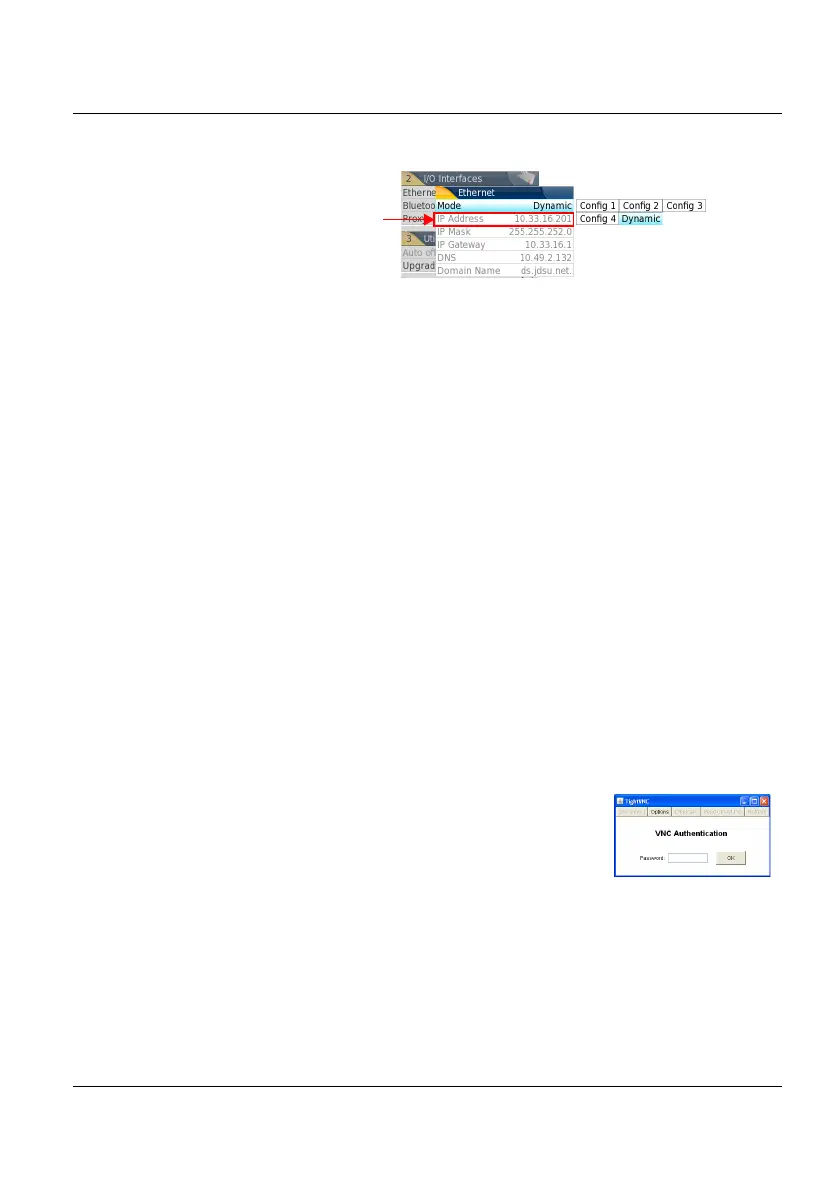
1 Note the IP Address displayed in the System Settings page.
2 Wait about 10 seconds the connection is established.
The 2000 Platform Interface can now be transferred onto the PC, or the
internal memory or USB key contents can be transferred on PC.
Transferring the Interface
Once the connection is established between the 2000 Platform and the PC,
proceed as follow:
1 Open Internet Explorer on the PC.
2 Considering
10.33.18.93
is the IP Address of the 2000 Platform (as
shown Figure 25 on page 69), enter the following address in the
Internet Explorer window:
http://10.33.18.93:5800
3 Press Enter to validate.
A VNC window opens, demanding a password
4 Press OK without typing any password.
The screen of the 2000 Platform appears offset on your PC.
Figure 25 Example of configuration for I/O Interfaces box
Note the 2000 Plat-
form IP Address











 To Next Page