Chapter 5 Power meter, VFL (Visual Fault Locator) & Talkset
Using the Power meter
36 User Manual 79000000203 Rev. 005
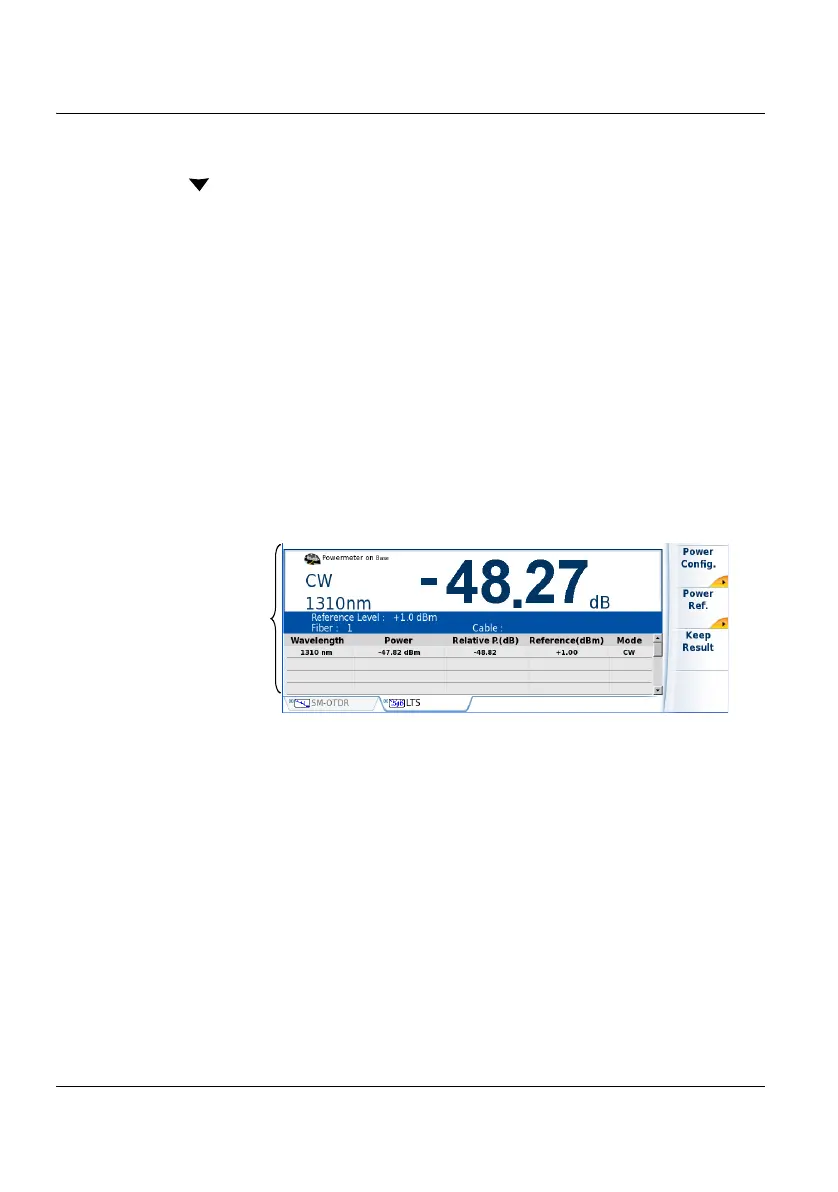
displayed on the screen; to scroll through the other results, use the direc-
tion key
. The table shows the power measured in dBm, the relative
power (in dB) and the reference level in dBm (if units = dB), together with
the mode.
• A measurement result is displayed in the table when the Keep
Result softkey is pressed.
• The Clear Table softkey orders deletion of all the results displayed in
the table.
• If the Alarm function has been activated, any result that exceeds the
selected thresholds appears in red in the table. Otherwise, results
are shown in the table in green.
• When the instrument is switched off, results present in the table are
saved.
Commands of the power meter parameters
When the Powermeter function is selected, the following softkeys are avail-
able on the results page:
The different configuration buttons are displayed:
Wavelength selection of the wavelength
Unit choice of the unit
Figure 14 Results and commands of the power meter
Results of the
powermeter











 To Next Page