Chapter 5 Power meter, VFL (Visual Fault Locator) & Talkset
Talkset and Datalink Functions
User Manual 79000000203 Rev. 005 43
2 A headset (with earphones and a microphone) supplied with the
option may also be plugged into the 2000 Audio jack.
Establishing communication
On the caller 2000 Platform, press the HOME button, then validate the
desired function:
• Talkset (Optical Telephone): used to communicate via the
fiber.
• Datalink : used to transfer data along the fiber.
If the remote instrument is ready to receive (on standby), the Talkset/Data-
link icon turns yellow, beeps are emitted, and
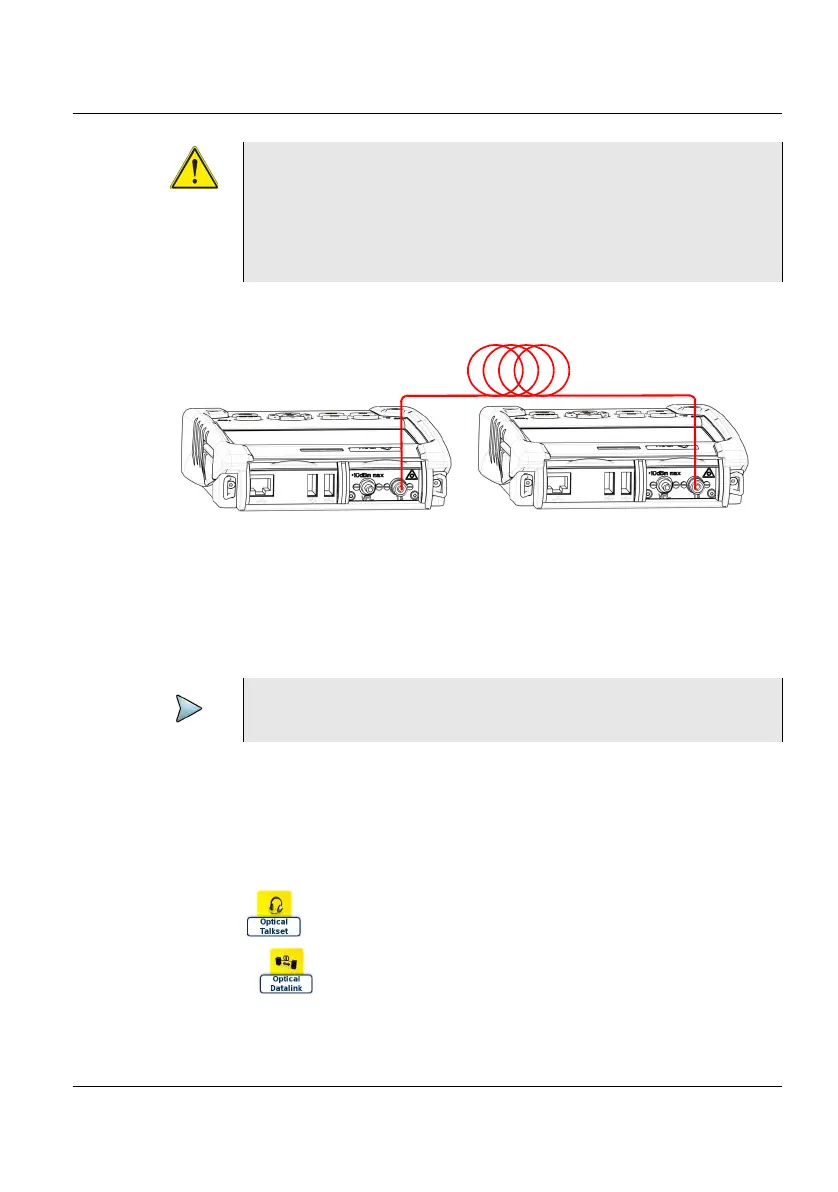
Viavi recommends you to use the following connec-
tions:
- PC Fiber Connection (APC is not recommended)
- SC or FC connection (UPP is supplied but not recom-
mended).
Figure 15 Installation for Talkset use
NOTE
Data transfer uses the same fiber as the optical telephone











 To Next Page