Chapter 1 2000 Platform Overview
Hard keys and Indicators
6 User Manual 79000000203 Rev. 005
Hard keys and Indicators
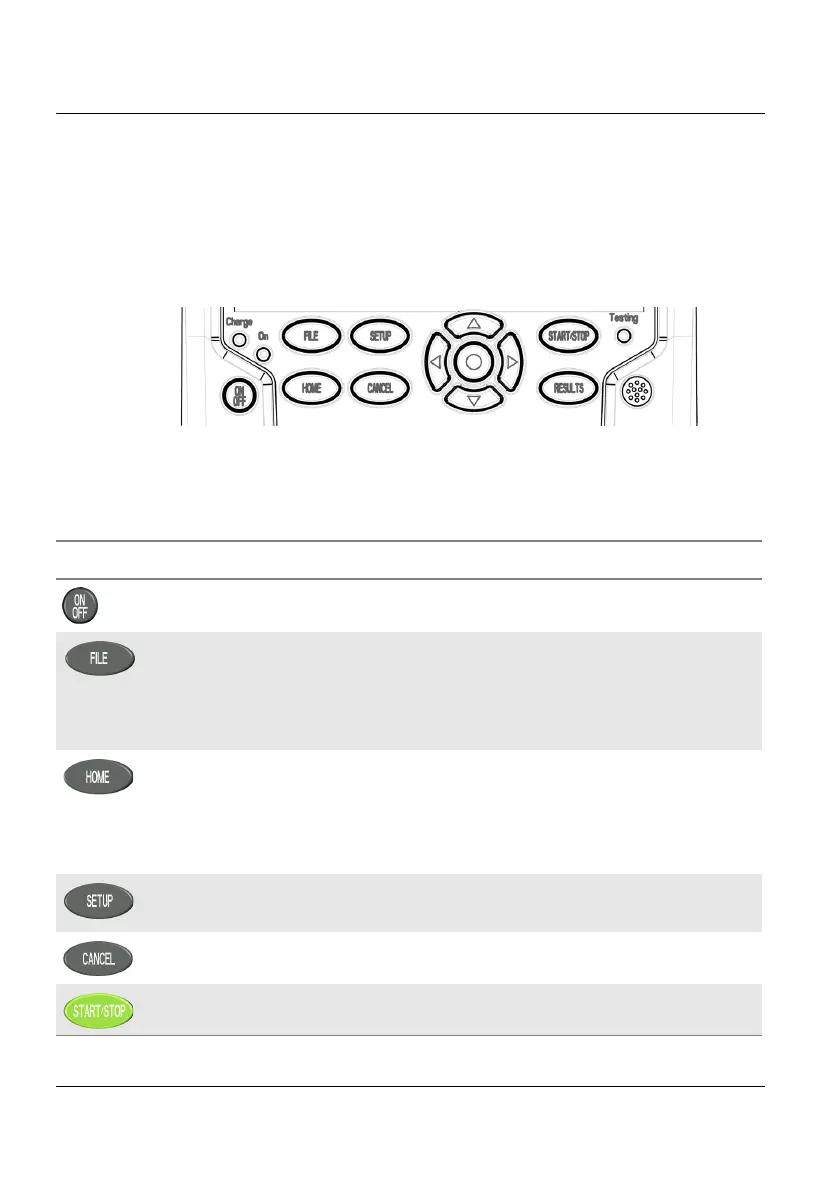
Front panel hard keys
Figure 4 Hard keys and Indicators
Table 2 Hard keys description
Hard key Function
Main on/off switch
This button calls up the file explorer. It allows to:
• choose the storage medium: internal memory, USB key.
• manage files; with facilities for classifying them in directories
and sub-directories.
Gives access to:
• selection of the different measurement or functions
• the settings of the instrument
• the help page
This button calls up the measurement configuration menu. This
menu depends on the function in use.
This button allows to deselect a function or escape a menu
Starts and stops the measurement.











 To Next Page