Chapter 12 WIFI Option
Transferring the 2000 Platform interface via WIFI on a PC
User Manual 79000000203 Rev. 005 139
Transferring the 2000 Platform interface via
WIFI on a PC
Once the IP address is displayed in the configuration screen.
1 On the PC connected to WIFI with the Platform, open Internet
Explorer.
2 Considering
10.33.16.229
is the IP Address of the 2000 Platform
(as shown Figure 74 on page 138), enter the following address in the
Internet Explorer window:
http://10.33.16.229:5800
3 Press Enter to validate.
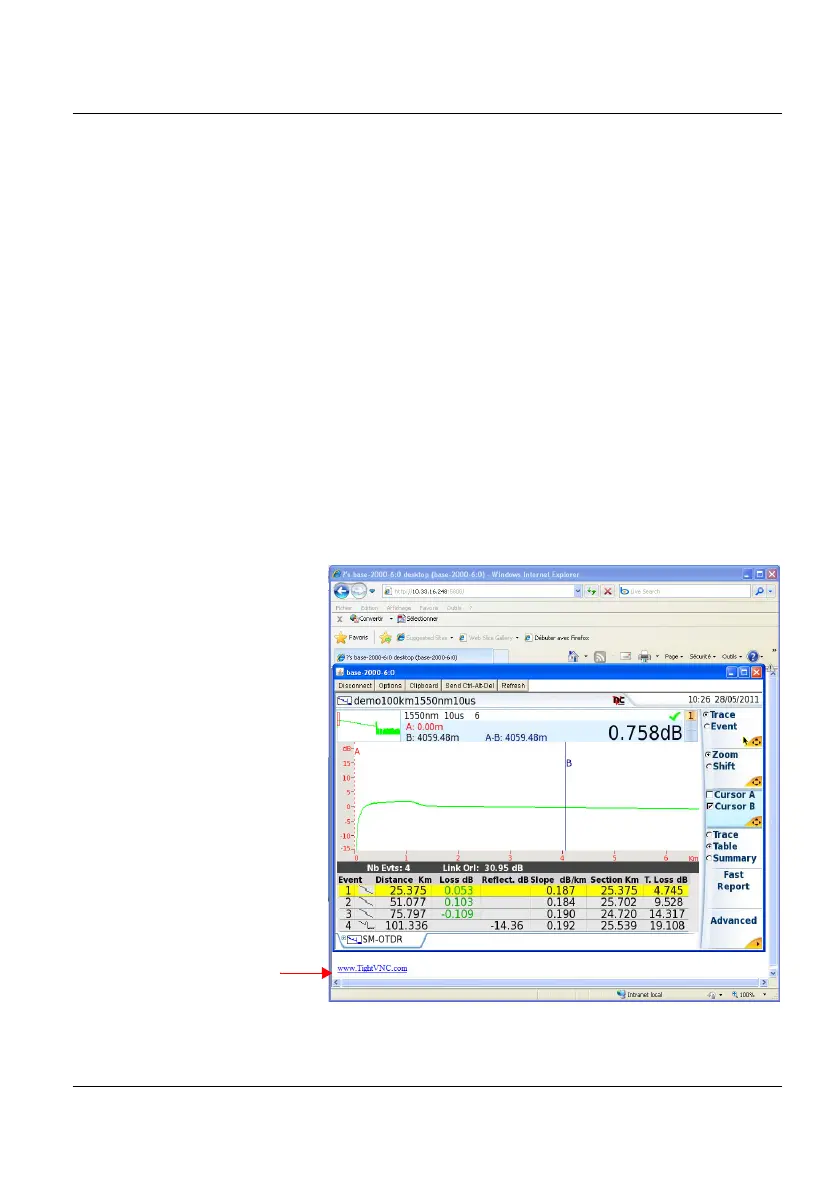
The screen of the 2000 Platform appears offset on your PC.
Figure 75 VNC window
Click to install
TightVNC software on
your PC (not manda-
tory)





 To Next Page