Chapter 8, Troubleshooting Guide:
E.H. Wachs Part No. 79-MAN-04, Rev. I 207
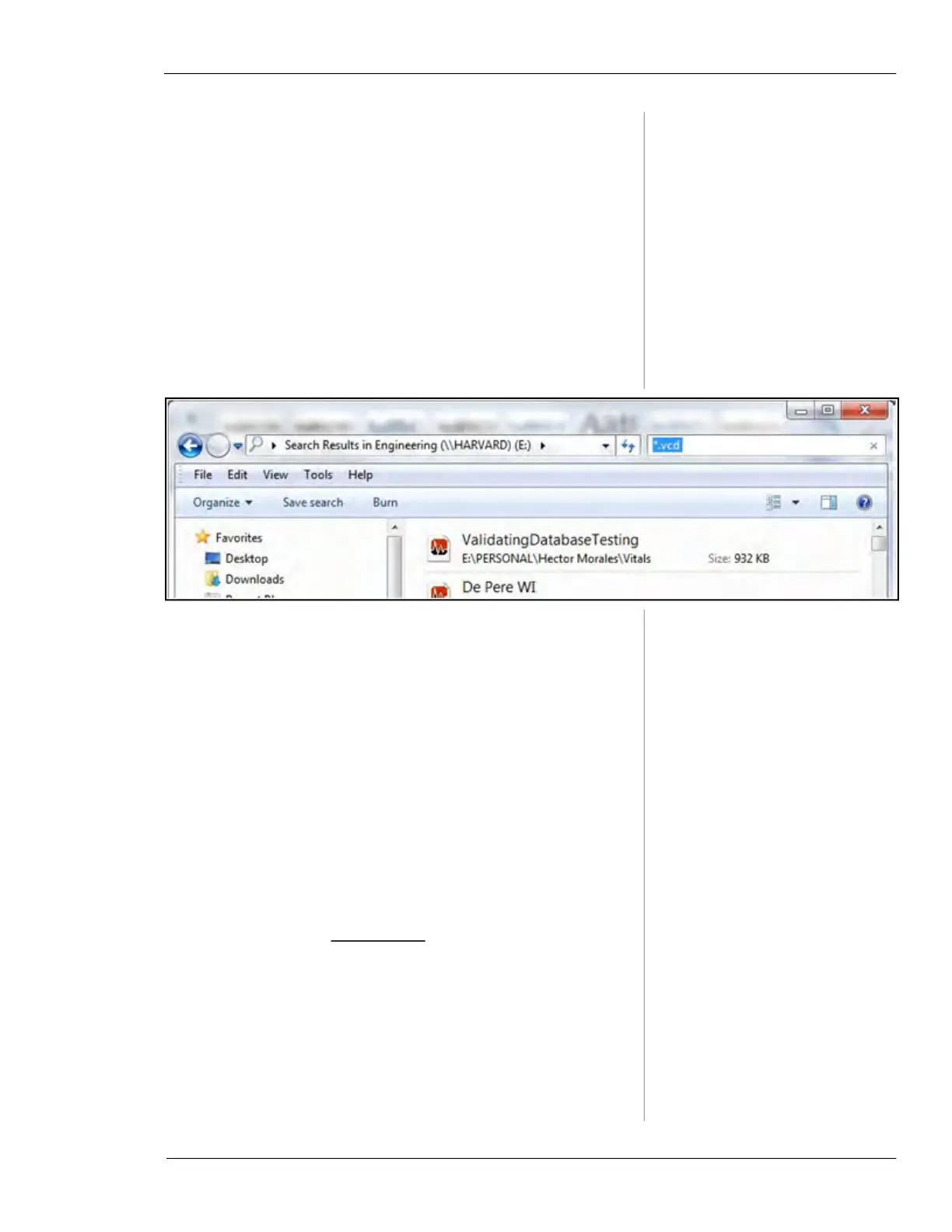
Symptom: Can’t find database (.vcd file) that was
transferred from handheld controller to Vitals Desk-
top.
1. Directory related
• Created a new database and saved it at another loca-
tion and thus changing the default directory.
i. Perform a computer search by typing “*.vcd” in
the search bar. (This is the extension for the data-
base file when it is transferred to Vitals Desk-
top.)
ii. Click on Open Database under Database Setup
and point to the directory containing
vitalsdb.vcd.
1. Database file deleted or overwritten.
Symptom: No COM ports are available for Bluetooth
pairing.
1. COM ports were not released when previous Bluetooth
pairings were deleted.
• Run the
BT Clean app on the HC-100 to remove all
COM port assignments and Bluetooth pairings. (If
BT Clean is not on your HC-100, download it from
the website at
turnvalves.com. Click “Support”, then
click “Software Downloads”.)



 To Next Page