Vitals Reference Manual
36 Part No. 79-MAN-04, Rev. I E.H. Wachs
GPS Tab
See “Adding External GPS” on page 43.
1.
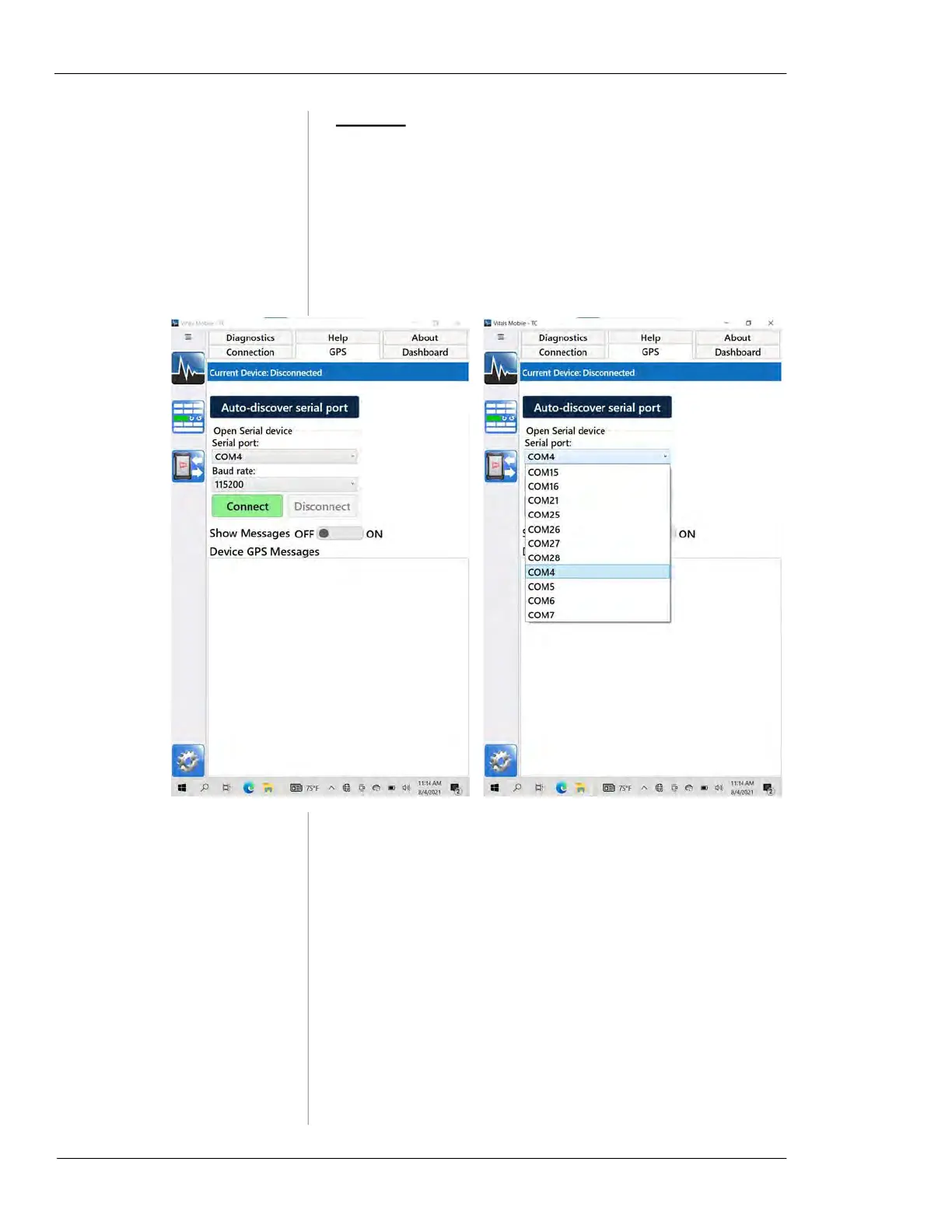
Tap the GPS tab.
2.
Use Auto-discover serial port to search for an available
GPS device, or manually select a device with the
Serial
port
drop-down.
Figure 5-10. Use the GPS tab to connect to an exter-
nal GPS device. Either click
Auto-discover serial port,
or select the serial port manually.
3.
Tap the Show Messages toggle button to turn GPS
message display on or off.



 To Next Page