Chapter 5, Using Vitals Mobile-TC (TC-100 Controller): Displaying and Searching Valve Information
E.H. Wachs Part No. 79-MAN-04, Rev. I 47
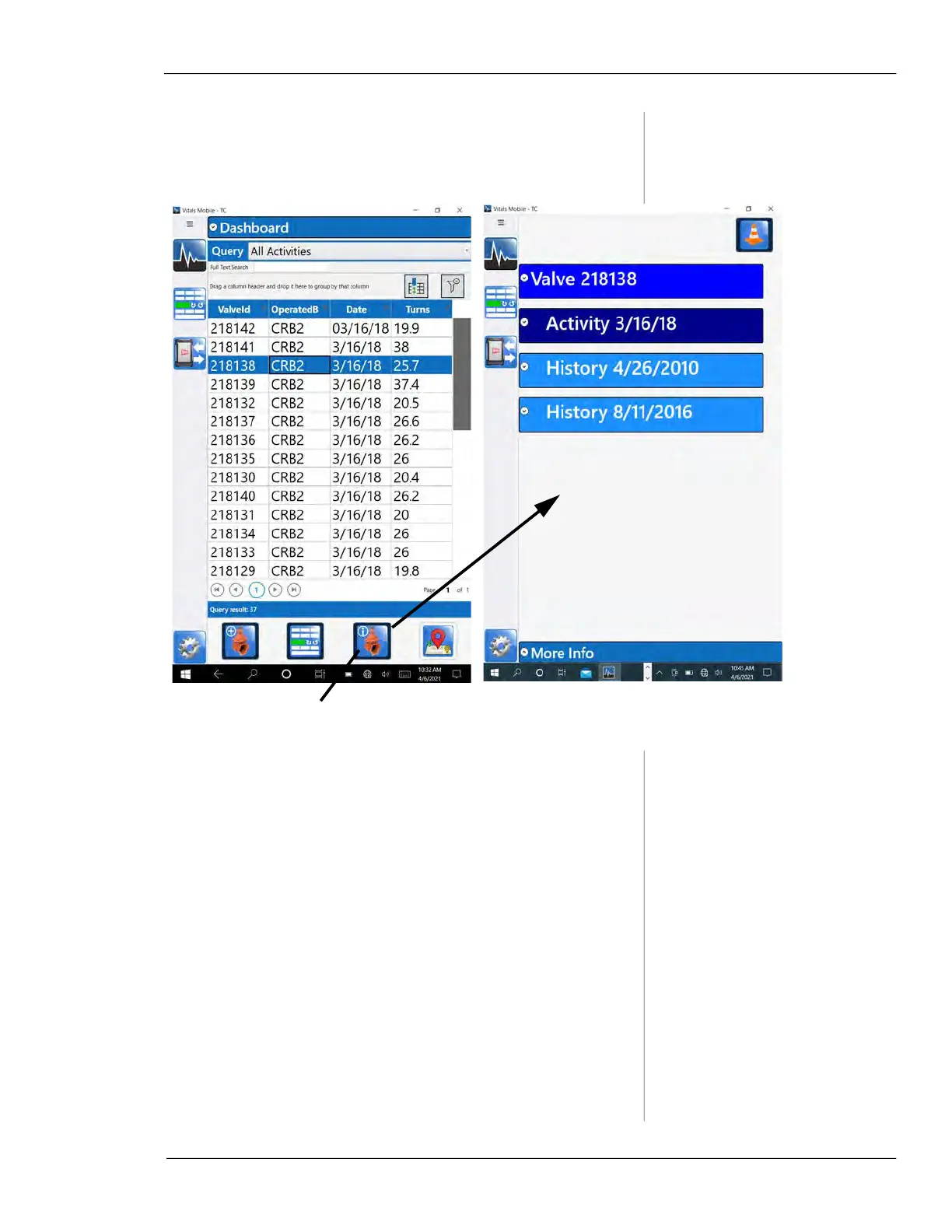
3.
Tap on an activity to highlight it. The Valve Details
icon will highlight to show valve information is avail-
able.
Figure 5-21. Select an activity in the list, and tap the
Valve Details icon to display the valve data.
Highlighted to show
data is available
To return to the search results
screen, tap the Home icon.



 To Next Page