Vitals Reference Manual
78 Part No. 79-MAN-04, Rev. I E.H. Wachs
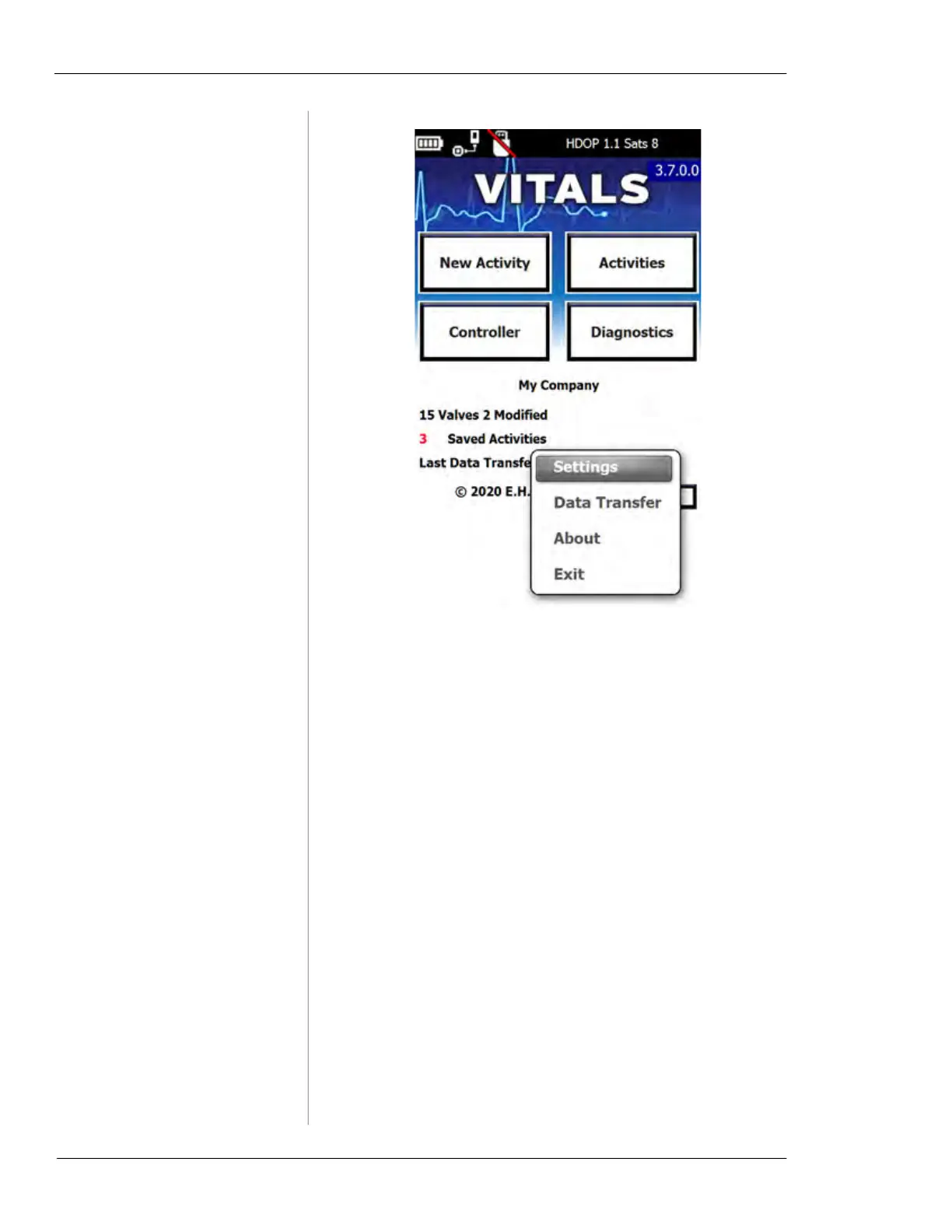
Figure 6-3. Vitals Mobile command menu.
• The
Settings command opens the Vitals Mobile
options screen. This screen contains settings for
machine connection, GPS, and the default torque
limit. (See “Changing Settings” below.)
• The
Data Transfer command lets you transfer valve
data to Vitals Desktop using a USB flash drive.
• The
About command displays the Vitals Mobile
About screen, with version information.
• The Exit command quits the Vitals Mobile program.
To re-start the program, tap the Vitals Mobile icon
on the HC-100 home screen.



 To Next Page