FRONT PANEL CONTROLS QUICK START GUIDE
124
Display brightness levels may be adjusted down to off. Once the
display is turned off, the operator can no longer view the menu
system. Press any of the soft keys to return the display to normal.
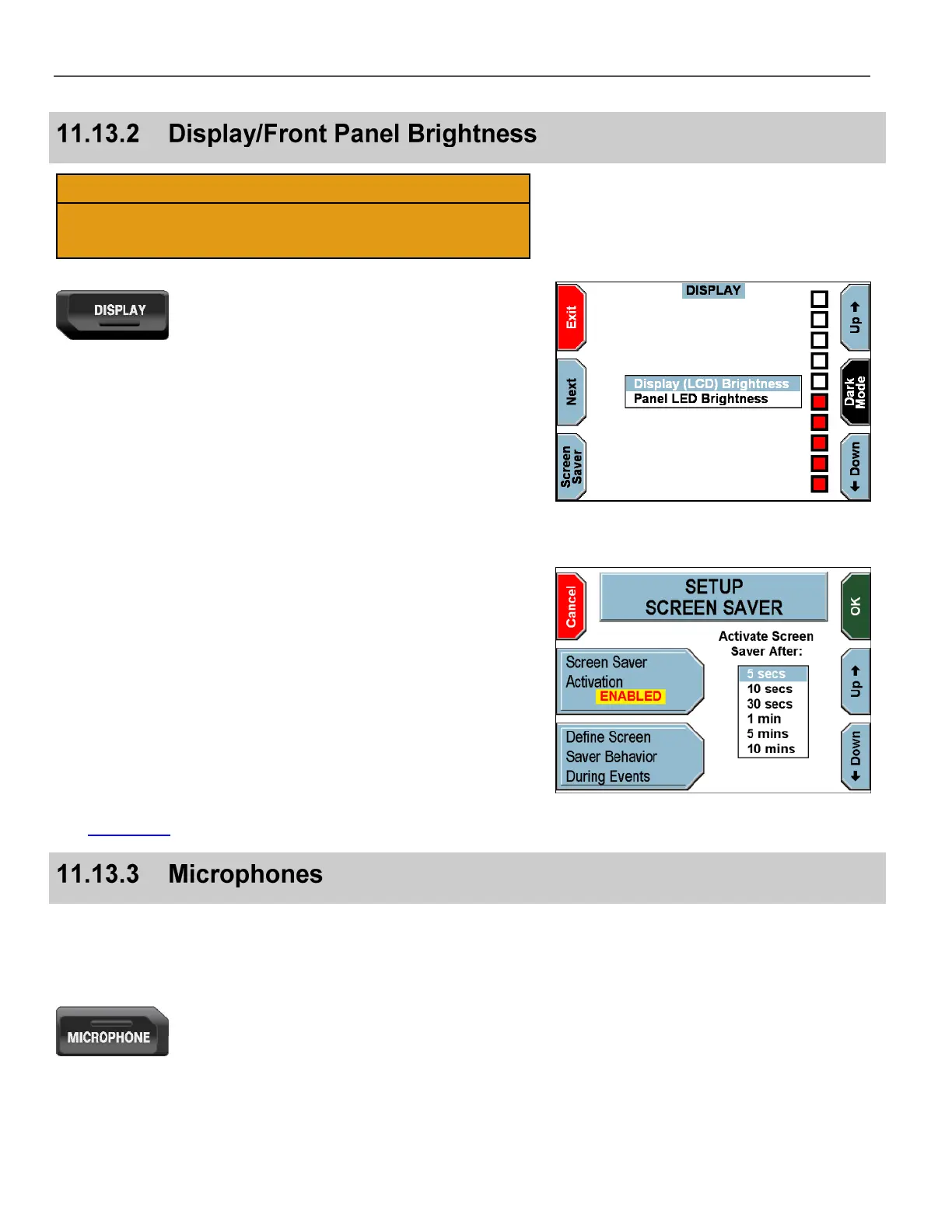
Press the DISPLAY key on the Front Panel.
The DISPLAY screen is displayed.
Press the Next key to switch between display or panel brightness.
Press the Up & Down keys to set the brightness level for the
selection.
If desired, press Screen Saver.
The SETUP SCREEN SAVER screen is displayed.
Press the Screen Saver Activation key until ENABLED is
displayed, to configure the screen saver to always activate (day and
night), after the specified time interval.
Press the Up and Down keys to set the desired amount of time
until the screen saver activates.
Press any key on the Front Panel or the camera to deactivate the
screen saver. The screen saver is also deactivated when the ignition
switch changes state.
See Display Key on page 57 for more details.
There are several different types of microphones that may be
included with the DV-1 system. For specific information on your
particular microphone, please refer to the manufacturer’s manual that
is packaged with your microphone.
Press the MICROPHONE key on the Front Panel.



 To Next Page