EasyManua.ls Logo

Watchguard DV-1 - Front Panel Controls

Watchguard DV-1
142 pages
Print Icon
To Next Page IconTo Next Page
To Previous Page IconTo Previous Page
Loading...
FRONT PANEL CONTROLS DV-1 SYSTEM OVERVIEW
20
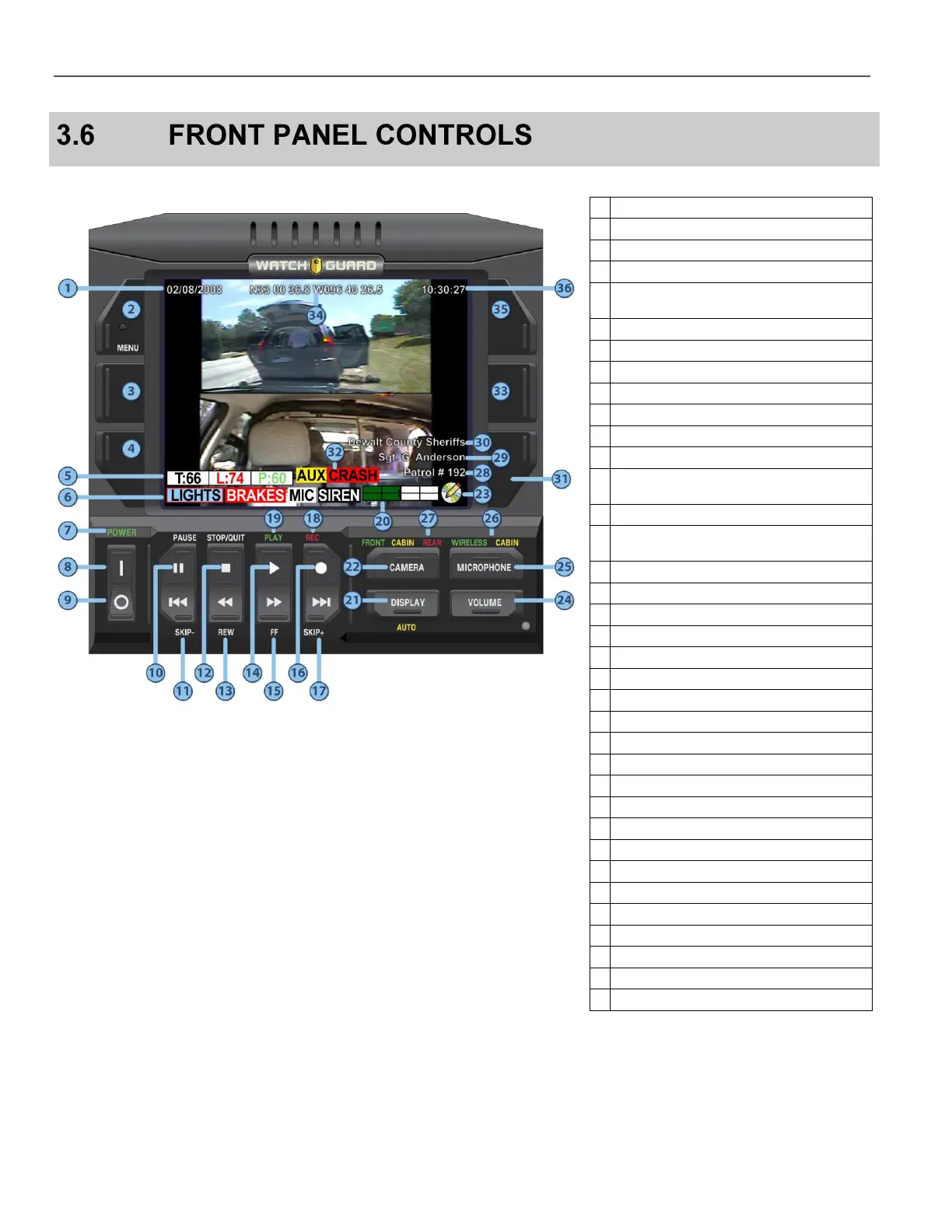
Figure 5 Front Panel Controls
Table 3 Front Panel Controls
1
Date
2
Menu key (Navigation Key 1)
3
Navigation Key 2
4
Navigation Key 3
5
Radar Speeds
Target -- Fastest/Locked Patrol
6
External Input Indicators
7
Power Indicator
8
On Switch
9
Off Switch
10
Pause
11
Skip backward to previous chapter
12
Stop playback; stop recording; eject DVD
13
Rewind 60, 90, 120, or 180 seconds
depending on the video quality
14
Play
15
Fast-forward 60, 90, 120, or 180 seconds
depending on the video quality
16
Record
17
Skip forward to next chapter
18
Recording Indicator
19
Play Indicator
20
DVD Disc Usage Meter
21
Display Menu
22
Camera Menu
23
DVD Status Icon
24
Volume Menu
25
Microphone Menu
26
Microphone Indicators
27
Camera Indicators
28
Vehicle ID Number
29
Officer Name
30
Department Name
31
Navigation Key 6
32
Crash Detection
33
Navigation Key 5
34
GPS Coordinates (optional)
35
Navigation Key 4
36
Time (Military Format 24 hours)

Table of Contents

Other manuals for Watchguard DV-1