DETAILED DV-1 OPERATION FRONT PANEL CONTROLS
61
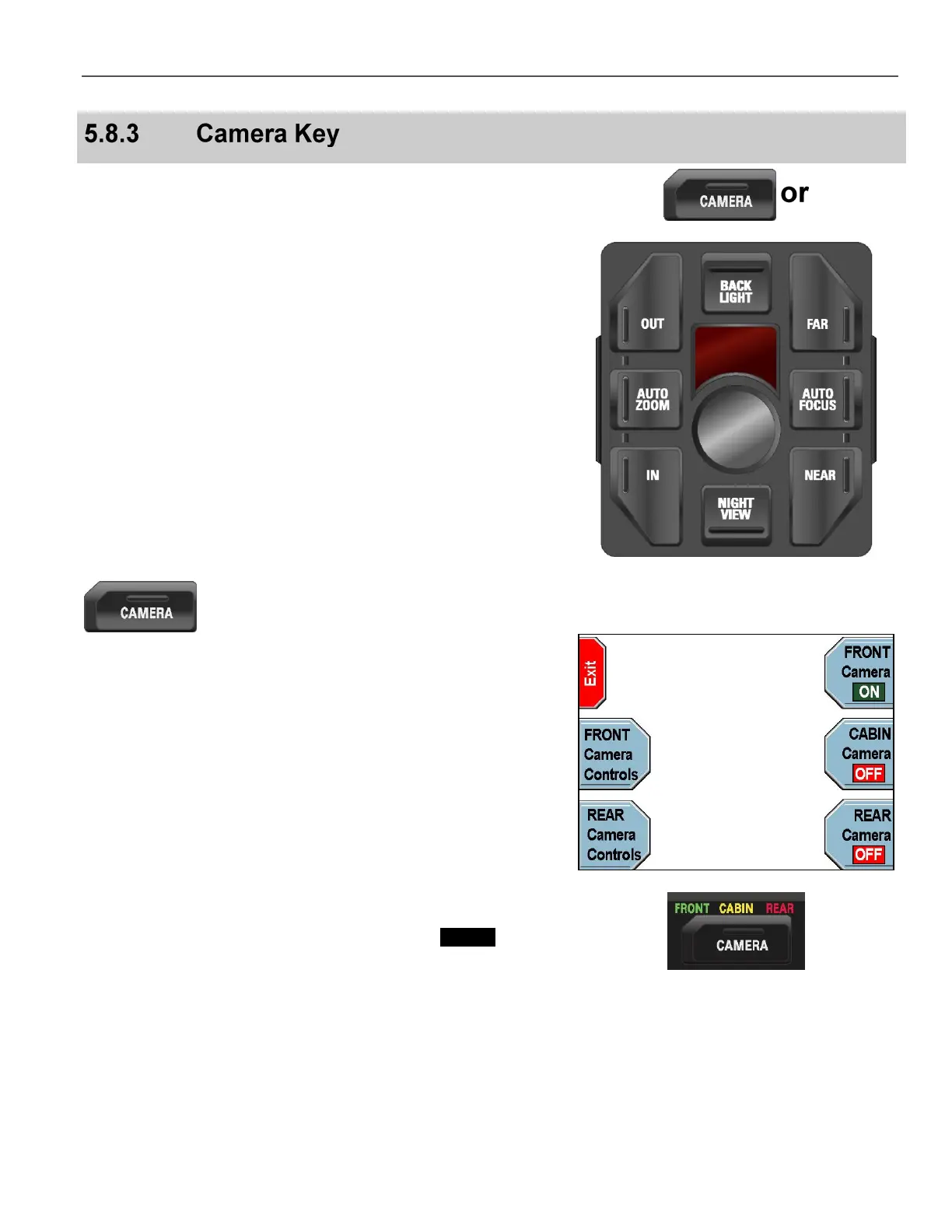
The DV-1 can operate up to 3 cameras:
Front Camera – Main windshield-view zoom camera
Cabin Camera – Backseat-view camera
Rear/Auxiliary Camera – Optional and may have zoom
capability
The system automatically senses which cameras are installed and
provides controls in the Camera Menu accessible from the Front
Panel.
The standard Combination camera consists of the Front and Cabin
cameras which are built into the same enclosure. It includes Camera
Keypad controls on the camera back which control only the Front
camera. The Cabin camera has a fixed, wide-angle lens, and it does
not include any manual controls.
The optional Rear/Auxiliary Camera is controlled exclusively
through the Camera Menu on the Front Panel.
Press the CAMERA key on the Front Panel.
The Camera Menu is displayed.
A list of available cameras is displayed on the right side of the
screen. Press the corresponding key to the right of the key label to
turn the desired camera ON or OFF.
Only two cameras can be displayed on-screen at once. The Front
camera is always favored. For example, if the Front camera and
Cabin camera are both ON, and the Rear/Auxiliary camera is
selected, the Cabin camera is turned OFF.
LED indicators above the CAMERA key indicate the currently active
cameras. The LED is green for the Front camera, yellow for the
Cabin camera, and red for the Rear/Auxiliary camera.
Press the FRONT Camera Controls or the REAR Camera
Controls key.



 To Next Page