MANAGE SUPERVISOR PASSWORDS SUPERVISOR/ADMINISTRATOR FUNCTIONS
90
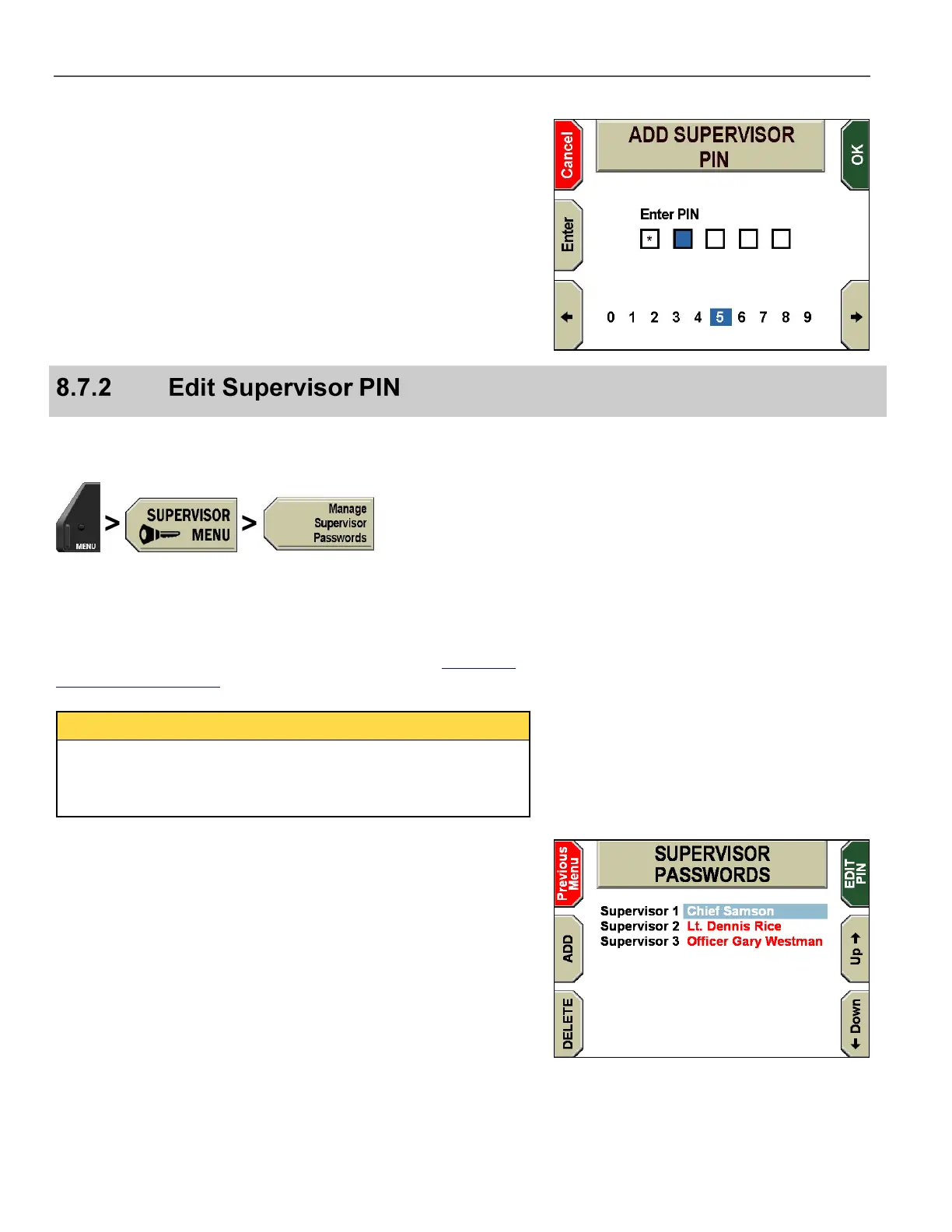
The ADD SUPERVISOR PIN screen is displayed.
Press the and keys to choose the number desired, and then
press Enter to select each number.
Press Cancel before the fifth number is entered to exit without
adding a Supervisor PIN. The OK key is automatically pressed
when the fifth number is selected.
Use this procedure to change an existing Supervisor PIN for the
selected officer.
Press MENU > SUPERVISOR MENU > Manage
Supervisor Passwords.
The system will ask for an Administrator PIN each time the
SUPERVISOR PASSWORDS screen is accessed. See Supervisor
and Administrator Login on page 78 for login instructions.
Once a user has logged in as an administrator, that administrator
login stays current until the user exits the menu system. The
system will NOT ask for an Administrator PIN again unless the
user has exited the menu.
The SUPERVISOR PASSWORDS screen is displayed.
Press the Up & Down keys to select the officer whose PIN you
want to change.
Press EDIT PIN.



 To Next Page