SYSTEM STATUS INFORMATION SCREENS HARD DRIVE INFORMATION
73
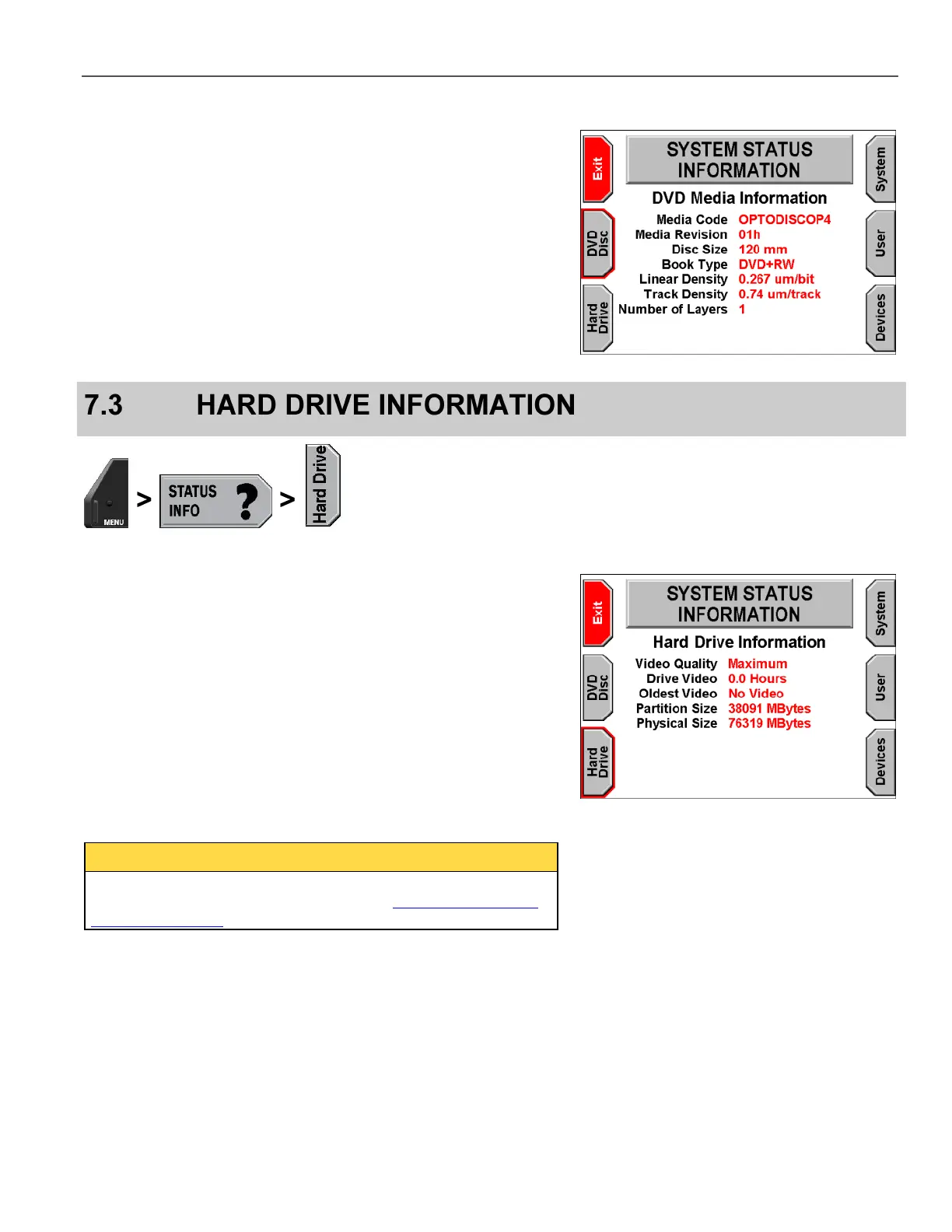
For the DVD Media Information screen (available only if a DVD is
present), the on-screen terms are:
Media Code – Identifies the manufacturer of the DVD and assists
the DVD burner in using the best write strategy
Media Revision – The revision of the DVD
Disc Size – The physical dimension of the DVD
Book Type – The type of DVD, for example, read only, read/write
Linear Density – The amount of space used for one bit
Track Density – The amount of space used for one track
Number of Layers – The number of layers on the DVD (1 or 2)
View hard drive information by pressing MENU > STATUS INFO >
Hard Drive.
On-screen terms are as follows:
Video Quality – The quality of resolution set to record to the hard
drive
Drive Video – The amount of time in hours recorded on the hard
drive
Oldest Video – The date and time of the oldest video on the hard
drive
Partition Size – The amount in MB of useable space on the hard
drive
Physical Size – The amount in MB of available space on the
hard drive
By default, only 40 GB of the hard drive space is used. To format
the drive to use all the available space, see Format Hard Drive to
Maximum Capacity on page 111.



 To Next Page