SUPERVISOR/ADMINISTRATOR FUNCTIONS MANAGE SUPERVISOR PASSWORDS
89
Use this procedure to add a Supervisor PIN for the selected officer.
Press MENU > SUPERVISOR MENU > Manage
Supervisor Passwords.
The system will ask for an Administrator PIN each time the
SUPERVISOR PASSWORDS screen is accessed. See Supervisor
and Administrator Login on page 78 for login instructions.
Once a user has logged in as an administrator, that administrator
login stays current until the user exits the menu system. The
system will NOT ask for an Administrator PIN again unless the
user has exited the menu.
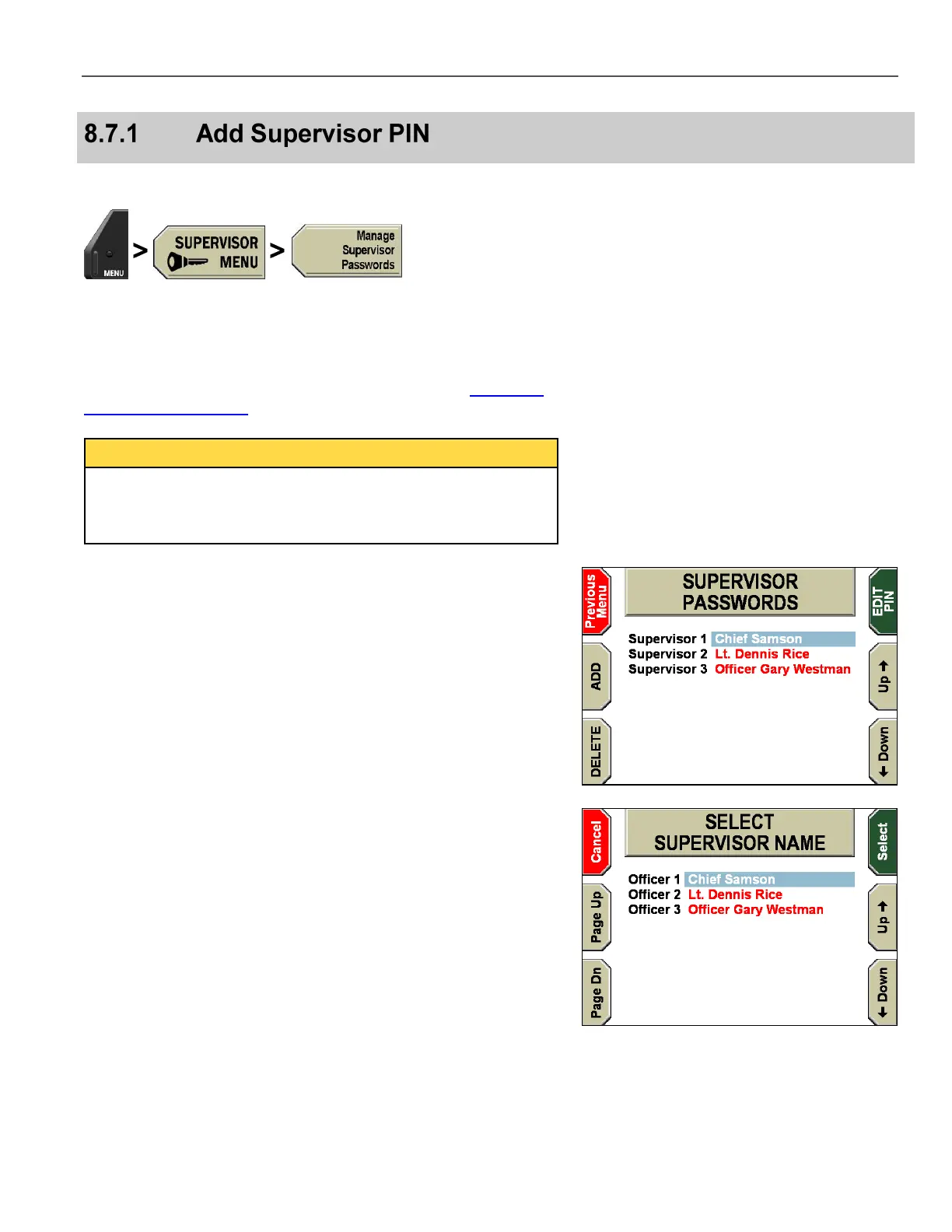
The SUPERVISOR PASSWORDS screen is displayed.
Press ADD.
The SELECT SUPERVISOR NAME screen is displayed.
Press the Up & Down keys to select the officer’s name. Press
Page Dn & Page Up to scroll to the next 10 officer names.
Press Select to add a PIN number to be associated with that name.



 To Next Page