SUPERVISOR/ADMINISTRATOR FUNCTIONS MANAGE DVD AND HARD DRIVE
85
This operation should only be performed when instructed by
Customer Service personnel.
U.S. customers, call 1-800-605-6734 or email
customerservice@watchguardvideo.com prior to selecting this
option. International customers, contact your local distributor.
This option resets the DVD state to allow the DV-1 to recover from
system errors that may have halted the DVD burn process and
rendered the system inoperable. The reset will result in data loss,
and a new blank DVD is required to continue operation following the
reset. If the current DVD is left in the drive, it will be treated as a
previously used DVD. The user will be prompted to reuse it.
The reset will clear out the database storing the video burned to the
current DVD and all backup DVDs. While the actual video is not lost
when the recording state is reset, the ability to find the video easily
using video review or to burn a previous DVD is lost. The video can
be retrieved using the Fleet Manager Utility. See Fleet Manager
Utility on page 97 for further details.
Resetting the recording state:
Immediately cancels any pending unburned video from being
burned
Removes the files that describe the previous (i.e., backed up)
DVDs
Resets the current DVD session to a blank state so new video
will be recorded to the beginning of the disc
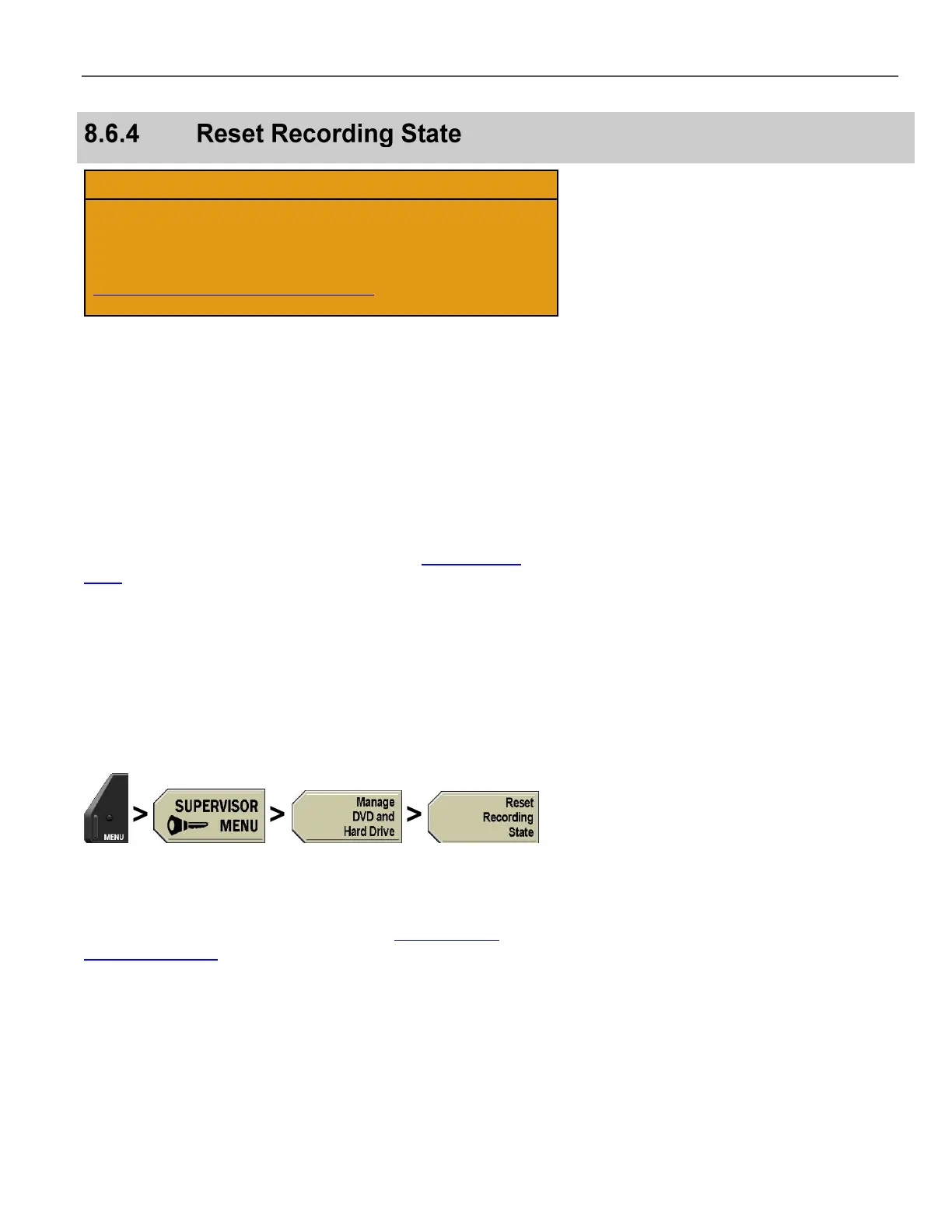
Press MENU > SUPERVISOR MENU > Manage DVD and
Hard Drive > Reset Recording State.
If prompted to login, follow the steps listed in Supervisor and
Administrator Login on page 78.



 To Next Page