SUPERVISOR/ADMINISTRATOR FUNCTIONS SET SYSTEM BEHAVIOR
79
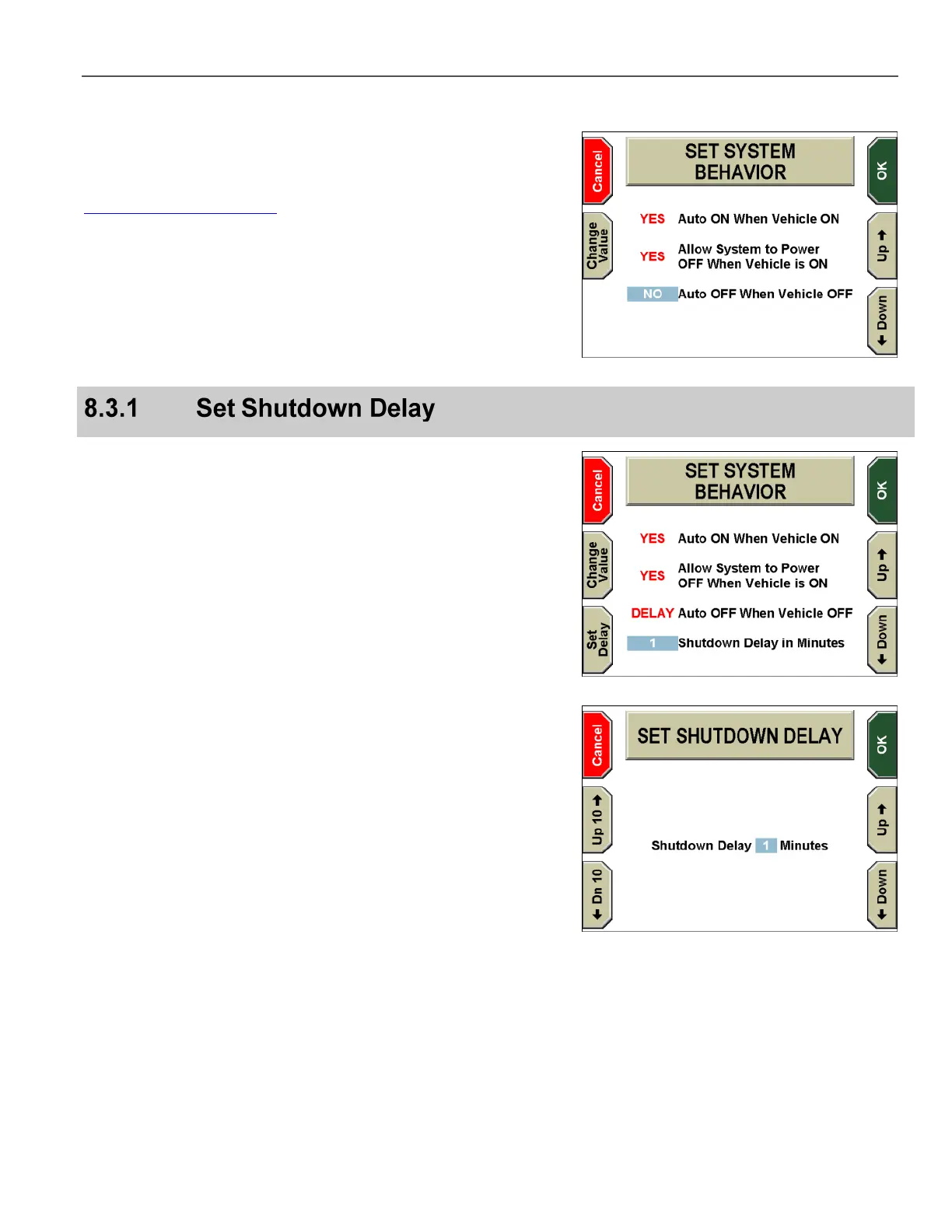
The SET SYSTEM BEHAVIOR screen is displayed.
Press the Up and Down keys to select the behavior you want
to edit. For a description of the System Behavior options, see the
Department Default Policies table on page 103.
Press the Change Value key to toggle between values for the
selected behavior. YES enables the behavior. NO disables the
behavior. DELAY (applicable only for the Auto OFF When Vehicle
OFF behavior) enables the behavior but allows you to configure a
1 to 60 minute delay before the system shuts down.
Press OK to confirm, or Cancel to exit without making changes.
Auto OFF When Vehicle OFF can be configured with a 1 to 60
minute delay before the system shuts down.
Press the Up or Down key to select the Auto OFF When
Vehicle OFF behavior, then press the Change Value key to
toggle between values until DELAY is displayed next to Auto OFF
When Vehicle OFF.
When DELAY is selected, the Shutdown Delay in Minutes value is
displayed in another line.
Press the Up or Down key to select the 1 next to Shutdown
Delay in Minutes, then press the Set Delay key.
The SET SHUTDOWN DELAY screen is displayed.
The Shutdown Delay can be set to any value from 1 to 60 minutes.
Press the Up 10 and Down 10 keys to adjust the delay time
by increments of +/- 10. Press the Up and Down keys to adjust
the delay time by increments of +/-1.
Press OK to confirm, or Cancel to exit without making changes.



 To Next Page