SAVE OR RESTORE OFFICER PREFERENCES DV-1 CONFIGURATION
44
Selecting an item in the list and pressing OK causes the selected
preferences to immediately become the current officer’s preferences.
For example, if officer A is the currently selected officer in the
system, and he chooses to restore preferences from officer B, then
officer A’s preferences immediately become the same as officer B’s
preferences.
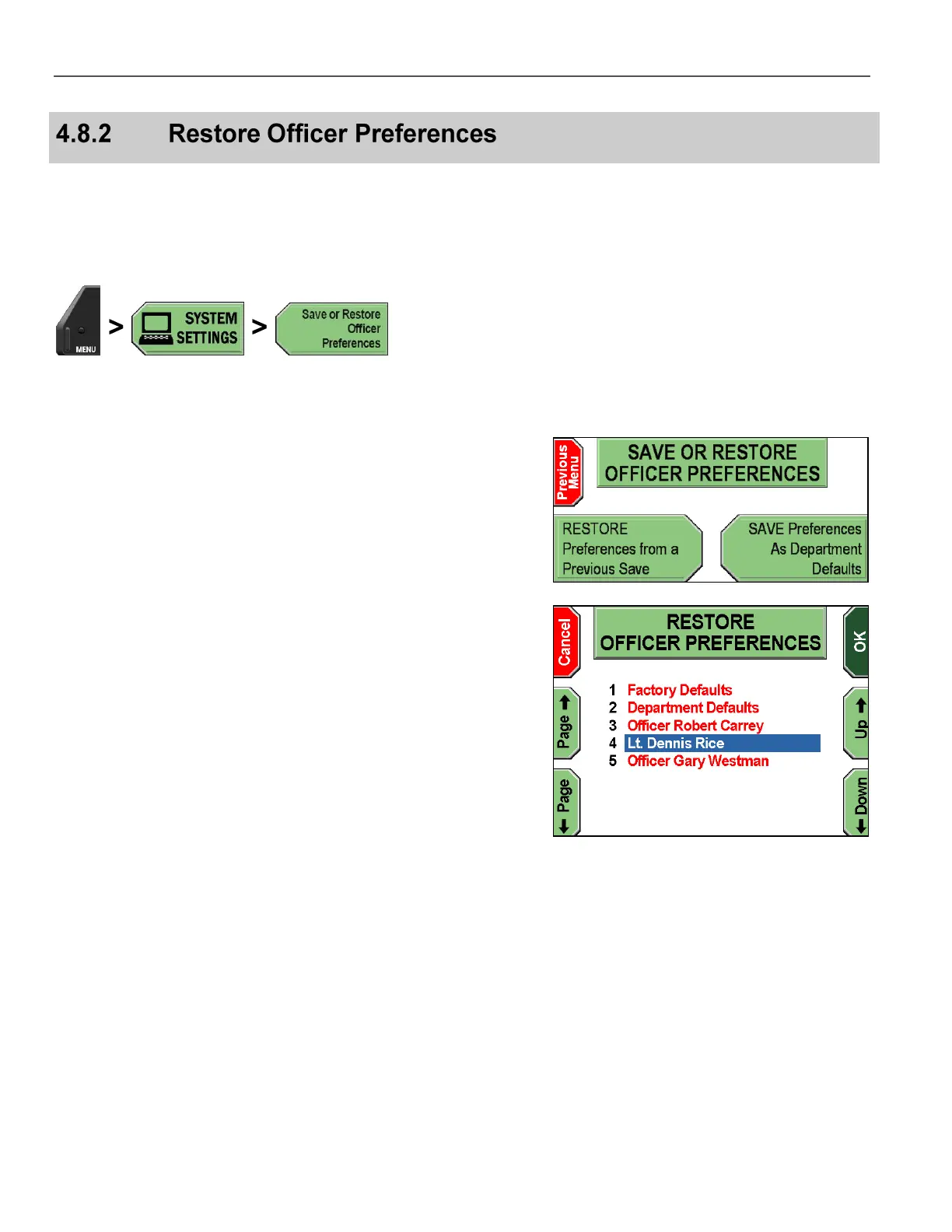
Press MENU > SYSTEM SETTINGS > Save or Restore
Officer Preferences.
The SAVE OR RESTORE OFFICER PREFERENCES screen is
displayed.
Press RESTORE Preferences from a Previous Save.
The RESTORE OFFICER PREFERENCES screen is displayed.
Press the Up & Down keys to select the preferences to restore.
Press Page & Page to scroll to the next 10 officer names.
Press OK to confirm, or Cancel to exit without restoring any
preferences.



 To Next Page