TROUBLESHOOTING HARD DRIVE FULL FORMAT
113
Supervisor access is required to format the hard drive from the
Supervisor menu. Administrator access is required to format the
hard drive from the back door.
The operating system is capable of mapping around bad sectors by
creating a bad sector map file, which is created during a Full
Format. All video/audio data, configuration files, officer names,
and Supervisor passwords are deleted, and it takes about 1-2
hours. If a system has been exhibiting signs of repeated hard drive
corruption (for instance, after a Quick Format the corruption
problems return), then it may be an indication that some sectors on
the hard drive have become damaged or non-responsive.
This operation will cause all video on the hard drive to be
lost!
A Full Format creates a bad sector map and erases all contents of
the hard drive. This can take 1 to 2 hours. For faster results, perform
a Quick Format before performing a Full Format. See Hard Drive
Quick Format on page 109 for formatting instructions.
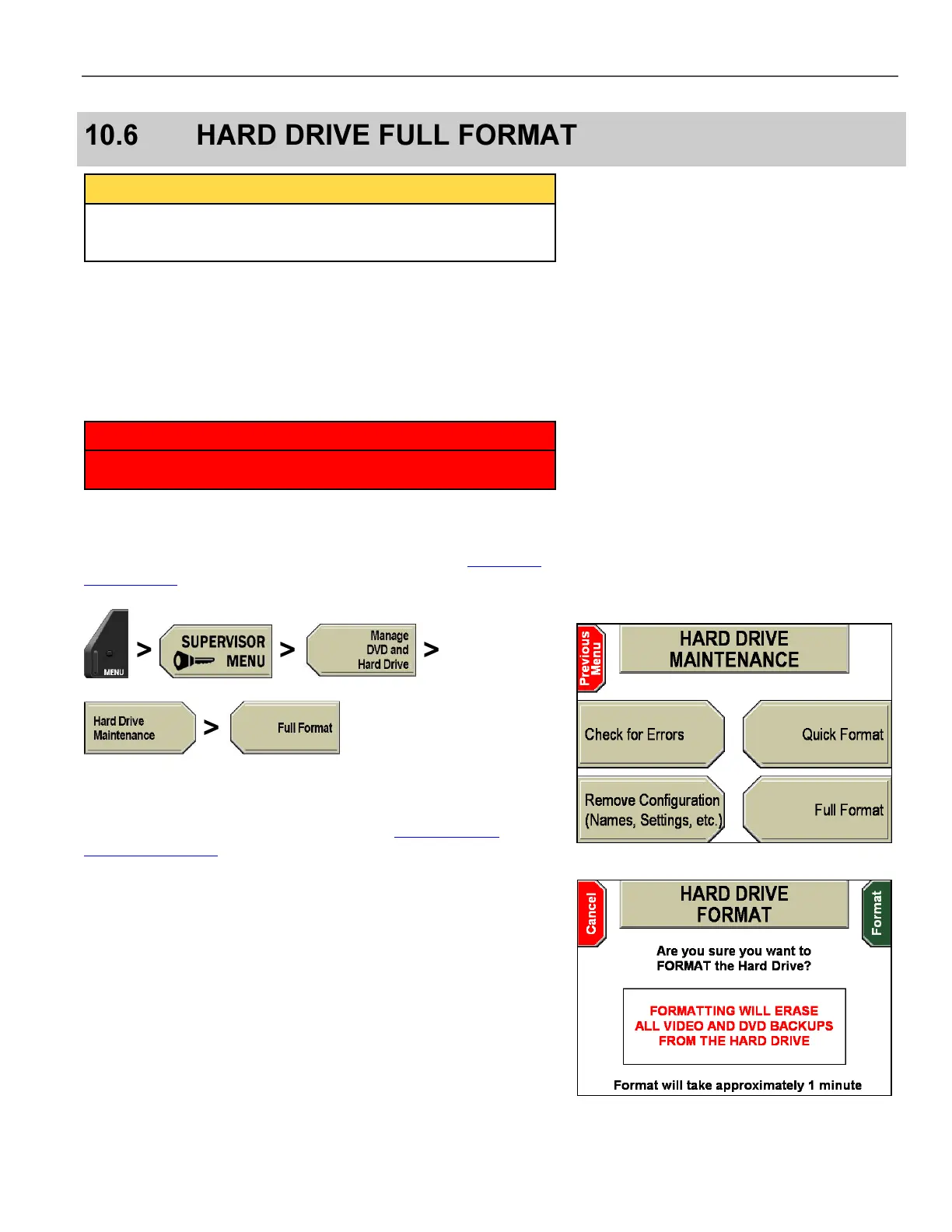
Press MENU > SUPERVISOR MENU > Manage DVD and
Hard Drive > Hard Drive Maintenance > Full Format.
If prompted to login, follow the steps listed in Supervisor and
Administrator Login on page 78.
A message saying Entering Maintenance Mode flashes on the
screen.
The HARD DRIVE FORMAT screen is displayed.
Press Format to continue, or Cancel to exit without formatting.
If you cancel the operation, the HARD DRIVE MAINTENANCE
screen is displayed again. You must press Reset to exit the
screen. The system then reboots.



 To Next Page