FRONT PANEL CONTROLS DETAILED DV-1 OPERATION
58
The screen saver functionality can be configured to be disabled,
active all the time (day and night), or active only during night view
mode (night only).
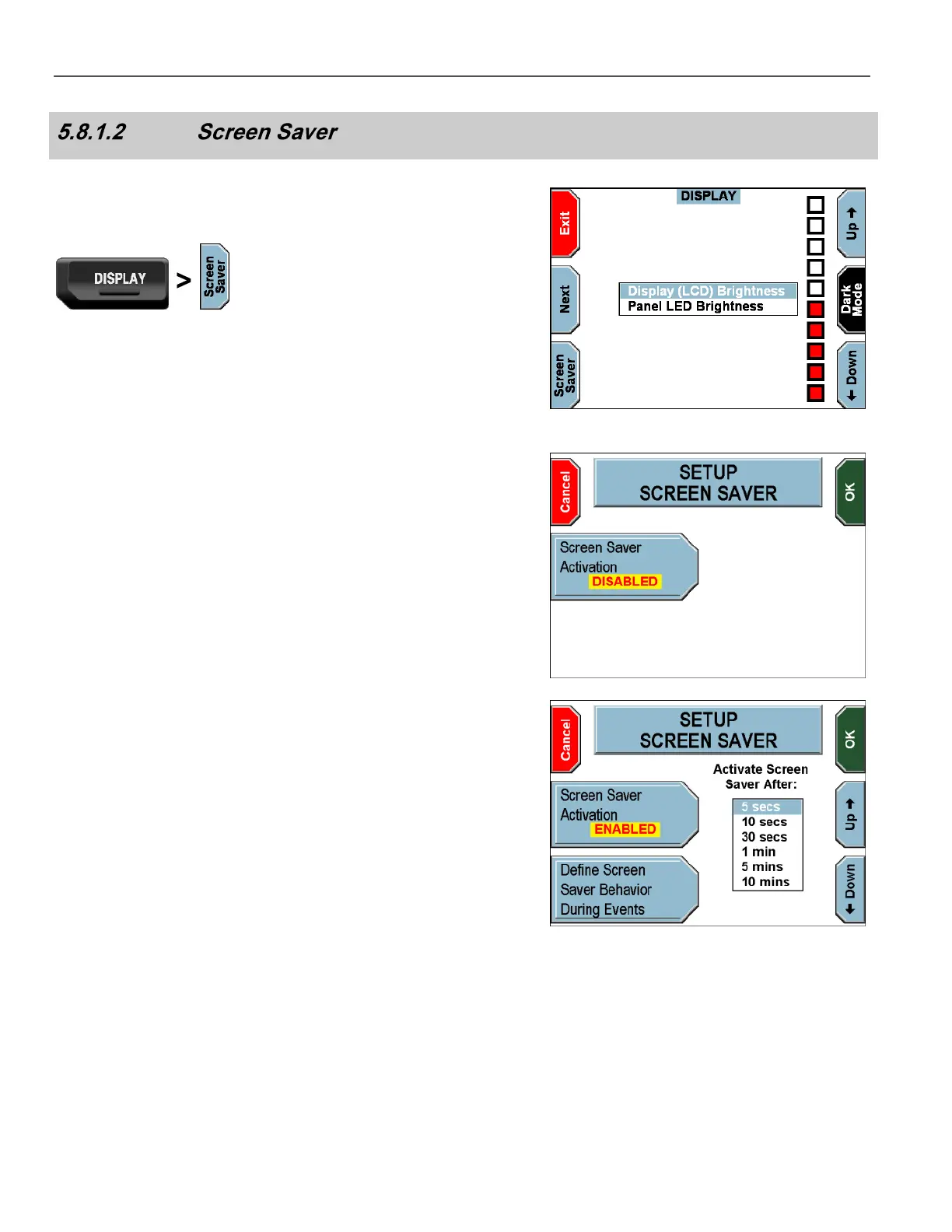
Press the DISPLAY key on the Front Panel.
The DISPLAY screen is displayed.
Press Screen Saver.
The SETUP SCREEN SAVER screen is displayed.
Press the Screen Saver Activation key until DISABLED is
displayed, to configure the screen saver to never activate.
Press the Screen Saver Activation key until ENABLED is
displayed, to configure the screen saver to always activate (day and
night), after the specified time interval.
Press the Up and Down keys to set the desired amount of time
until the screen saver activates.
Press OK to confirm, or Cancel to exit without making changes.



 To Next Page