View software and hardware versions by pressing MENU >
STATUS INFO > System.
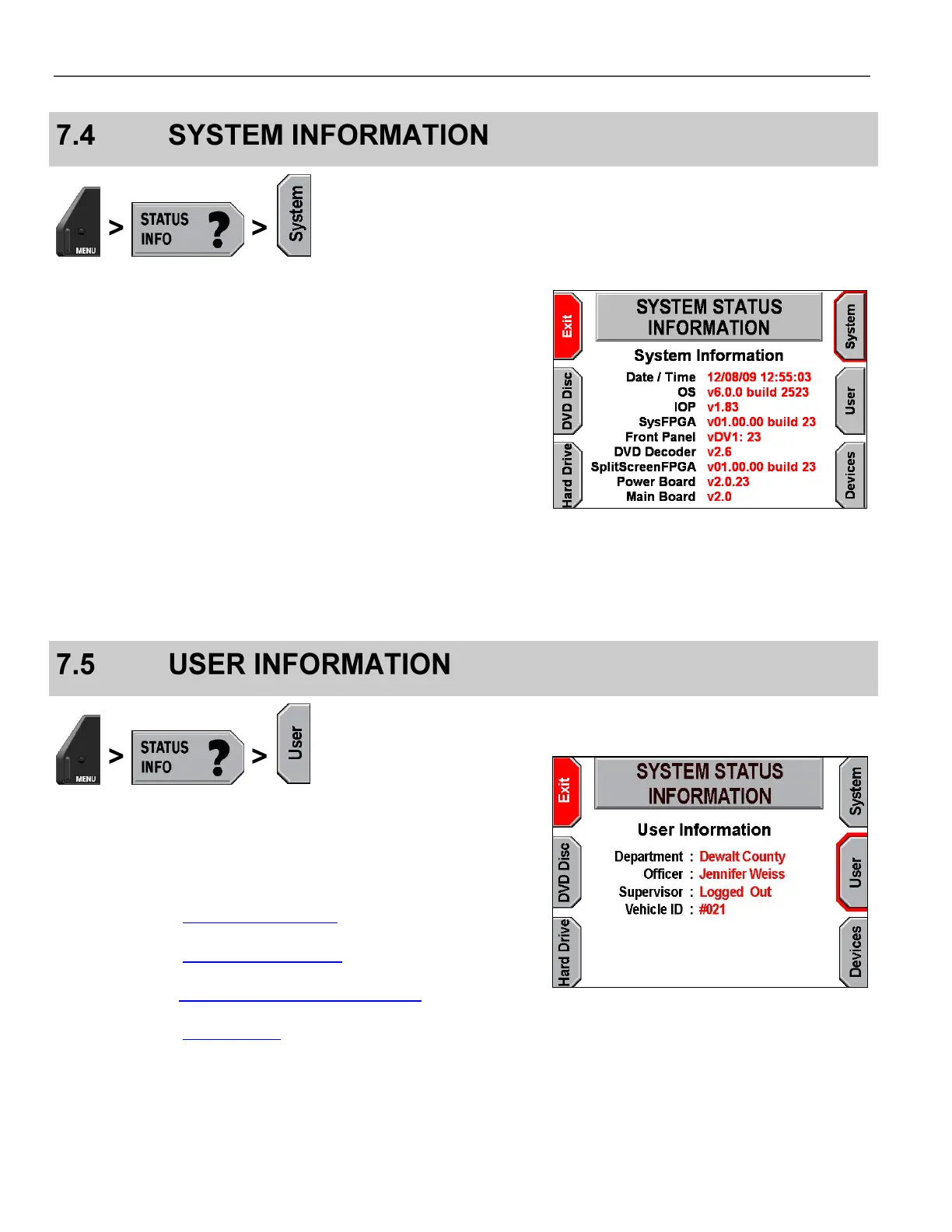
On-screen terms are as follows:
Date/Time – The date and time currently set
OS – Main system software version
IOP – Software version of the I/O Processor
SysFPGA – System FPGA version
Front Panel – Keypad software version
DVD Decoder – Decoder software version
SplitScreenFPGA – Split-screen FPGA version
Power Board – Power supply hardware version
Main Board – Motherboard hardware version
Actual version information will likely be different than what is shown
on the right.
View user information by pressing MENU > STATUS INFO >
User.
On-screen terms are as follows:
Department – Name of agency
(configured in Set Department Name on page 24)
Officer – Officer name in use
(configured in Manage Officer Names on page 26)
Supervisor – Supervisor login status
(discussed in Supervisor and Administrator Login on page 78)
Vehicle ID – Vehicle ID number
(configured in Set Vehicle ID on page 25)



 To Next Page