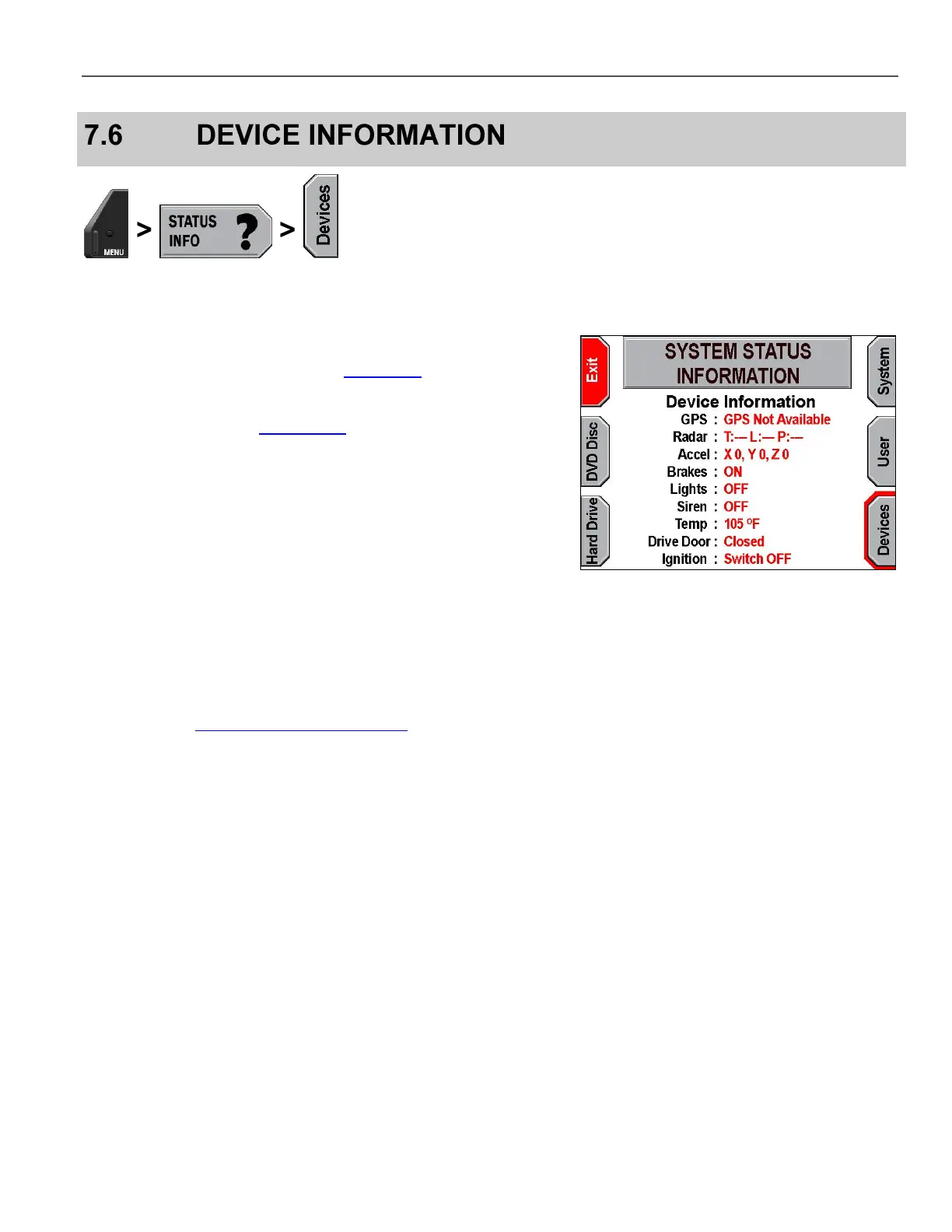
View device information by pressing MENU > STATUS INFO >
Devices.
On-screen terms are as follows:
GPS – GPS status (configured in GPS Setup on page 32),
including the latitude and longitude readings from the device if
one is configured for the system
Radar (configured in Radar Setup on page 30)
o T=Target Speed
o P=Patrol Speed
o L=Locked Target Speed
o F=Fastest Vehicle Speed
Accelerometer – Reports the G-force in each of the 3 directions
(X, Y, and Z) at the current time
Brakes
*
– Brake status (ON = Pedal Depressed)
Lights
*
– Light bar status
Siren
*
– Siren status
Temp – System temperature
Drive Door – DVD drive door status
Ignition – Ignition status
*
Configured in Lights, Siren, and Brake Lights on page 31.



 To Next Page