DETAILED DV-1 OPERATION FRONT PANEL CONTROLS
57
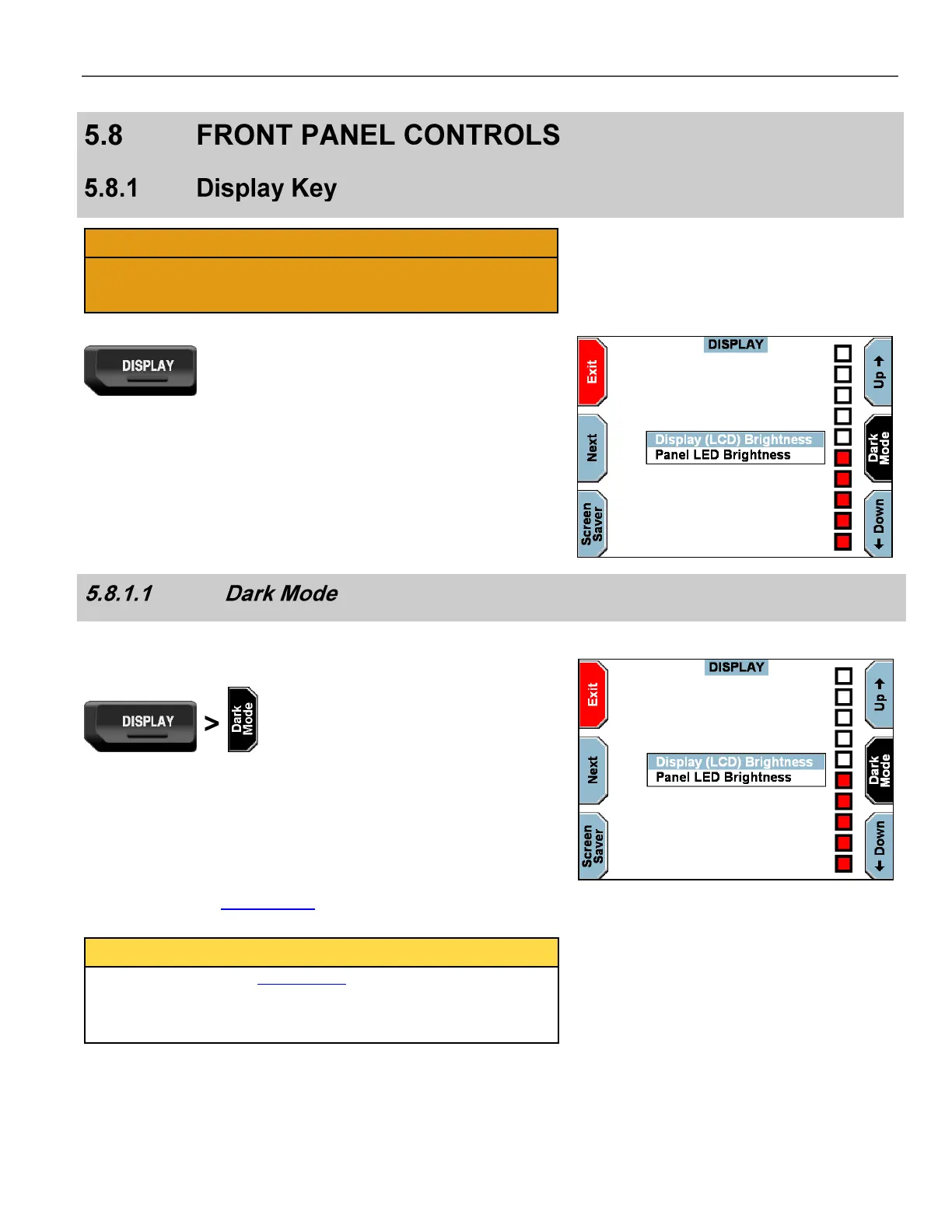
Display brightness levels may be adjusted down to off. Once the
display is turned off, the operator can no longer view the menu
system. Press any of the soft keys to return the display to normal.
Press the DISPLAY key on the Front Panel.
The DISPLAY screen is displayed.
Press the Next key to switch between display or panel brightness.
Press the Up & Down keys to set the brightness level for the
selection.
Dark Mode allows the system display and LEDs to be temporarily
switched off.
Press the DISPLAY key on the Front Panel.
The DISPLAY screen is displayed.
Press Dark Mode to temporarily turn off the display and LED
indicators on the Front Panel. Press any key to turn the display and
LEDs back on. The Screen Saver is discussed in the section below.
Dark Mode differs from Covert Mode (see page 55). Dark Mode
only temporarily turns off the system display and LEDs. It does not
automatically start recording, nor does the system go into split-
screen view, as it does in Covert Mode.



 To Next Page