DV-1 CONFIGURATION RECORDING SETUP
39
Supervisor access is required unless the Set Video Quality
permission is set to YES. See Manage Permissions for Settings on
page 80 for details on setting officer permissions.
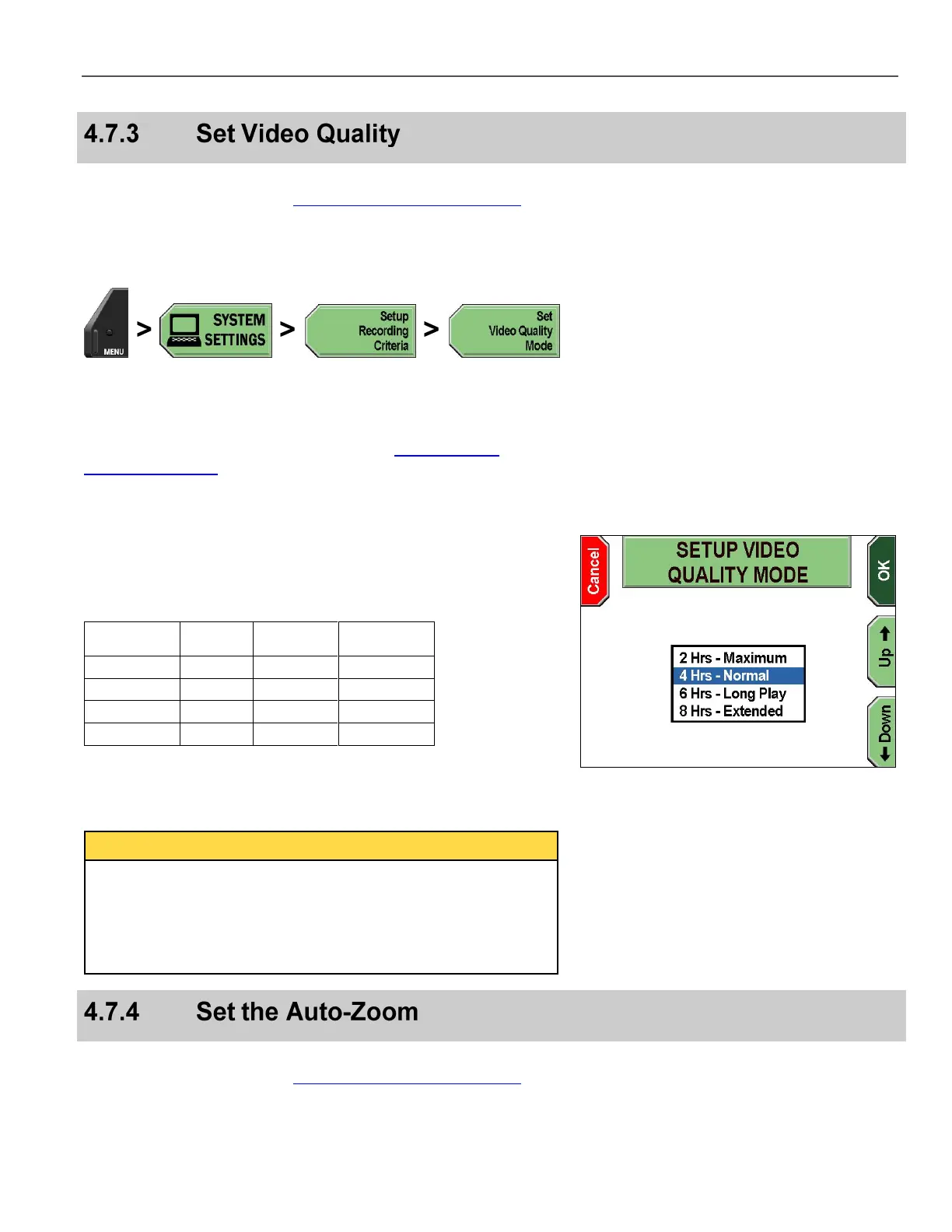
The DV-1 allows you select from multiple video quality levels.
Press MENU > SYSTEM SETTINGS > Setup Recording
Criteria > Set Video Quality Mode.
If prompted to login, follow the steps listed in Supervisor and
Administrator Login on page 78.
The SETUP VIDEO QUALITY MODE screen is displayed.
Press the Up & Down keys to choose the quality mode you wish
to select.
Table 5 Video Quality Mode Guide
*
Indicates recommended setting
Press OK to confirm, or Cancel to exit without making changes.
Actual record times will vary because the data rate is not fixed. The
DV-1 uses sophisticated Variable Bit Rate (VBR) encoding to
maximize overall video quality. VBR causes the system to
compress video more (using a lower data rate) when scenes are
stationary, and compress video less (more data) when scenes are
moving.
Supervisor access is required unless the Set Camera Auto Zoom
permission is set to YES. See Manage Permissions for Settings on
page 80 for details on setting officer permissions.



 To Next Page