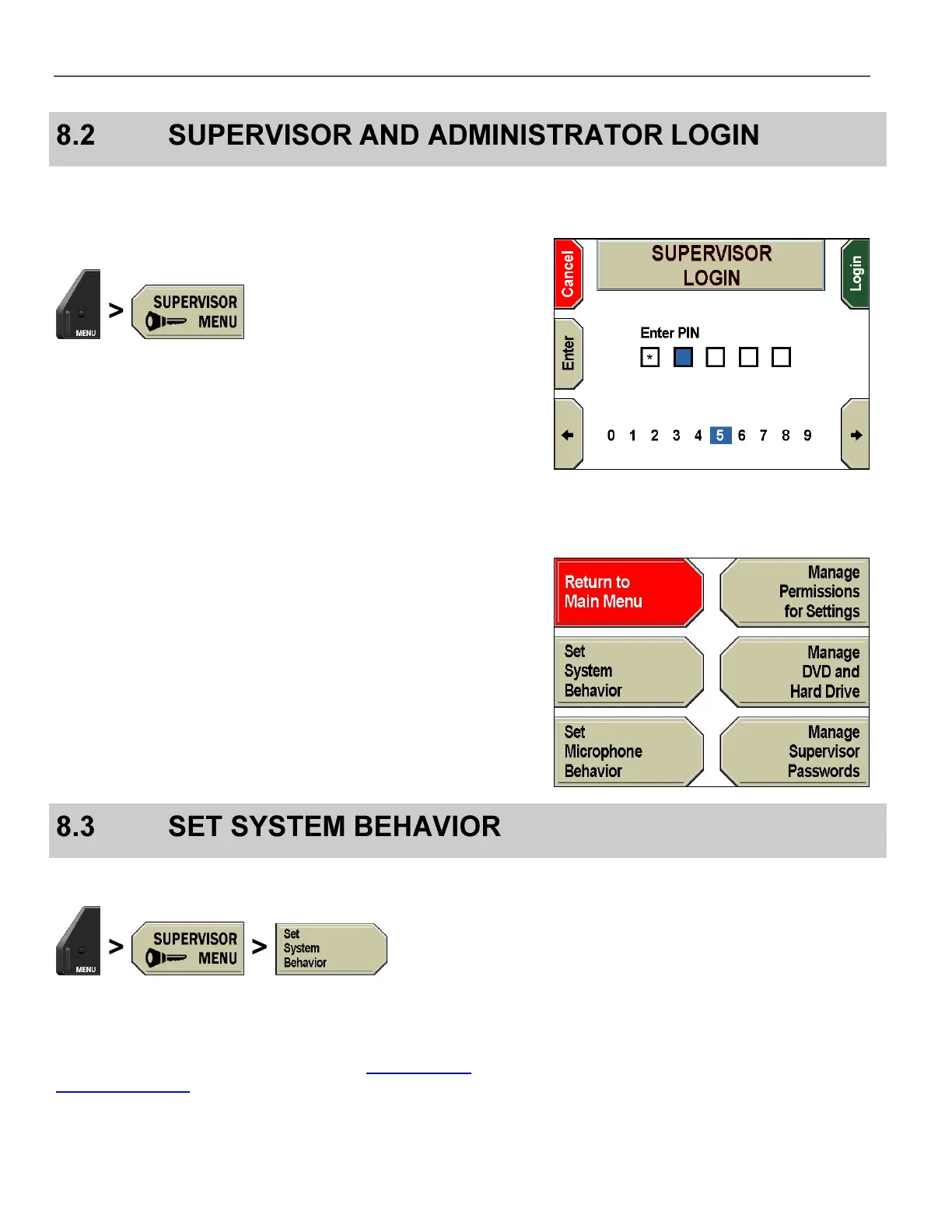
If you have not previously logged in as Supervisor, or if you have
exited the Main Menu after being logged in as Supervisor, the
system asks for a Supervisor PIN number when accessing the
Supervisor Menu.
Press MENU > SUPERVISOR MENU.
Press the and keys to navigate to the correct number, and then
press Enter to select each number. If you enter an incorrect
number, Invalid PIN is displayed and you must start over again.
Press Cancel before the fifth number is entered to exit without
logging in. The Login key is automatically pressed when the fifth
number is selected.
System behavior settings control when the DV-1 system powers on
or off based on vehicle on or off status.
Press MENU > SUPERVISOR MENU > Set System
Behavior.
If prompted to login, follow the steps listed in Supervisor and
Administrator Login on page 78.



 To Next Page