DETAILED DV-1 OPERATION SPLIT-SCREEN DISPLAY
55
The purpose of Covert Mode is to allow the officer to secretly record
activities without suspects in the vehicle being aware that they are
being recorded.
To enter Covert Mode, press and hold the Power On key for 3 or
more seconds. The following occurs:
An initial beep is heard when the Power On key is pressed
Continue to hold the Power On key until a second, lower tone
beep is heard.
Release the key and Exiting normal operating mode…
displays on the screen
Another set of beeps is heard and the system screen goes black
Sounds and lights are turned off on the system
The system changes to a split-screen view of the front and cabin
cameras
The live (wireless) microphone is muted and the cabin
microphone is turned on
Recording starts
To exit Covert Mode, press the STOP/QUIT key. The recording
continues and the screen remains in split-screen view. Press the
STOP/QUIT key again to stop recording.
Covert Mode differs from Dark Mode (see page 57). Dark Mode
only temporarily turns off the system display and LEDs. It does not
automatically start recording, nor does the system go into split-
screen view, as it does in Covert Mode.
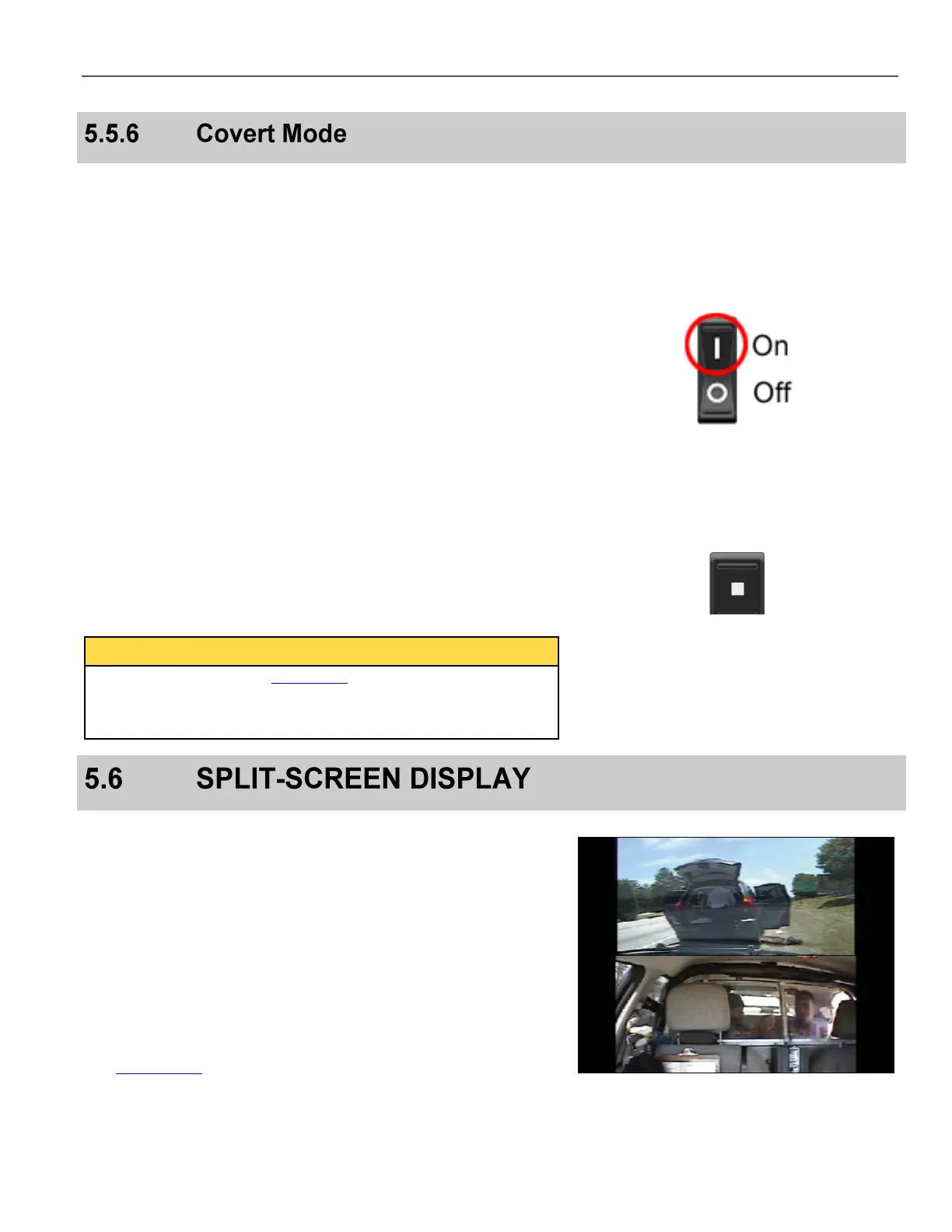
With the split-screen feature, the DV-1 can simultaneously display
and record images from two cameras. When a split screen image is
displayed and recording is triggered, both images are recorded on
the evidence DVD.
The following illustration is an example of a split-screen view using
the Combination Camera. In this example, the top half of the
screen displays the view through the windshield, while the bottom
half displays the cabin view (or the rear camera view, if equipped).
The camera views shown on the display screen are always the same
as what is being recorded. The Front Camera is always displayed
on the top of the split-screen.
See Camera Key on page 61 to select the views to display and
record.



 To Next Page