SETUP INPUT DEVICES DV-1 CONFIGURATION
32
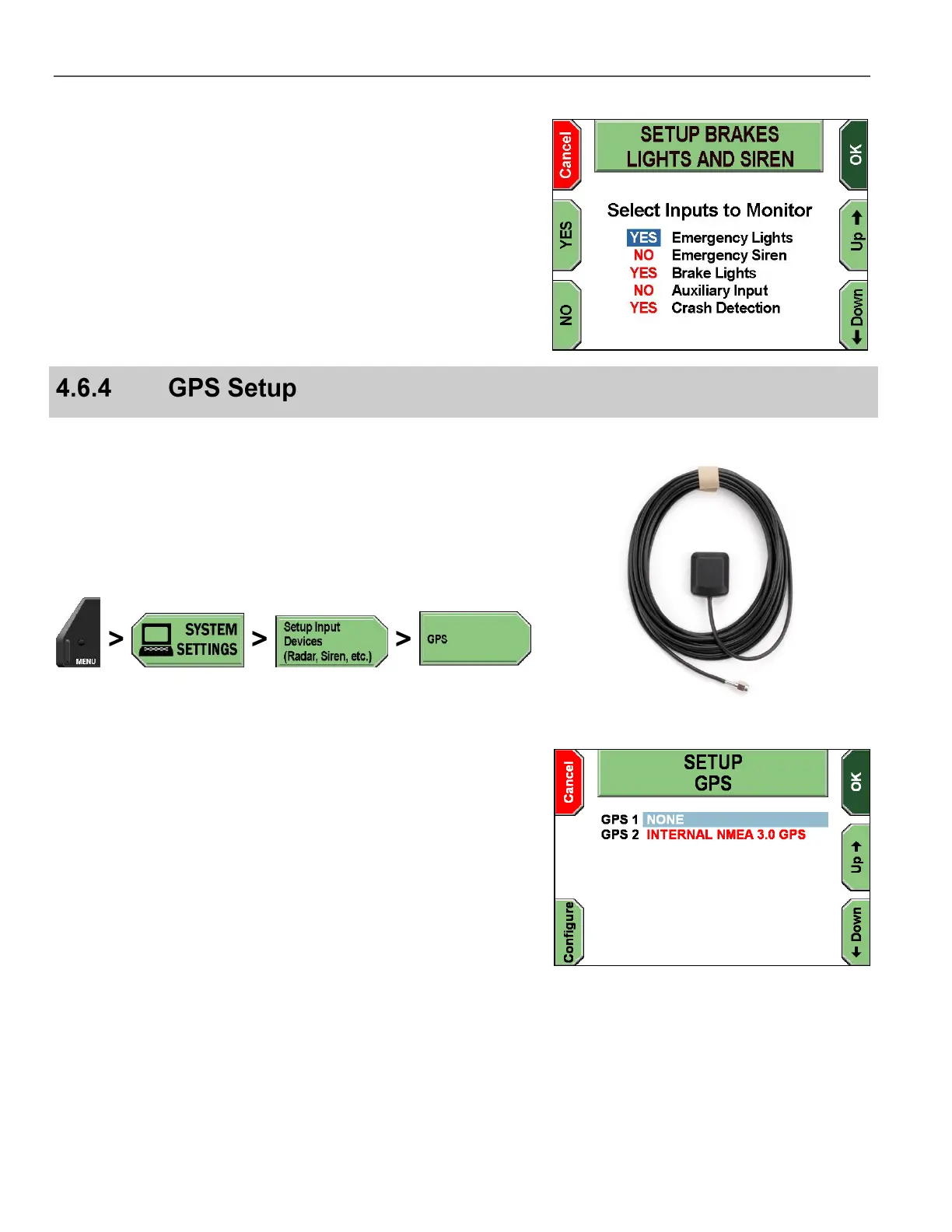
The SETUP BRAKES, LIGHTS, AND SIREN screen is displayed.
Press the Up & Down keys to select the input setting.
Press YES or NO for each setting you wish to change.
YES sets the input to be monitored. NO sets the input to NOT be
monitored.
Press OK to confirm, or Cancel to exit without making changes.
If your system has been equipped with the optional GPS receiver,
there will be a GPS antenna connector on the back of the system,
and you will have the ability to set the GPS to begin monitoring the
receiver. A GPS antenna is shown on the right.
In order for the GPS system to track satellites and provide data to the
DV-1, the GPS antenna needs to be installed where it has a clear
view of the sky.
Press MENU > SYSTEM SETTINGS > Setup Input Devices
(Radar, Siren, etc.) > GPS.
The SETUP GPS screen is displayed.
Press the Up & Down keys to select the INTERNAL NMEA
3.0 GPS or whichever model is installed. Press the Configure key.



 To Next Page