DV-1 CONFIGURATION SETUP INPUT DEVICES
33
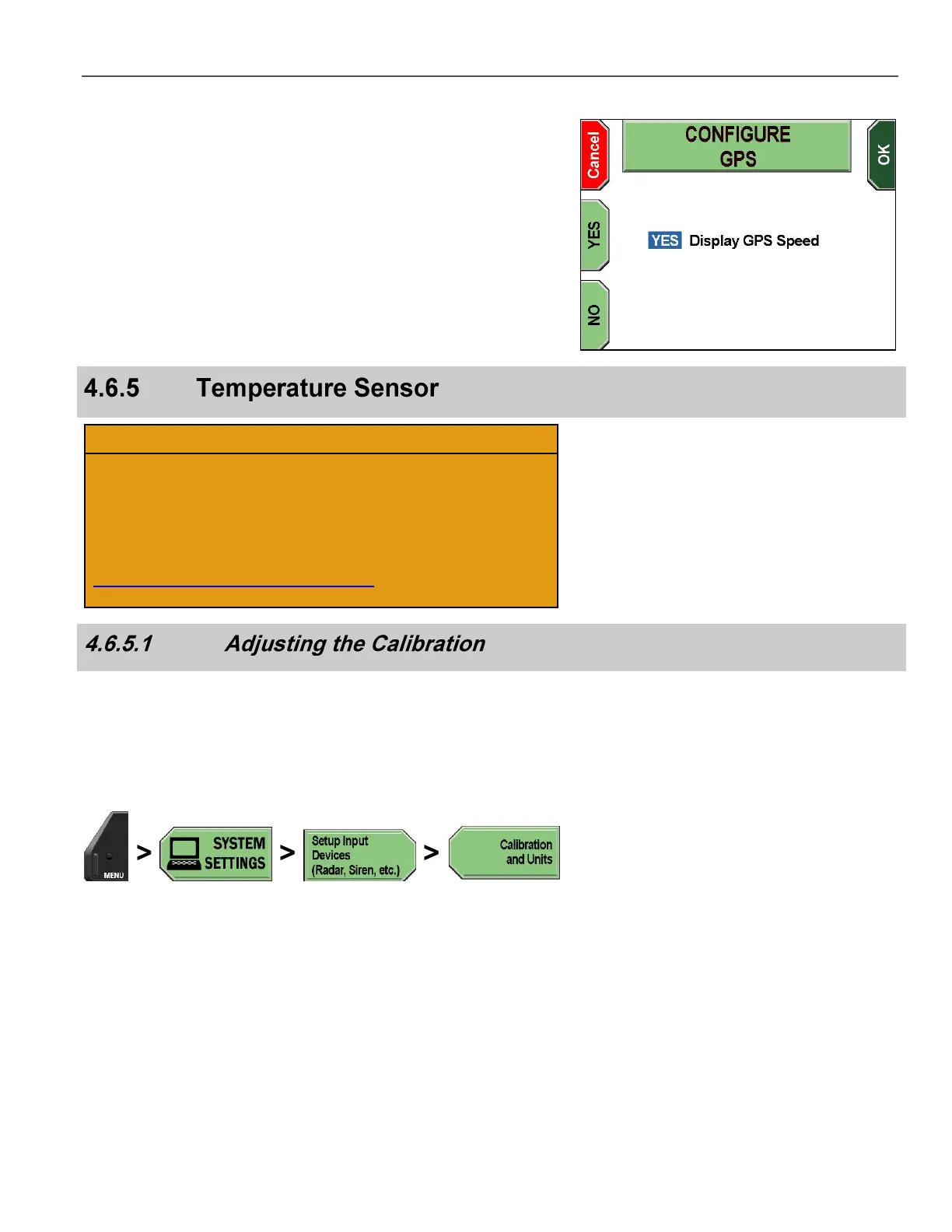
The CONFIGURE GPS screen is displayed.
Press the YES or NO keys to choose whether you want GPS speed
displayed on-screen.
Press OK to confirm, or Cancel to exit without making changes.
The temperature sensor was calibrated at the factory during
manufacturing. Temperature sensor calibration may be
necessary; however, it should only be performed when
instructed by Customer Service personnel.
U.S. customers, call 1-800-605-6734 or email
customerservice@watchguardvideo.com prior to selecting this
option. International customers, contact your local distributor.
The objective of the calibration process is to match a temperature for
the sensor when the system’s internal temperature would be the
same as a known external temperature. This calibration is best
performed when the system is cool (i.e., no sun exposure). Some
DV-1 units calibrate automatically, and therefore, this option is not
available on those systems.
Press MENU > SYSTEM SETTINGS > Setup Input Devices
(Radar, Siren, etc.) > Calibration and Units.



 To Next Page