Supervisor access is required to format the hard drive from the
Supervisor menu. Administrator access is required to format the
hard drive from the back door. For more information on using the
boot back door, see DV-1 Back Door Maintenance Options on
page 114.
Formatting the DV-1 unit’s hard drive to use its maximum capacity
allows the entire capacity of the hard drive to be used rather than
limiting it to 40 GB.
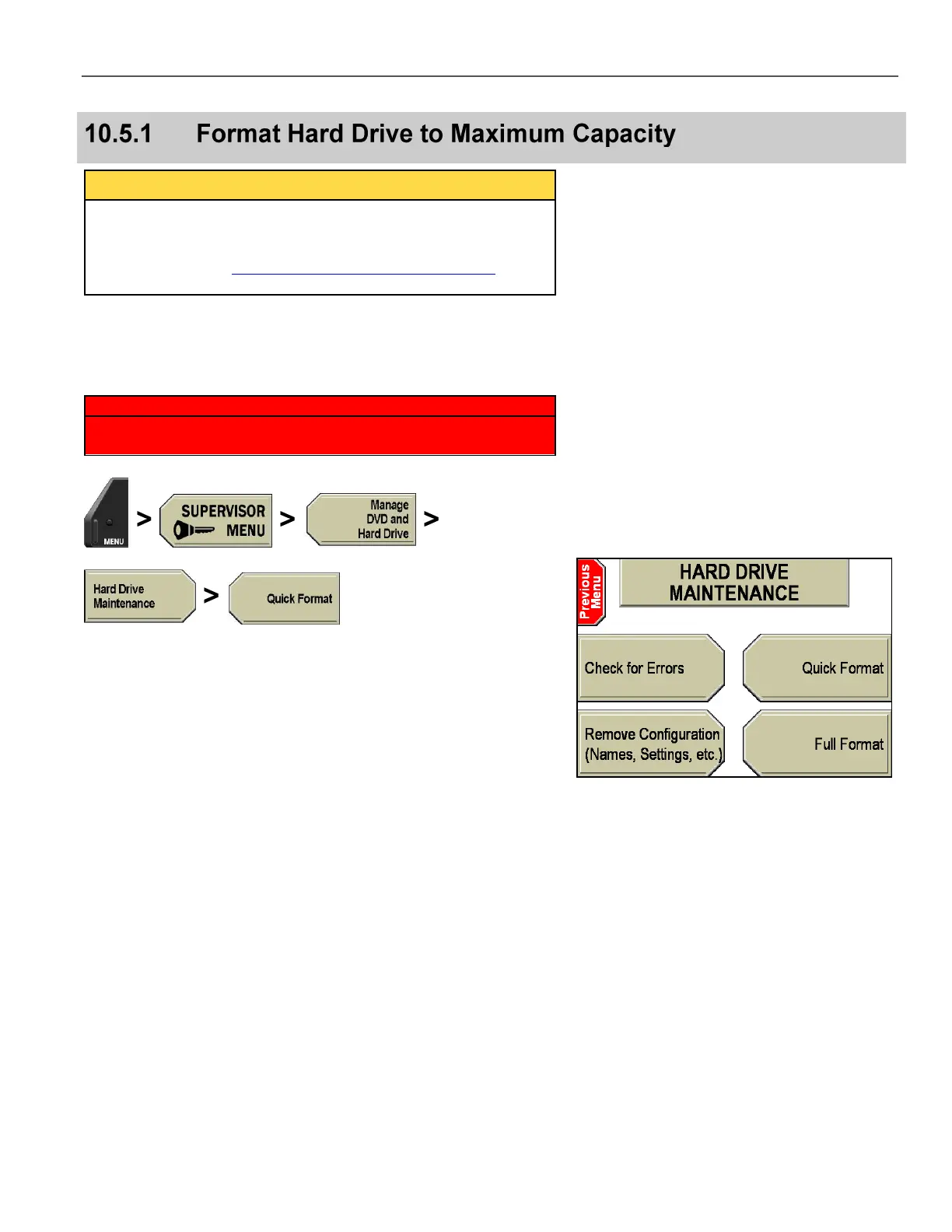
If using the Supervisor menu, press MENU > SUPERVISOR
MENU > Manage DVD and Hard Drive > Hard Drive
Maintenance > Quick Format.
If using the boot back door, when Booting… is displayed on the
DV-1 screen (about 30 seconds after the unit is powered on), press
the STOP/QUIT key on the front panel, then enter the
Administrator password when prompted.
Navigate to the HARD DRIVE MAINTENANCE screen, then press
the Quick Format key.



 To Next Page