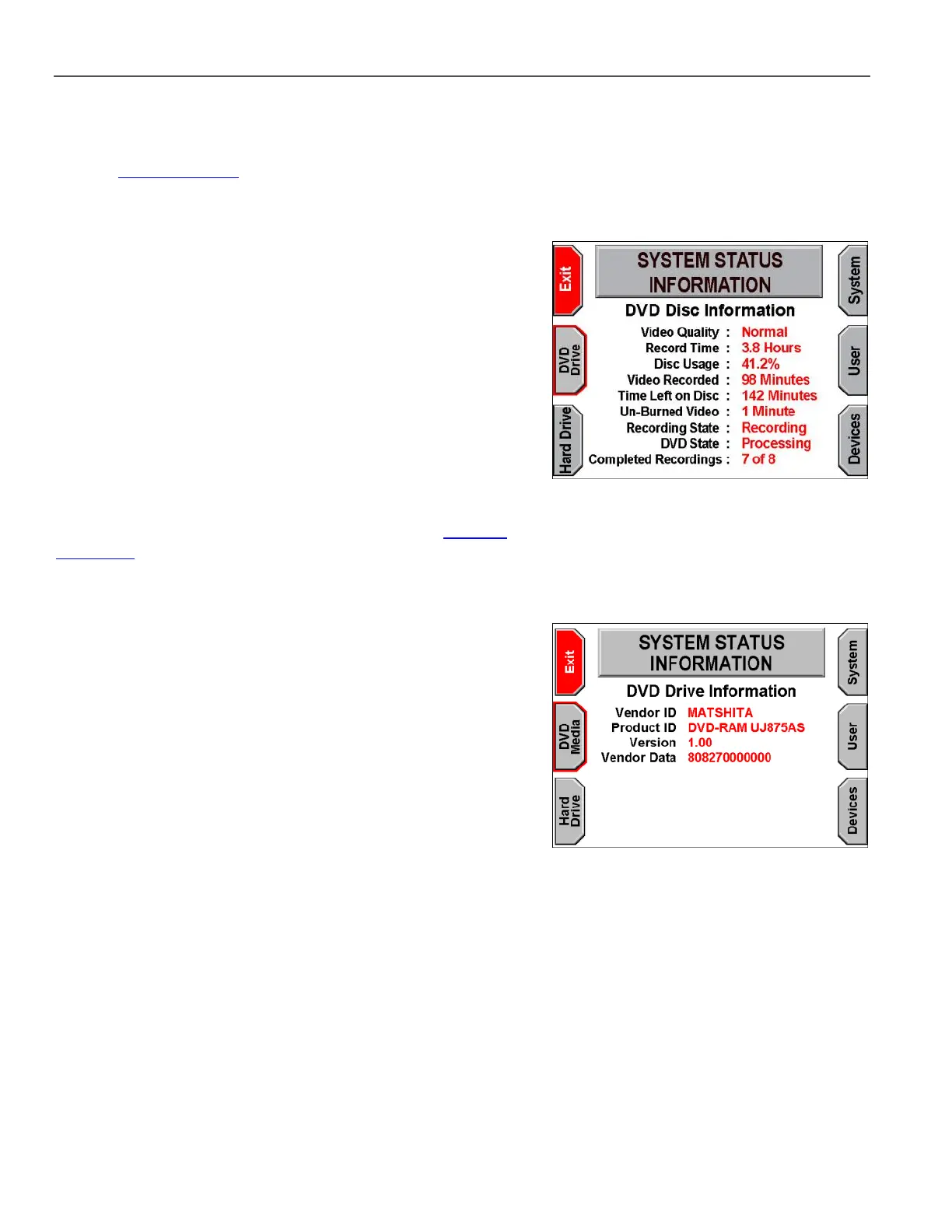
For the DVD Disc Information screen, the on-screen terms are:
Video Quality – The quality of video set to record to the DVD
(see Set Video Quality on page 39)
Record Time – The estimated amount of time the DVD can hold
based on the quality setting
Disc Usage – The percentage of disc space that has already
been allocated
Video Recorded – The number of minutes of video already
burned to the DVD
Time Left on Disc – The estimated number of available minutes
remaining on the disc
Un-Burned Video – Buffered video data waiting to be transferred
to the DVD
Recording State – Indicates whether or not the system is
currently in an active recording mode
*
DVD State – Displays the current step in the burning process
Completed Recordings – Indicates how many titles have been
recorded to the DVD
*
If the system is set up to record Post-Event video (see Set Post-
Event Time on page 35), the Recording State could show as
Recording even after the STOP/QUIT key is pressed because the
system is still recording for the remaining time of the Post-Event.
For the DVD Drive Information screen, the on-screen terms are:
Vendor ID – The name of the DVD drive manufacturer
Product ID – The model number of the DVD drive
Version – The firmware version of the DVD drive
Vendor Data – Data provided by vendors for their purposes; this
field is not always used



 To Next Page