DV-1 CONFIGURATION RECORDING SETUP
35
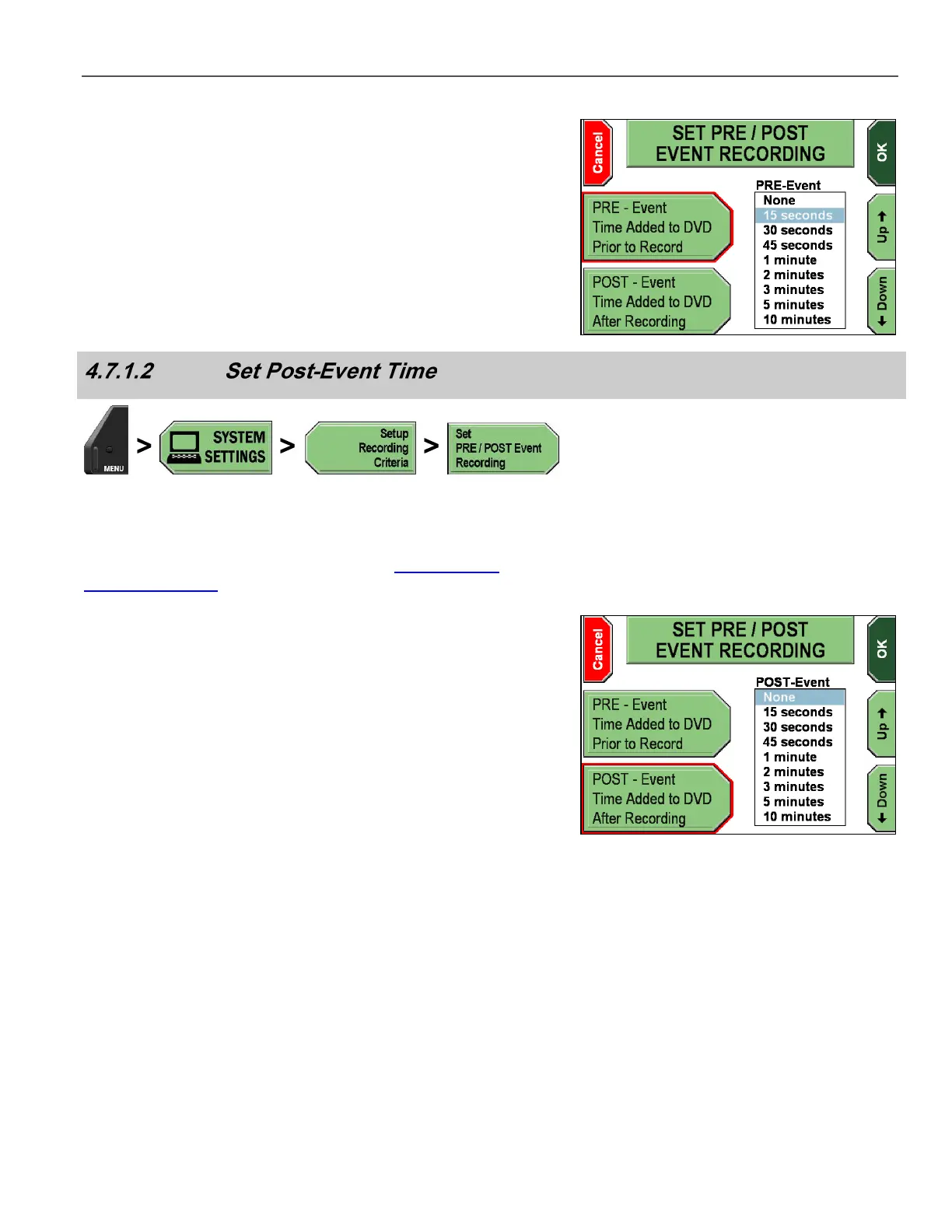
The SET PRE/POST EVENT RECORDING screen is displayed. The
red outline highlights which soft function is active.
The PRE-Event Time Added to DVD Prior to Record key is
highlighted by default.
Press the Up & Down keys to select the amount of Pre-Event
time to be added to the DVD.
Press OK to confirm, or Cancel to exit without making changes.
Press MENU > SYSTEM SETTINGS > Setup Recording
Criteria > Set PRE/POST Event Recording.
If prompted to login, follow the steps listed in Supervisor and
Administrator Login on page 78.
The SET PRE/POST EVENT RECORDING screen is displayed. The
red outline highlights which soft function is active.
Press the POST-Event Time Added to DVD After
Recording key.
Press the Up & Down keys to select the amount of Post-Event
time to be added to the DVD.
Press OK to confirm, or Cancel to exit without making changes.



 To Next Page