RECORDING SETUP DV-1 CONFIGURATION
36
Supervisor access is required unless the Manage Start/Stop
Triggers permission is set to YES. See Manage Permissions for
Settings on page 80 for details on setting officer permissions.
The DV-1 features Auto-Record Trigger capabilities, which allow
recording to start based on certain start and stop triggers.
In order for recording to start based on a specific trigger, the input
for that trigger must be monitored. See Lights, Siren, and Brake
Lights on page 31 for further details.
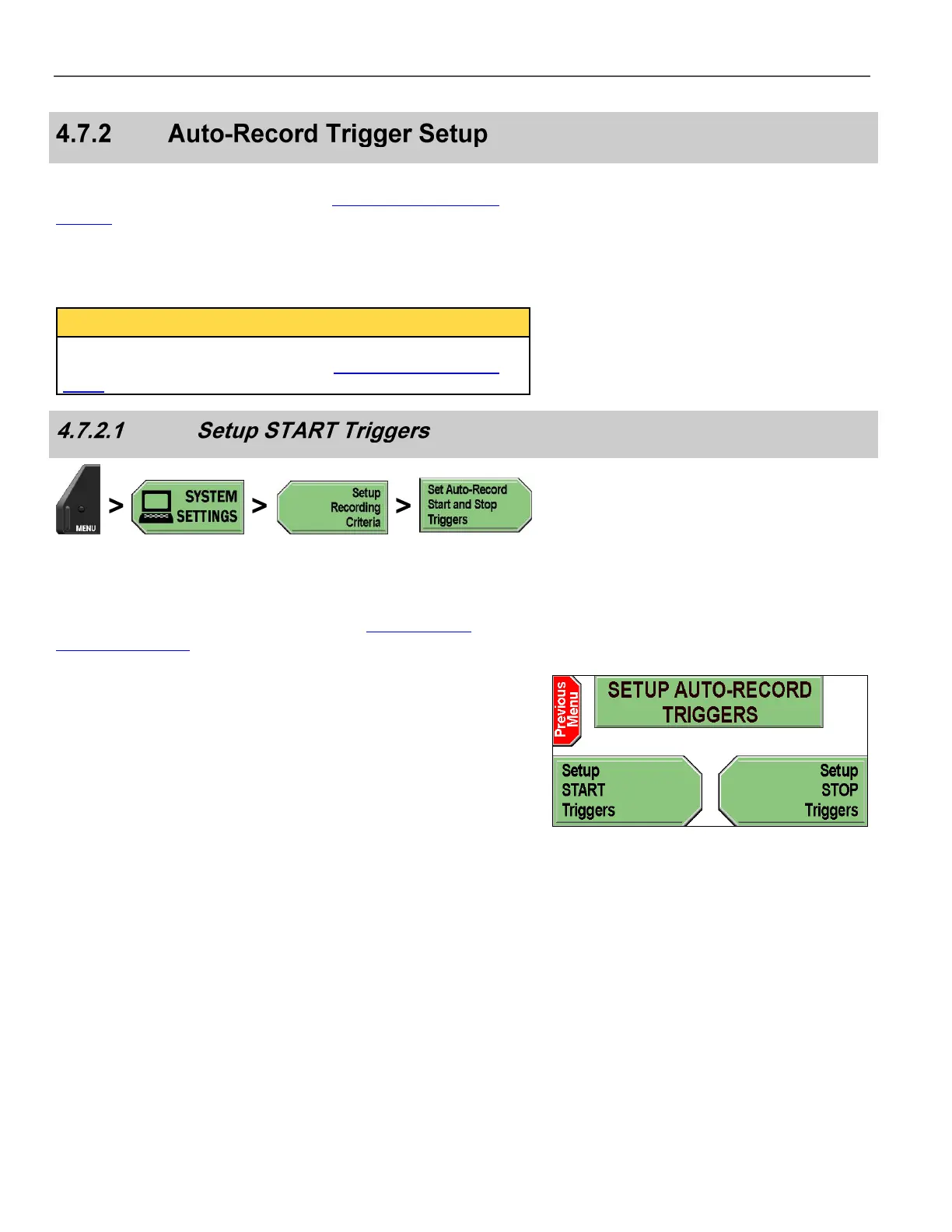
Press MENU > SYSTEM SETTINGS > Setup Recording
Criteria > Set Auto-Record Start and Stop Triggers.
If prompted to login, follow the steps listed in Supervisor and
Administrator Login on page 78.
The SETUP AUTO-RECORD TRIGGERS screen is displayed.
Press Setup START Triggers.



 To Next Page