Original Document Jams
175
Problem Solving
10
Original Document Jams
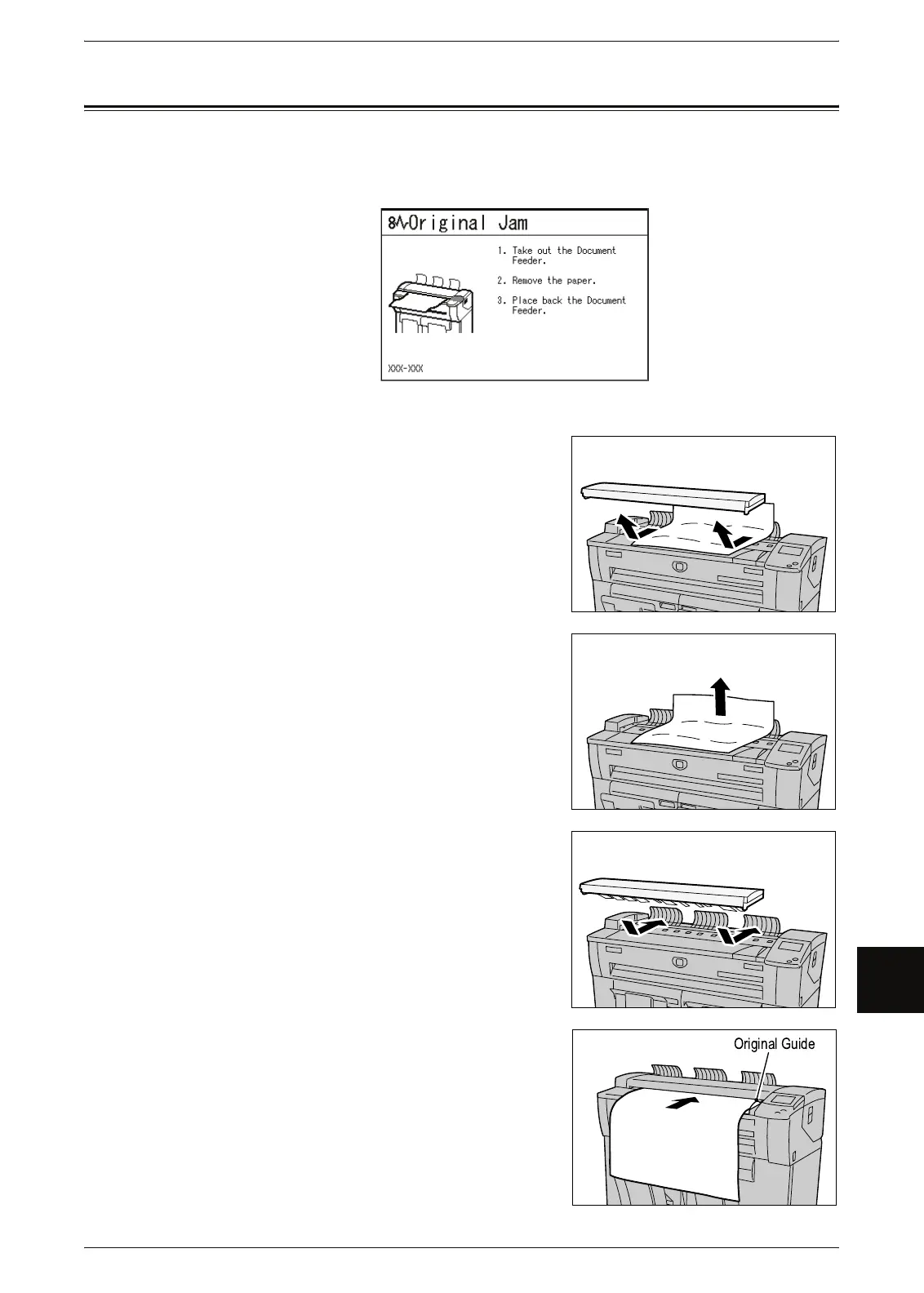
If the orginal gets jammed in the scanner, the machine stops and an error message is
displayed on the touch screen. Clear the jammed original according to the instructions
displayed, and the reload the original.
1 Pull the document handler toward you until it
stops, and lift up to remove it.
2 Remove the jammed original.
3 Replace the document handler.
4 Confirm that the original is not torn, folded, and
wrinkled, and load the original again according to
the message on the touch screen.



 To Next Page
 Loading...