Getting Started
English
2
Chapter
13
■ Calendar
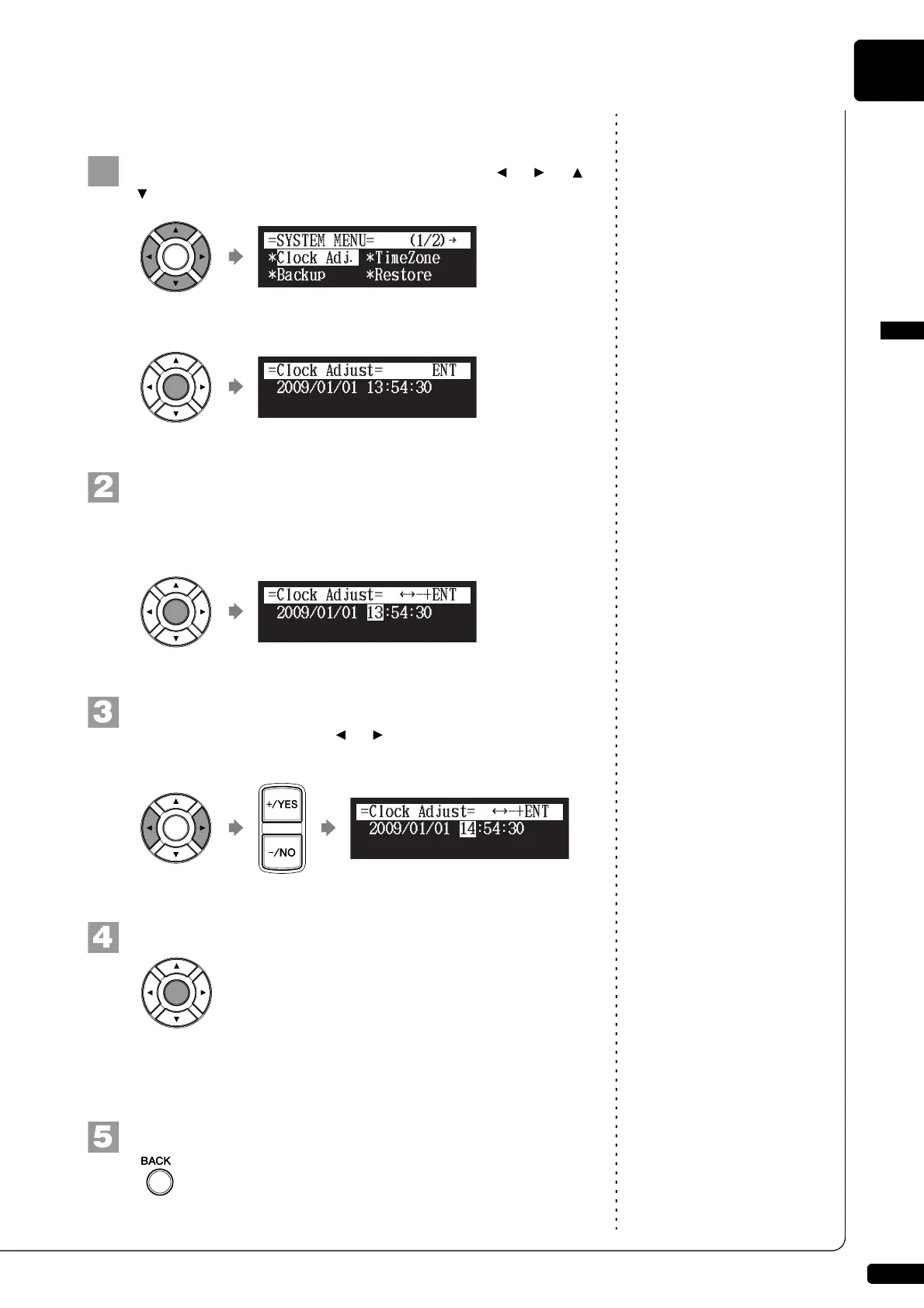
Select “Clock Adj.” with the cursor buttons ([ ] [ ] [ ]
[ ]), then press [ENTER].
The current date and time appear.
Press [ENTER].
The time setup screen appears with the cursor flashing on the
hours display.
Select year, month, date, hours, minutes, and seconds
with the cursor buttons ([ ] [ ]), then press [+/YES] and
[–/NO] to set a value.
Press [ENTER].
The date and time are stored in the internal calendar, and the
display returns to the current time screen.
Press [BACK] on the remote control.
The display returns to the system menu screen.
!"#$%
{
}{
}{







 To Next Page