Advanced Song Playback
English
4
Chapter
37
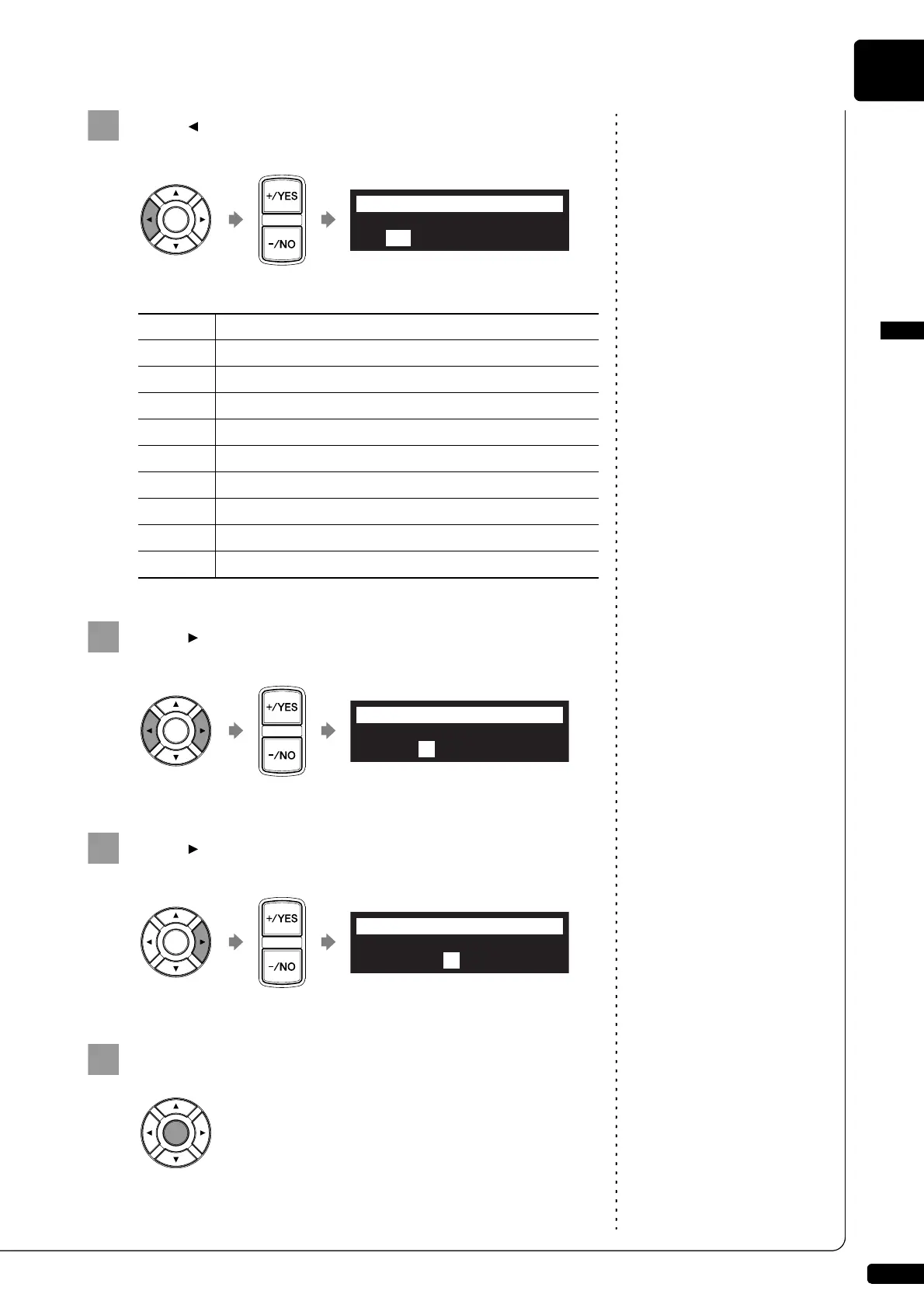
Press [ ] to move the cursor to the day parameter, then
press [+/YES] and [–/NO] to select the desired day.
The following day settings are available:
Press [ ] to move the cursor to the hour parameter, then
press [+/YES] and [–/NO] to set hours.
Press [ ] to move the cursor to the minute parameter,
then press [+/YES] and [–/NO] to set minutes.
Press [ENTER] to return to the setup menu screen.
ALL
The timer play functions on every day of the week.
MON
The timer play functions only on Monday.
TUE
The timer play functions only on Tuesday.
WED
The timer play functions only on Wednesday.
THU
The timer play functions only on Thursday.
FRI
The timer play functions only on Friday.
SAT
The timer play functions only on Saturday.
SUN
The timer play functions only on Sunday.
M-F
The timer play functions on Monday thru Friday.
M-S
The timer play functions on Monday thru Saturday.
>TimerPlay=ON
01[M-F ##:## PLAY Mem01]
=TimerPlay=
-+
_?=]
>TimerPlay=ON
01[M-F 08:00 PLAY Mem01]
=TimerPlay=
-+
>TimerPlay=ON
01[M-F 08:15 PLAY Mem01]
=TimerPlay=
-+







 To Next Page