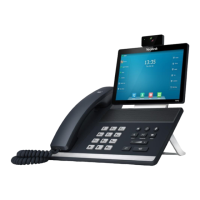
User Guide for SIP VP-T49G IP Phone
144
Dependencies:
Type (Key Event)
Key Type (Directory)
Label (key label displayed on the touch screen)
Usage: Tap the directory key to immediately access frequently used lists.
Note
Mobile Account
You can use this key feature to accept incoming mobile calls, place active mobile calls on hold
on your IP phone. For more information, refer to Bluetooth-Enabled Mobile Phone on page 127.
Dependencies:
Type (Mobile Account)
Label (key label displayed on the touch screen)
Usage: When the IP phone receives an incoming mobile call,
1. Tap the mobile account key to accept the incoming call.
2. Tap the mobile account key to place a new call and the active call is placed on hold.
Programable Key
You can customize the soft keys and function keys.
To customize programable key via web user interface:
1. Click on DSSKey->Programable Key.
2. Customize specific features for these keys.
3. (Optional.) Enter the string that will appear on the touch screen in the Label field.
Label is configurable only when customizing SoftKey (1-4).
4. Click Confirm to accept the change.
You can click Reset to default to reset custom settings to defaults.
Then you can press the keys on the phone to perform the features you configured.
The directory key performs the same function as the Directory key when the phone is idle.


 To Next Page
 Loading...