TG100 User Guide
13/75
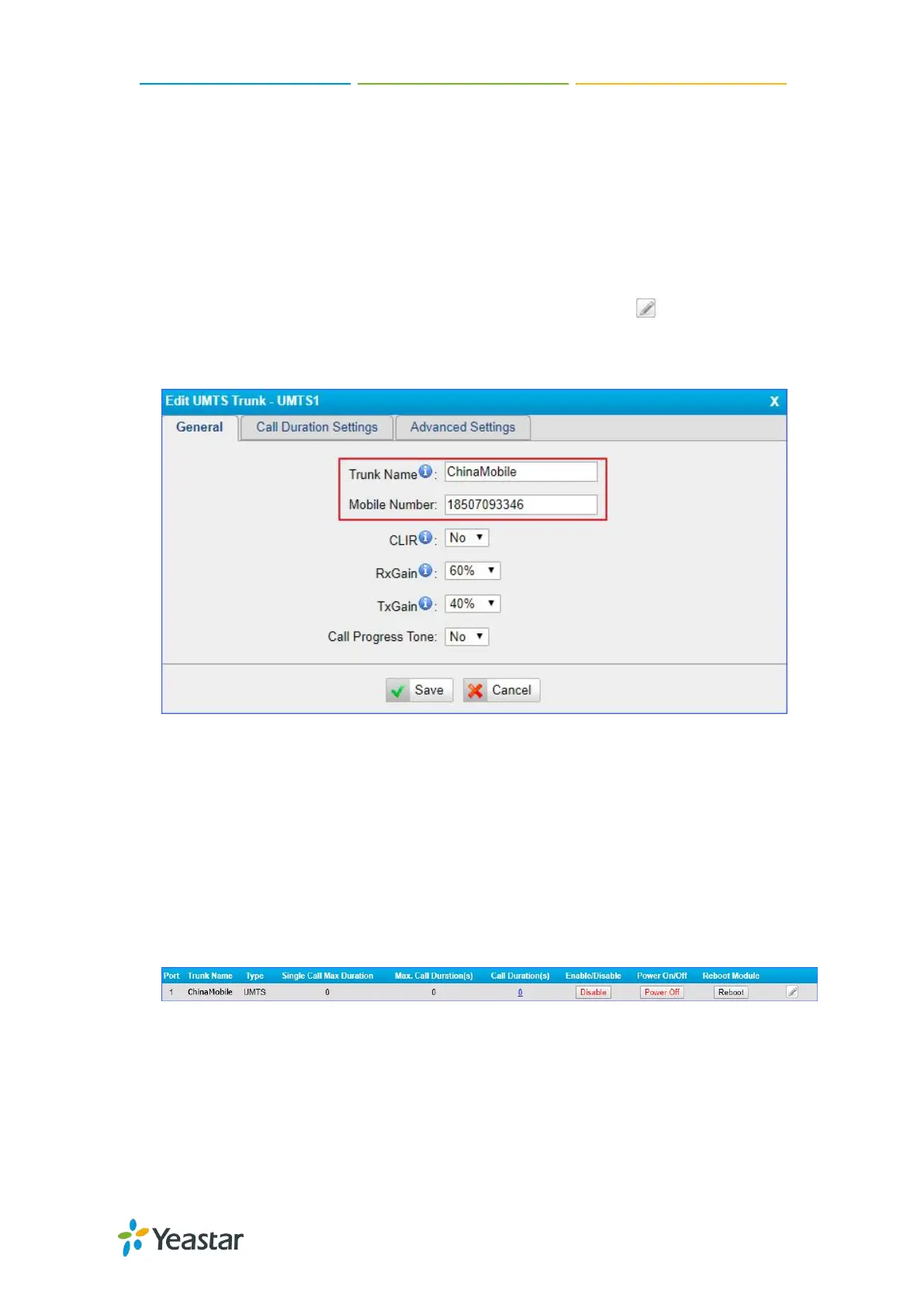
Configure Mobile Module Profile
You can set a name to the mobile module to help you identify your module on TG100.
After inserting a SIM card to a mobile module, you can set the module’s mobile
number as the SIM card number to help you remember the SIM card number.
Procedure
1. Navigate to Gateway > Mobile List > Mobile List, and click .
2. In the General section, enter a name in Trunk Name field.
3. Enter the SIM card number in Mobile Number field.
4. Click Save and Apply Changes.
Reboot Mobile Module
You can reboot the mobile module on the web interface.
Procedure
1. Navigate to Gateway > Mobile List > Mobile List, and click Reboot.
The module starts to reboot.
2. Check the module status on Status > System Status > Trunk Status.
Enable/Disable Mobile Module
By default, mobile module is enabled to make outbound calls. If you don’t want to
allow the mobile module to make outbound calls, you can disable the module.



 To Next Page
 Loading...










