OPERATION
Axio Imager Operating the motorized microscope via the touchscreen of the TFT display Carl Zeiss
M70-2-0020 e 06/2009 430000-7344-001 103
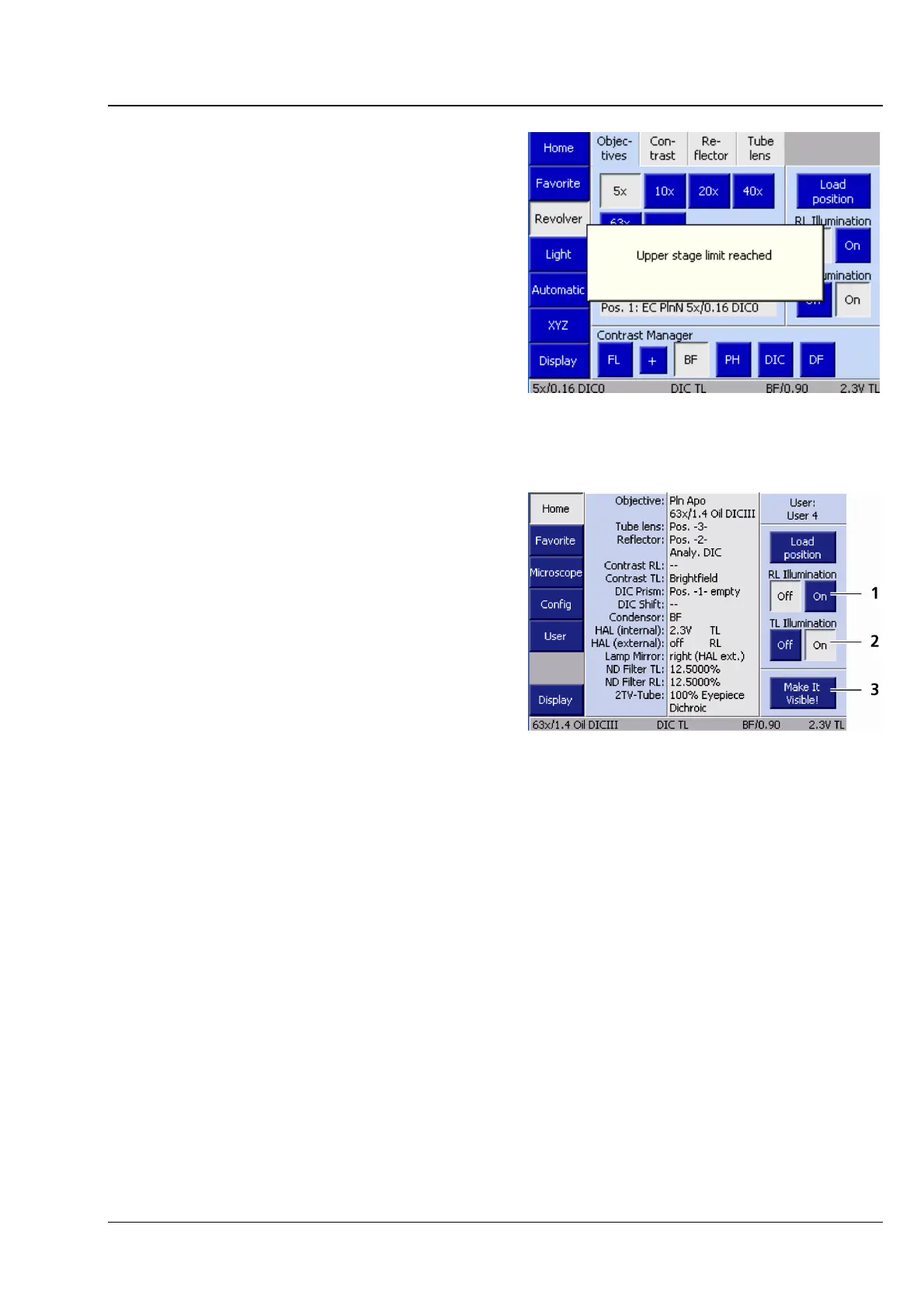
When the focusing drive is used in a regular way, a
pop-up window (
Fig. 4-28) will appear as soon as
the upper or lower limit stop is reached.
− Reflected-light illumination button
(
4-29/1)
The Close and Open buttons serve to open
or close the shutter for reflected light (RL).
− Transmitted-light illumination button
(
4-29/2)
The Close and Open buttons serve to open
or close the shutter for transmitted light (TL).
If there is no shutter in the transmitted-light
path, the voltage of the configured lamp will
be adjusted instead.
− Make It Visible! button (4-29/3)
This button serves to switch the microscope
to a basic state:
− Transmitted-light lamp adjusted to
medium intensity (2.3 V),
− Luminous-field diaphragm opened,
− Aperture diaphragm opened
− TL shutter open,
− RL shutter closed,
− All filter wheels in transmitted light
switched to blank aperture (100%
directed to eyepieces),
− Condenser switched to brightfield,
− Reflector turret switched to the nearest
HAL position (Halogen = transmitted
light),
− Light path switched to 100% to
eyepieces.
Fig. 4-28 Motorized focusing drive has
reached the upper stage limit
switch
Fig. 4-29 Controls








 To Next Page