OPERATION
Carl Zeiss Operating the motorized microscope via the touchscreen of the TFT display Axio Imager
108 430000-7344-001 M70-2-0020 e 06/2009
• Before you can save a fixed position, you need to set the desired Azimuth and Shift values.
• Press Save position.
A pop-up window (
Fig. 4-37) with the four position buttons will open.
• Press the desired position.
A safety query will appear if the position has already been allocated. If you acknowledge with Yes, the
new position will be stored at the button selected.
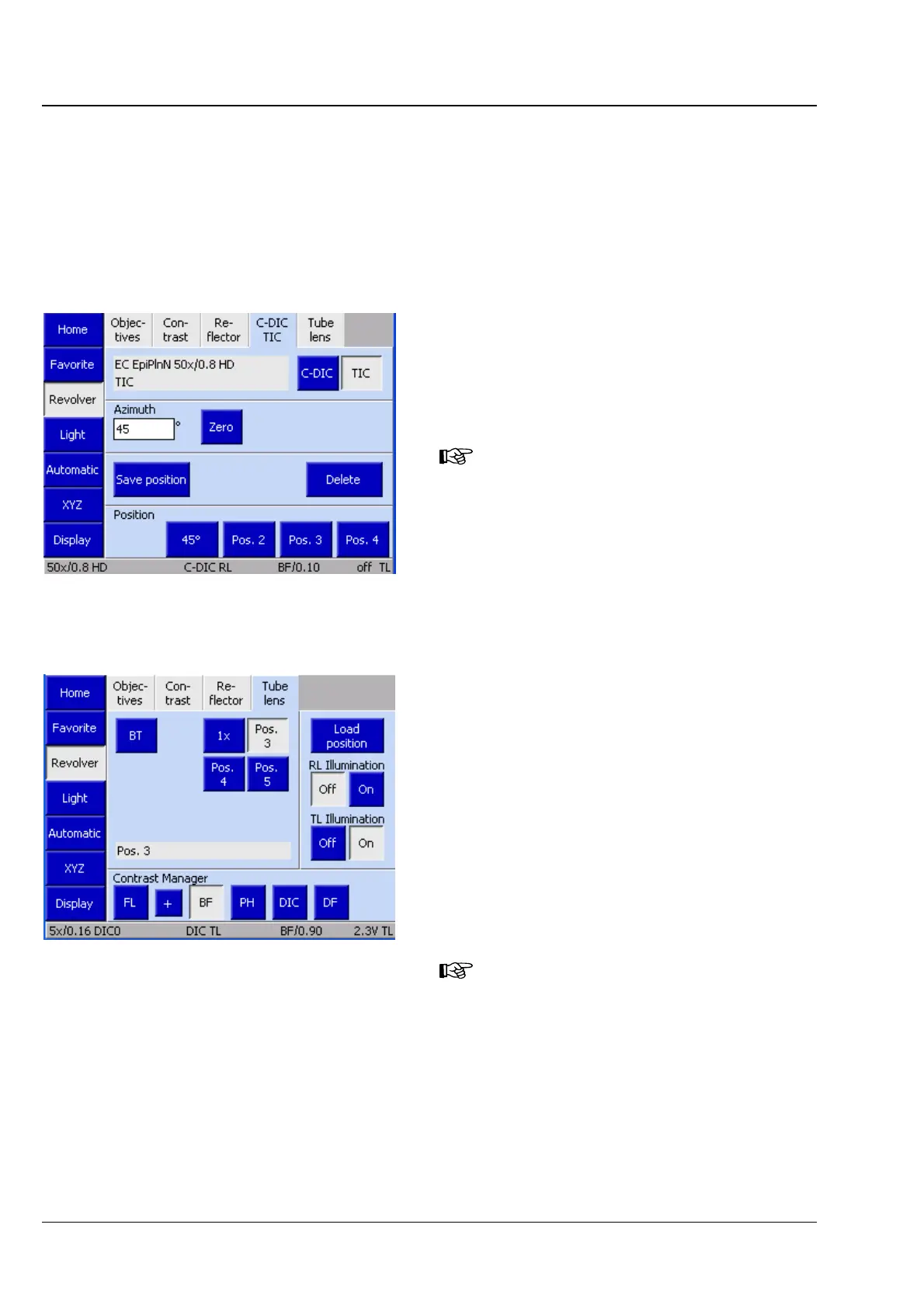
TIC
The operating procedure for the TIC method
corresponds to that for C-DIC. What is different
though is that only the azimuth value needs to be
set. There is no Zero button.
The tab will not be available if no
motorized reflector turret is installed.
(5) Tube lens tab
Depending on the type of tube lens turret
employed, up to four control elements may be
available for tube lens positions 1 to 4. If the tube
lenses have been configured, the names will be
displayed. The fifth position is always fitted with
the Bertrand lens.
The BT button serves to swivel the Bertrand lens in
and out.
• In order to swivel the desired tube lens into the
optical path, the relevant button needs to be
pressed.
The tab will not be available if no
motorized tube lens turret is installed.
The active tube lens will only be
indicated in the status line (Fig.
4-23).
Fig. 4-38 TIC settings
Fig. 4-39 Microscope -> Revolver -> Tube lens








 To Next Page