OPERATION
Carl Zeiss Operating the motorized microscope via the touchscreen of the TFT display Axio Imager
124 430000-7344-001 M70-2-0020 e 06/2009
• If a lamp-switching mirror is employed in the
reflected-light path, the Lamp port to be used
needs to be allocated to that mirror in the last
configuration step.
• Press the Save button to acknowledge the
selection made.
If the contrast manager is activated,
the relevant Colibri LEDs will then be
switched on when this reflector
position is selected.
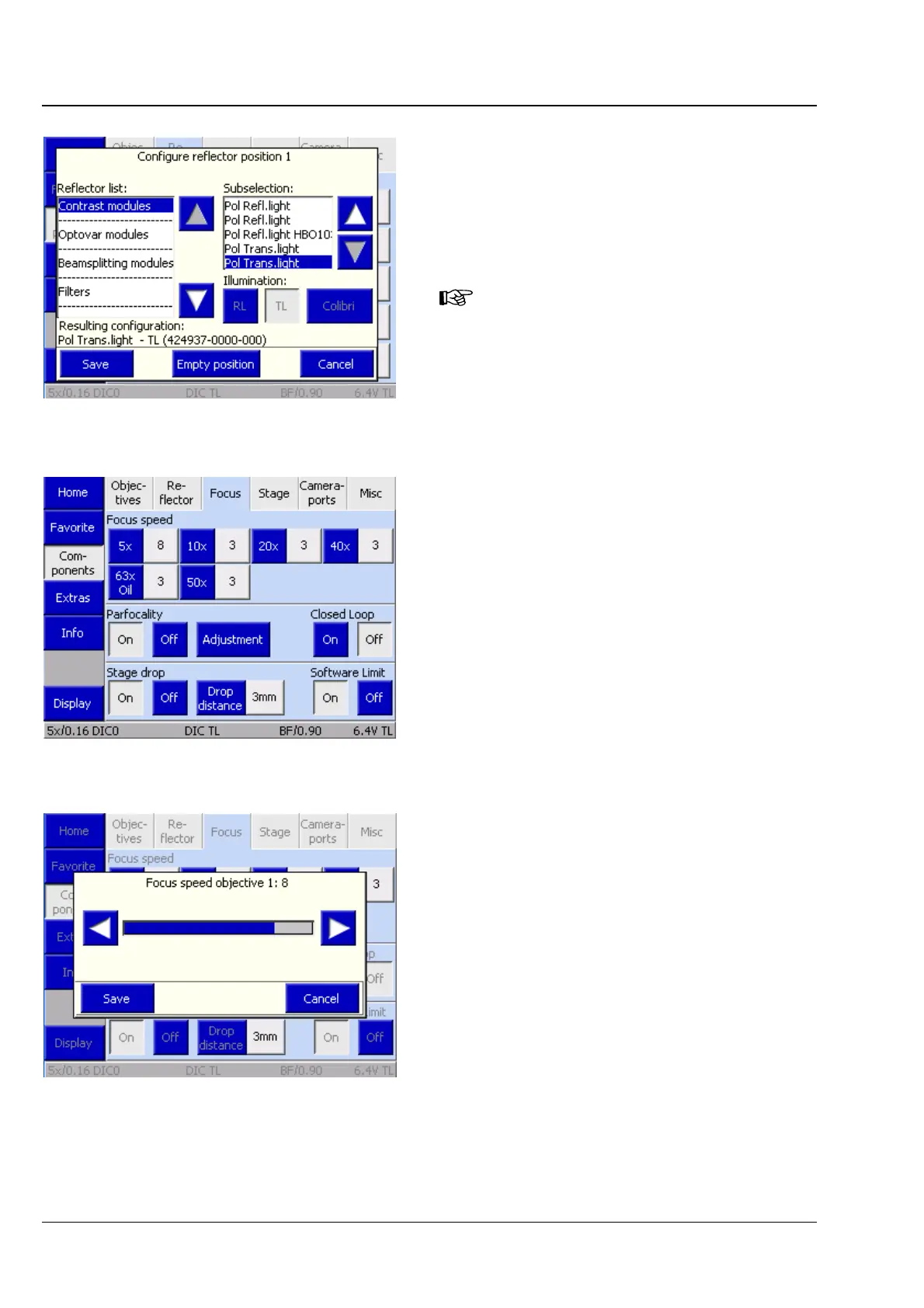
(3) Focus tab
On this tab, you can enter the firmware settings
for the focusing drive. The speed of the focusing
drive is adjustable individually for every objective.
Furthermore, parfocality, linear sensor focus,
stage lowering and electronic limit switches
can be set on this tab.
Focus Speed
Up to seven buttons are displayed dependent on
the actual number of positions on the nosepiece,
which is determined by the system during
initialization (and on activation of the
Settings/Components page). As long as you have
not configured any objectives yet, the buttons are
labeled only with the numbers of the nosepiece
positions.
After you assigned an objective to a specific
button, the magnification appears on the left, blue
half of the button. The right, gray half of the
button is labeled with the focusing speed.
• If you want to change the focusing speed for an
objective, press the respective gray part of the
button.
• In the Focus Speed for Objective # popup
window, set the desired speed using the ◄►
buttons. The higher the numerical value, the
higher is the set speed.
• Press the Save button.
Fig. 4-65 Allocating the lamp port
Fig. 4-66 Microscope -> Settings ->
Components -> Focus
Fig. 4-67 Setting the focusing speed








 To Next Page