OPERATION
Carl Zeiss Operating the motorized microscope via the touchscreen of the TFT display Axio Imager
126 430000-7344-001 M70-2-0020 e 06/2009
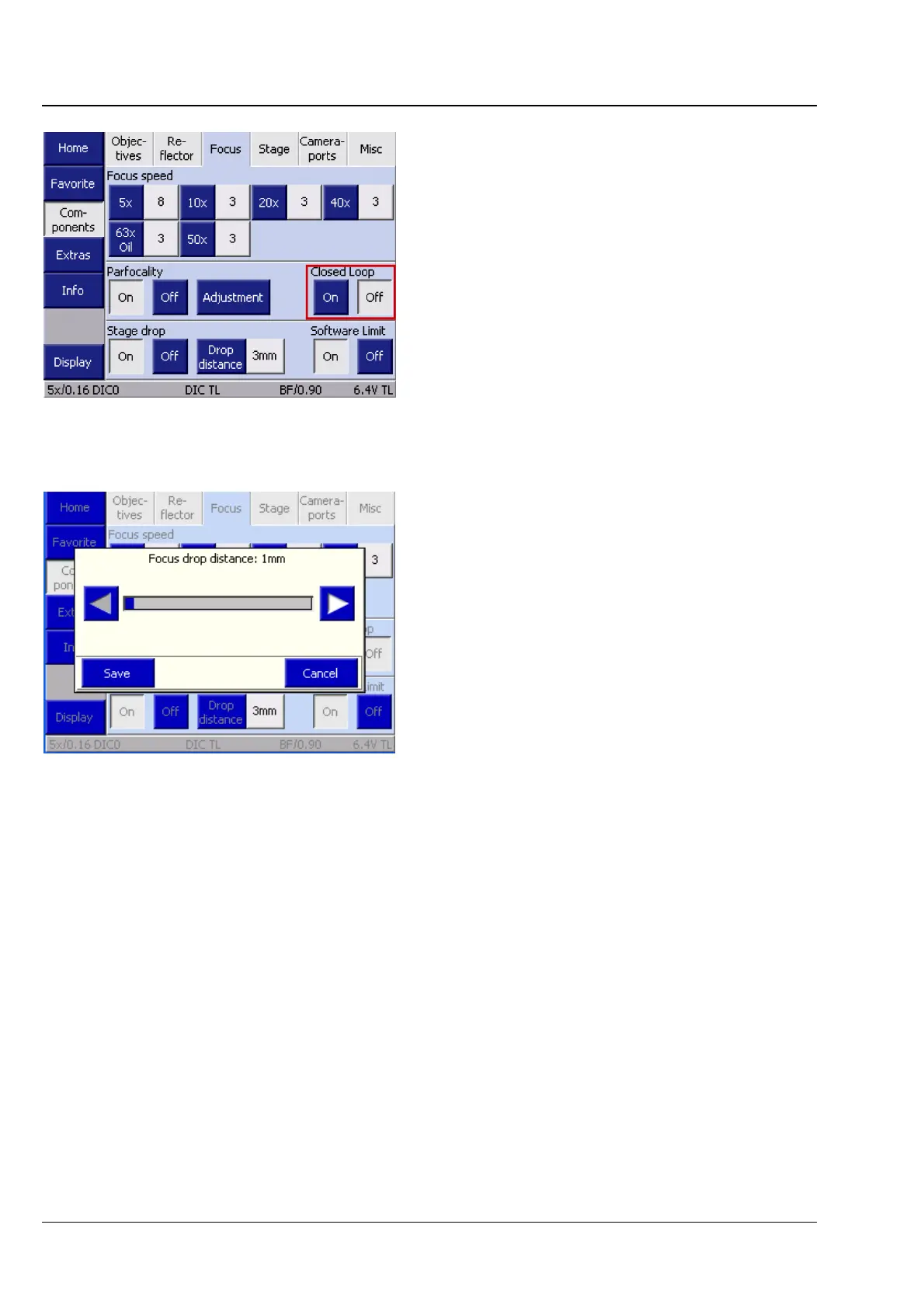
Closed Loop
To monitor the stability of the focusing drive,
a focus linear sensor can be used for the
Axio Imager.Z2 / m. If available, this sensor can be
switched on and off here.
Stage lowering
Stage lowering function is activated or deactivated
via the ON and OFF buttons.
The lowering distance can be set by the ◄►
buttons in 1 mm increments within a range of in
1 mm to 20 mm. To accept the value set, press the
Save button. To discard it, press the Cancel
button.
Software limit (Focus delimiter)
Second-generation motorized Axio Imager stands
are provided with software-based focus limiters,
which may be set by the users themselves. They
can be globally switched ON or OFF here.
Once the software limit function is active, the focus delimiter can be set and shifted also via the Work /
Load buttons on the stand.
− To set the focus limit:
Keep the upper button depressed for more than 3 seconds. (A beep tone will be sounded as
acknowledgment.)
− To shift the focus limit:
Keep the upper button depressed for more than 3 seconds. (A beep tone will be sounded as
acknowledgment.) Simultaneously, move the focus to the new position desired. When the button is
released, the current focus position will be saved and acknowledged with a message appearing on the
TFT.
− To delete the focus limit:
Press the OFF button on the TFT.
Fig. 4-69 Closed Loop
Fig. 4-70 Stage lowering








 To Next Page