OPERATION
Axio Imager Operating the motorized microscope via the touchscreen of the TFT display Carl Zeiss
M70-2-0020 e 06/2009 430000-7344-001 131
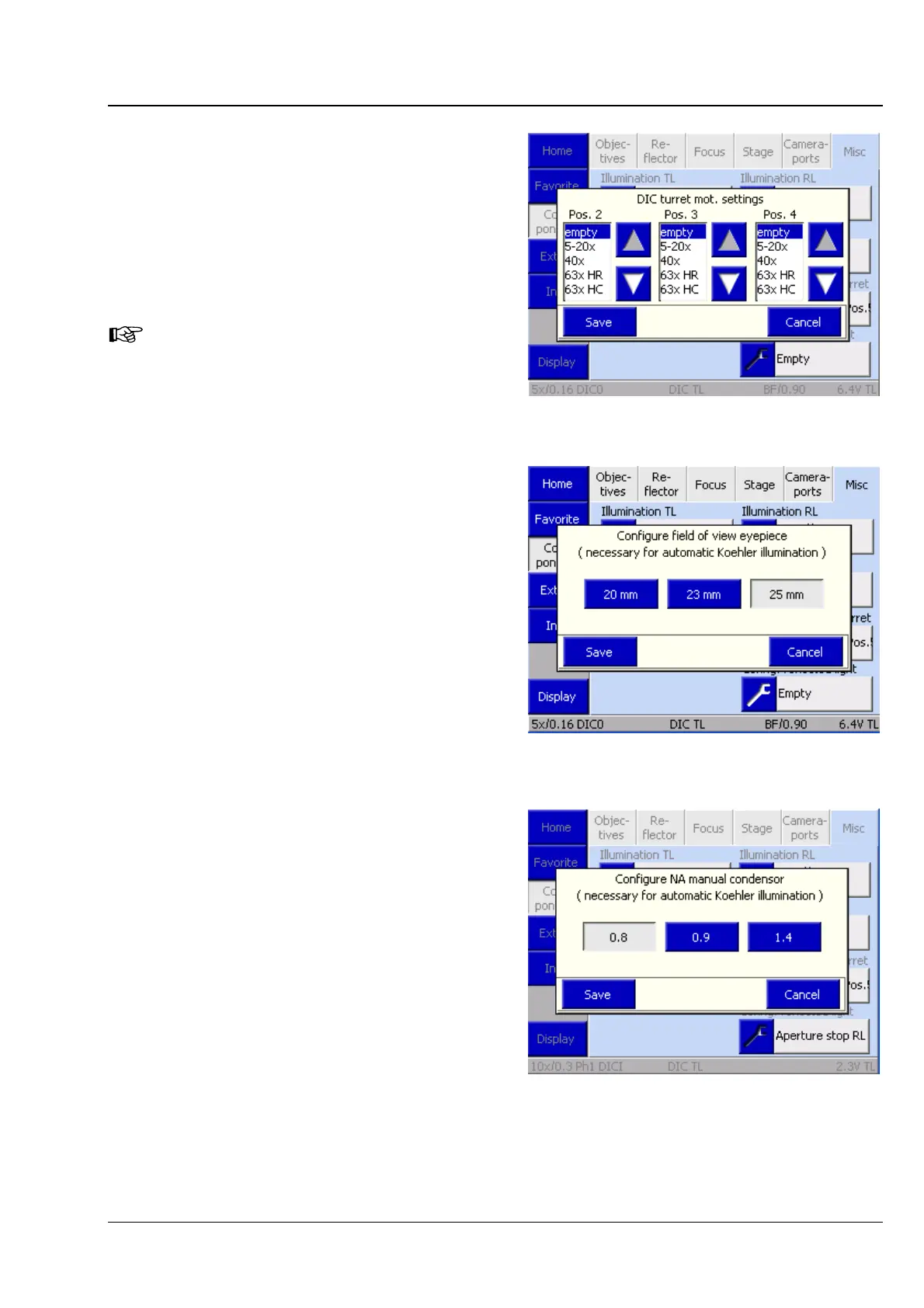
Motorized DIC turret
Modulator turret allocation for transmitted-light
DIC. This is where the user selects the appropriate
DIC prisms for turret positions 2, 3 and 4.
Important: The contrast manager can only adjust
the DIC contrast correctly if the analyzer module
specified for the motorized DIC turret has been
selected in the reflector turret.
Motorized C-DIC modulator turret for
material:
No settings are to be made here, as
the positions for C-DIC, TIC and
brightfield are always fixed.
Field of view of eyepieces
The user chooses the eyepieces employed via the
Eyepiece field of view selection pop-up
window.
This is important since the correct scaling of the
aperture of the motorized stop slider depends on
this information.
Manual condenser
If you use a manual condenser, but a motorized
luminous-field diaphragm, you should enter the
condenser aperture here. This is necessary, as the
Light Manager automatically adapts the luminous-
field diaphragm to the field of view of the
eyepieces, and the various condensers have
different magnification factors.
Fig. 4-80 Motorized DIC turret
Fig. 4-81 Field of view of eyepieces
Fig. 4-82 Manual condenser








 To Next Page