OPERATION
Axio Imager Operating the motorized microscope via the touchscreen of the TFT display Carl Zeiss
M70-2-0020 e 06/2009 430000-7344-001 137
4.8.7.2 User configuration page
On this page, user-defined configurations can be
created and saved. This page is protected by
password.
Upon entry of the user password, the
configuration for the user chosen on the User
selection page can be adapted.
The following tabs are available for user
configuration:
− HW Settings Hardware settings
− Settings Change of password
− Buttons on the left Left drive knob
− Buttons on the right Right drive knob
− Docking station buttons
− Favorites page Selection of favorites
page
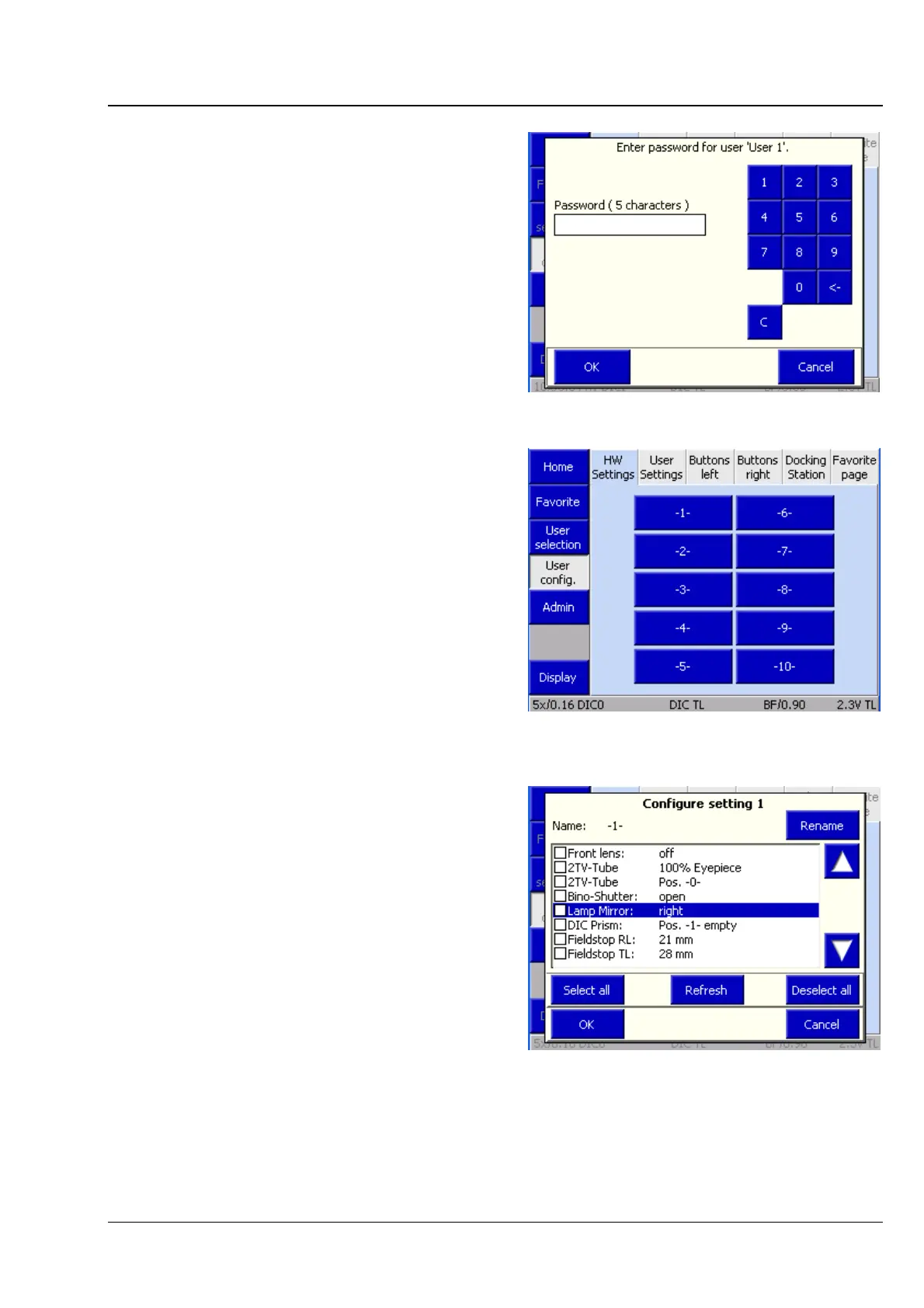
(1) HW Settings tab
As many as ten hardware settings can be assigned
to each user. Each setting may govern a
combination of controllable microscope
components. The components available appear in
a selection list.
• Click on the components desired.
Clicking on a given component will save its
current status for the setting. If a value
deviating from that status is to be saved, the
value must be changed via the buttons on the
stand or via the TFT, before it can be saved.
• To adopt the new value, press the Update
button afterwards.
Fig. 4-93 Password query
Fig. 4-94 Microscope -> User -> User
configuration -> HW Settings
Fig. 4-95 HW Settings list








 To Next Page