OPERATION
Carl Zeiss Operating the motorized microscope via the touchscreen of the TFT display Axio Imager
138 430000-7344-001 M70-2-0020 e 06/2009
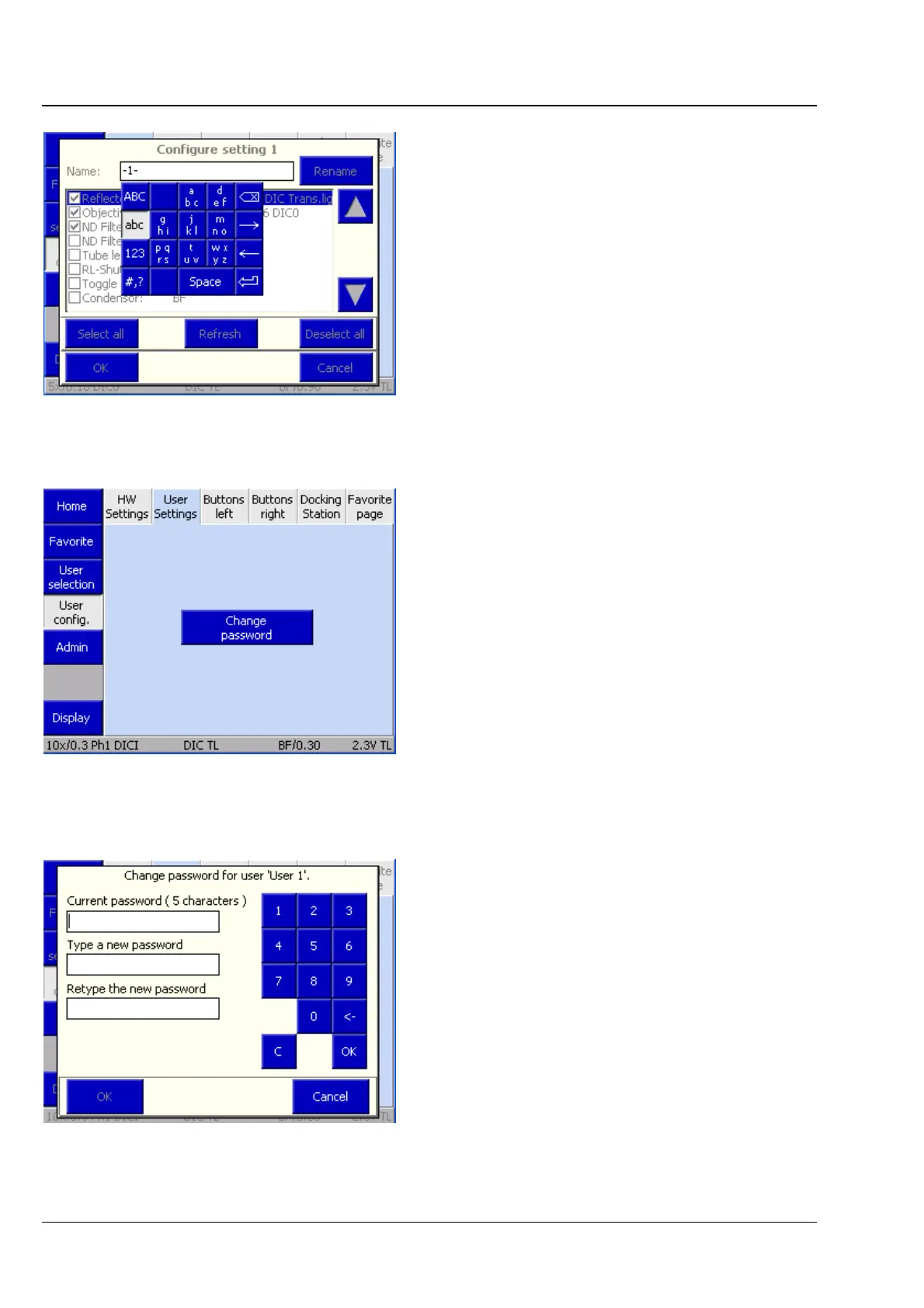
Each setting can be given an individual name.
• Press the Rename button.
• Enter the name and acknowledge by pressing
the ENTER button on the keyboard.
• Complete this procedure by pressing the OK
button or discard the entry by pressing the
Cancel button.
(2) Settings tab
This tab allows the password for the user to be
changed.
• Press Change password.
• Enter the old password.
• Enter the new password (which must be at least
five characters long).
• Repeat the new password.
• Acknowledge by pressing the OK button on the
numeric pad.
• To execute the change, press the OK button or
discard the change with the Cancel button.
Fig. 4-96 Renaming HW Setting
Fig. 4-97 Microscope -> User -> User
configuration -> Settings
Fig. 4-98 Changing the password








 To Next Page