OPERATION
Axio Imager Operating the motorized microscope via the touchscreen of the TFT display Carl Zeiss
M70-2-0020 e 06/2009 430000-7344-001 139
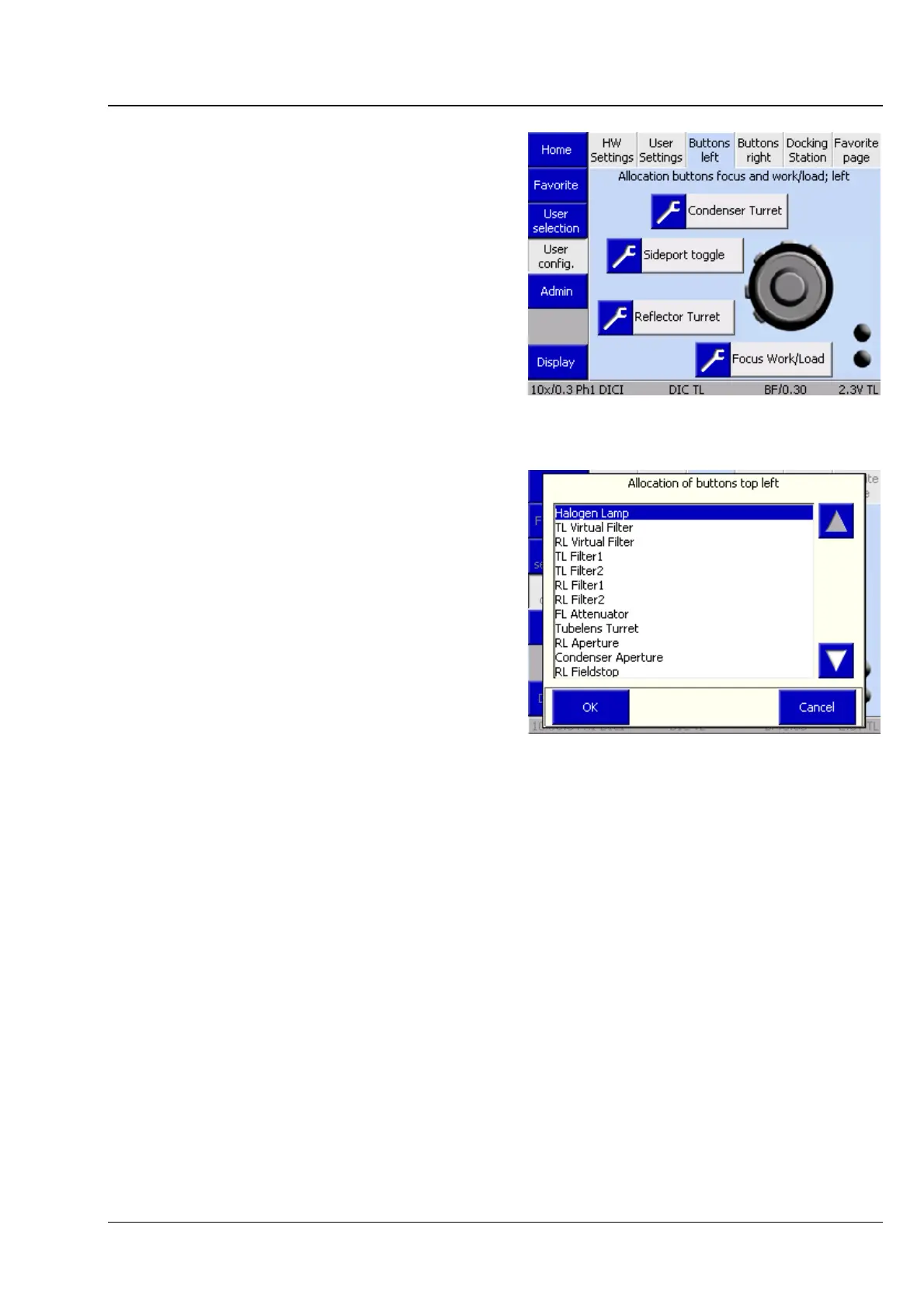
(3) Left buttons tab
On this tab, the control buttons on the left-hand
side of the stand can be assigned.
• Click on the Top left button pair.
• Use the arrow buttons to select the desired
assignment.
• Acknowledge with OK or discard with Cancel.
Proceed analogously for all other button
assignments.
Fig. 4-99 Microscope -> User -> User
configuration -> Left buttons
Fig. 4-100 Assignment of top left button pair








 To Next Page