OPERATION
Carl Zeiss Operating the motorized microscope via the touchscreen of the TFT display Axio Imager
140 430000-7344-001 M70-2-0020 e 06/2009
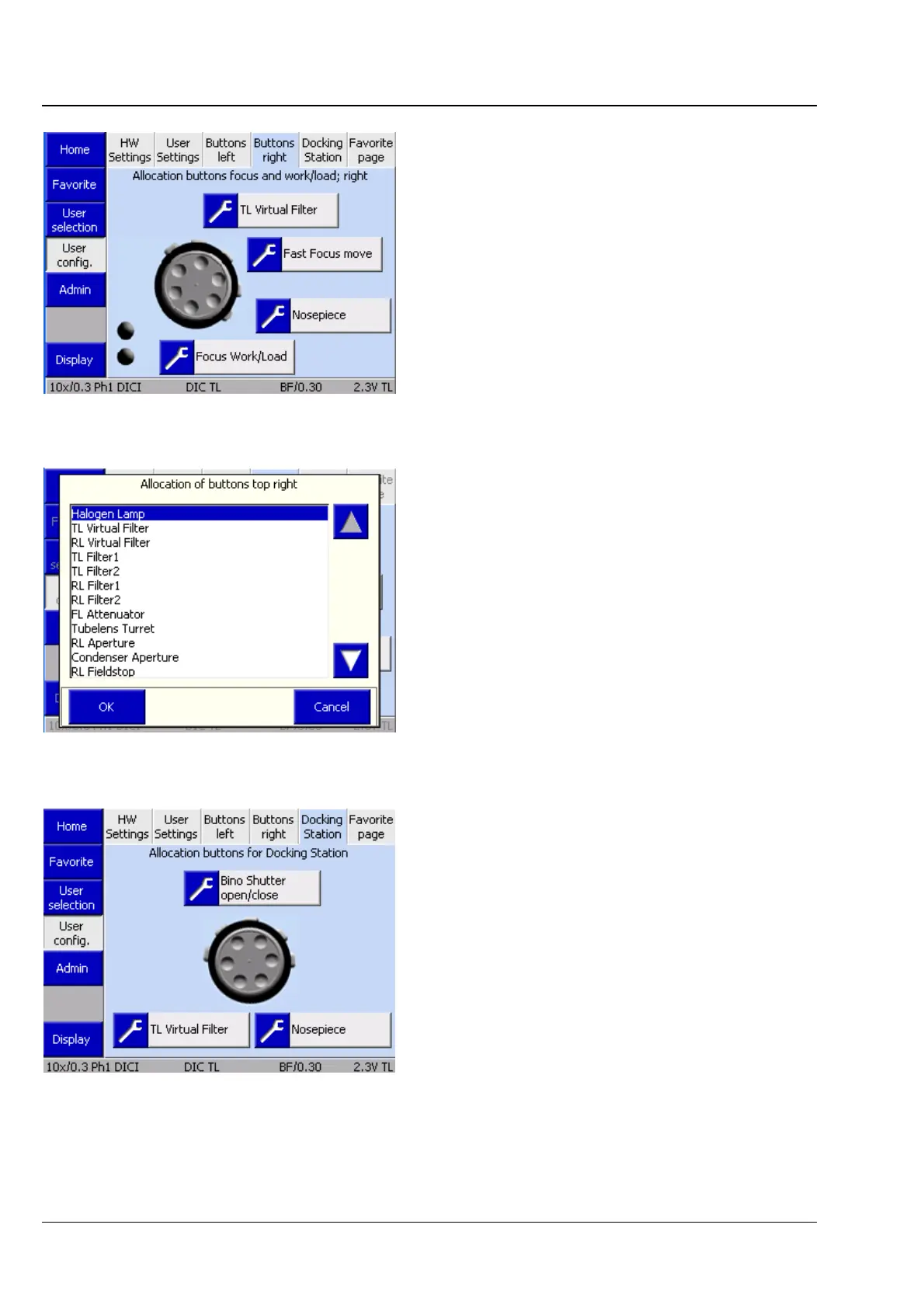
(4) Top right tab
On this tab, the control buttons on the right-hand
side of the stand can be assigned.
• Click on the Top right button pair.
• Use the arrow buttons to select the desired
assignment.
• Acknowledge with OK or discard with Cancel.
Proceeds analogously for all other button
assignments.
(5) Docking Station tab
For the assignment of the buttons on the docking
station, proceed analogously to Sections (2) of Top
left buttons tab and (3) of Top right buttons tab.
Fig. 4-101 Microscope -> User -> User
configuration -> Left buttons
Fig. 4-102 Assignment of top right button pair
Fig. 4-103 Microscope -> User -> User
configuration -> Docking Station








 To Next Page