OPERATION
Carl Zeiss Axio Imager operation and function controls (motorized version) Axio Imager
84 430000-7344-001 M70-2-0020 e 06/2009
Binocular phototube with motorized eyepiece shutter (
4-5/1)
− In addition to the manually operated beam splitter, the binocular phototube with motorized eyepiece
shutter 30°/25 (425506-0000-000) is equipped with a motorized eyepiece shutter, which is operated
via the button on the right side (alternately on/off) or via the TFT display.
Motorized camera path deflection, left (
4-5/2)
− The motorized camera path deflection (100:0/50:50) is exclusively operated via the TFT display.
CAUTION
Switch off the microscope before insterting stop slider mot., filter wheel 2x mot. and FL
attenuator discrete mot. into the corresponding slots.
Slot F for stop slider mot. (
4-5/3) with centerable luminous-field diaphragm
− The motorized stop slider is to be inserted analogously to the motorized filter wheel 2x discrete mot.
and the FL attenuator discrete mot.
− The diaphragm is opened or closed by pushing the respective button on the slider.
Slot for 2-position filter wheel, discrete mot.
for reflected light (
4-5/4) and transmitted light
(
4-5/7)
− When using the HAL 100 halogen illuminator in
the reflected-light and the transmitted-light
path, the filter wheel 2x discrete mot. can be
used for brightness adjustment. This filter wheel
module contains four filters each (neutral-
density filters) on two filter wheels.
Caution
Neutral-density filters are not suitable
for fluorescence applications as they
may be damaged by the light used.
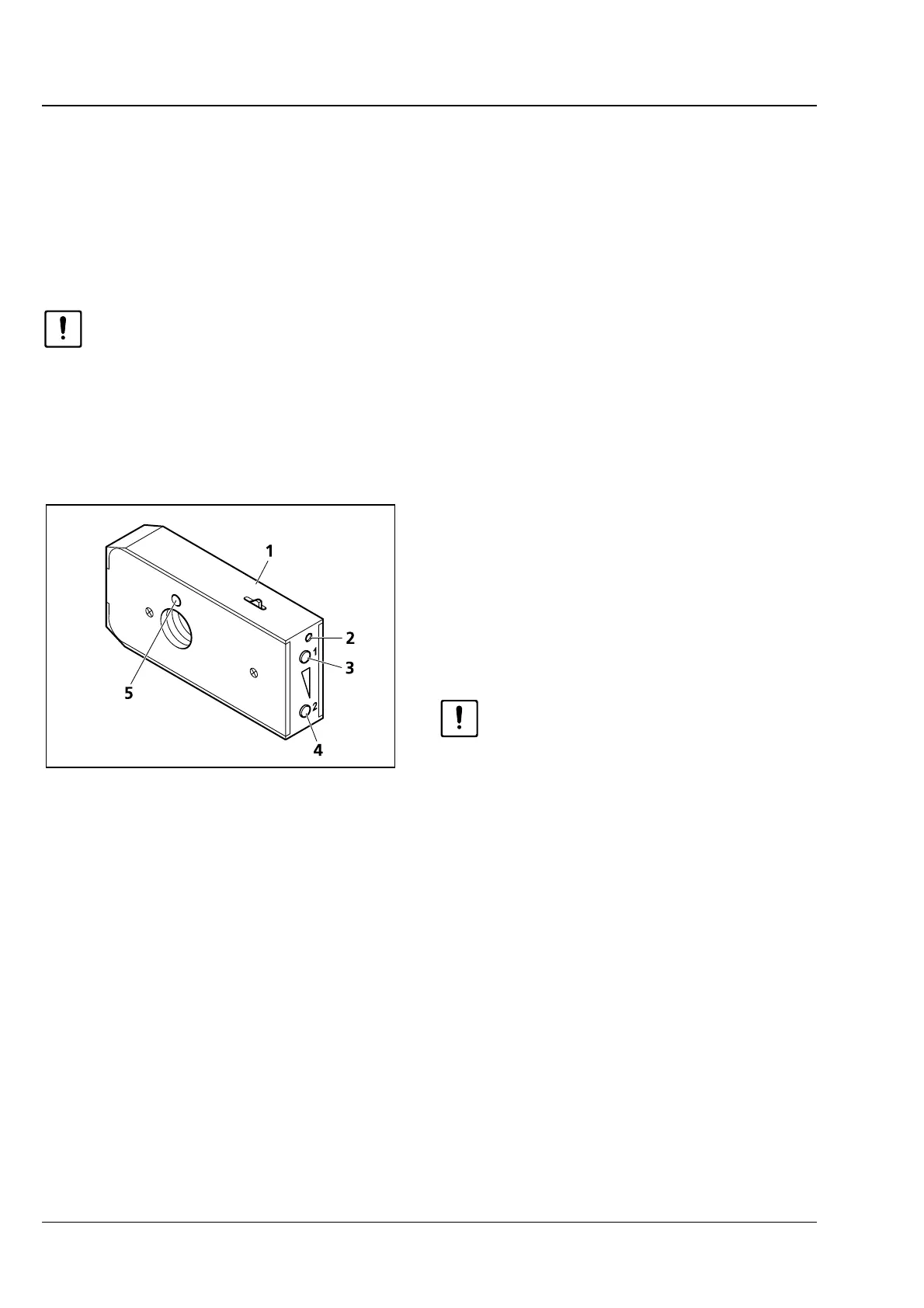
− Before inserting the filter wheel module, first
activate the click-stop mechanism (
4-6/1) by
pushing in. At the right-hand front end (
4-6/2)
a small silver plate becomes visible. Then, push
the filter wheel module into the corresponding
slot until you hear it click into place.
− To remove the filter wheel module, introduce a screwdriver into the top hole (
4-6/2) and push in the
silver plate to deactivate the click-stop mechanism. Slightly cant the screwdriver in the hole and pull
the filter wheel module out of the slot.
− Adjust the desired positions of the filter wheels by pushing the top (
4-6/3) or the bottom button
(
4-6/4). When the filter wheel module has been removed, the selected transmission can be read from
the sight glass (
4-6/5). The positions of the two integrated filter wheels can be combined optionally
with each another.
Fig. 4-6 Inserting/removing filter wheel 2x
discrete mot.








 To Next Page